Getting the technical details right can make or break a film festival screening. Digital Cinema Packages (DCPs) have become the gold-standard for projecting films at festivals, but they come with their own set of requirements and challenges. From specifying exactly what formats you accept to ensuring encryption keys work at showtime, careful planning is key. This guide shares hard-earned wisdom from veteran festival producers on handling DCP specs, KDMs, and deadlines to ensure every film on your programme lights up the screen flawlessly.
Understanding the Basics: What is a DCP Film?
Before diving into the technical weeds, it helps to clarify exactly what you are handling. If a newcomer asks, “what is a DCP film?”, the simplest answer is that it is the digital equivalent of a 35mm film print. A Digital Cinema Package is a collection of digital files—including audio, video, and data streams—packaged together to play on commercial digital cinema servers. For organizers evaluating comprehensive film festival AV production & screening solutions, standardizing around this format is non-negotiable. It ensures that whether you are projecting a quiet indie drama or a high-octane thriller, the visual and auditory fidelity remains exactly as the director intended.
Publish Clear DCP Specifications (Codecs, Frame Rates, Audio)
A festival organiser should start by clearly communicating the technical formats your event can handle. Filmmakers and their post-production teams need precise guidelines on what kind of DCP your festival accepts, so publish these specs in writing well ahead of your delivery deadline. For example, Film Festival Cologne explicitly notes in their technical requirements for DCP delivery that it only accepts standard DCP files for cinema screenings – no MP4 or ProRes files – with standard frame rates (24 or 25 fps) and typical cinema resolutions (Full HD, 2K, or 4K). The audio configuration should also be specified: most festivals run either 5.1 surround sound or simple stereo, so let participants know if your venue supports multi-channel audio or if stereo mixes are required.
Make sure to mention acceptable codecs and standards. In practice, DCP video content is encoded in JPEG2000 per the DCI specification, but it’s wise to confirm you require DCI-compliant DCPs. Some festivals, such as the Tallinn Black Nights Film Festival (PÖFF), explicitly state that all DCPs must meet DCI compliance and follow the standard naming conventions to avoid confusion. If your festival’s projection system has any limitations – for instance, maybe one venue only supports 2K resolution or cannot handle 4K – list those details. The same goes for supported frame rates: if high frame rate content (such as 48fps or 60fps) isn’t supported by your projectors, you should warn filmmakers in advance. Clear specifications act as a contract with filmmakers and ensure they deliver files that your equipment can actually play.
Accept Payments Across 13 Countries
Local currency processing via Stripe, Razorpay, Xendit, Paystack, and OXXO across 13 countries with region-specific payment methods.
Strict adherence to these technical parameters is especially critical when programming genre-specific content. For example, if a filmmaker asks which codec and frame rate are required to meet the film festival delivery specifications for a fast-paced horror chase spec film, the answer remains rooted in your baseline DCI compliance. High-motion sequences demand robust encoding (typically JPEG2000 at 24fps) to prevent artifacting or motion blur on a massive screen. By holding firm to your published specs, you protect the viewing experience for visually demanding submissions.
It’s also worth noting any subtitle format requirements if applicable, since many film festivals screen international films. If you need subtitles delivered as separate files or burned-in, include that in the spec sheet. By providing thorough specs for video, audio, resolution, and subtitles, you set everyone’s expectations correctly and minimise last-minute tech issues.
Planning a Festival?
Ticket Fairy's festival ticketing platform handles multi-day passes, RFID wristbands, and complex festival operations.
Set Delivery Deadlines with Time for QC and KDM Checks
One of the biggest mistakes a film festival producer can make is setting too tight a timeline for receiving films. You need buffer time to perform proper quality control (QC) checks on every DCP and to resolve any problems before the audience is seated. Major festivals have learned this the hard way. For instance, the Berlinale (Berlin International Film Festival) requires all DCPs and keys to arrive weeks in advance – in 2025 their deadline was January 29 – because “all media must pass a comprehensive and time-consuming quality management process before their first screening,” as stated in Berlinale’s festival media specifications. In other words, they know it takes significant time to test each film.
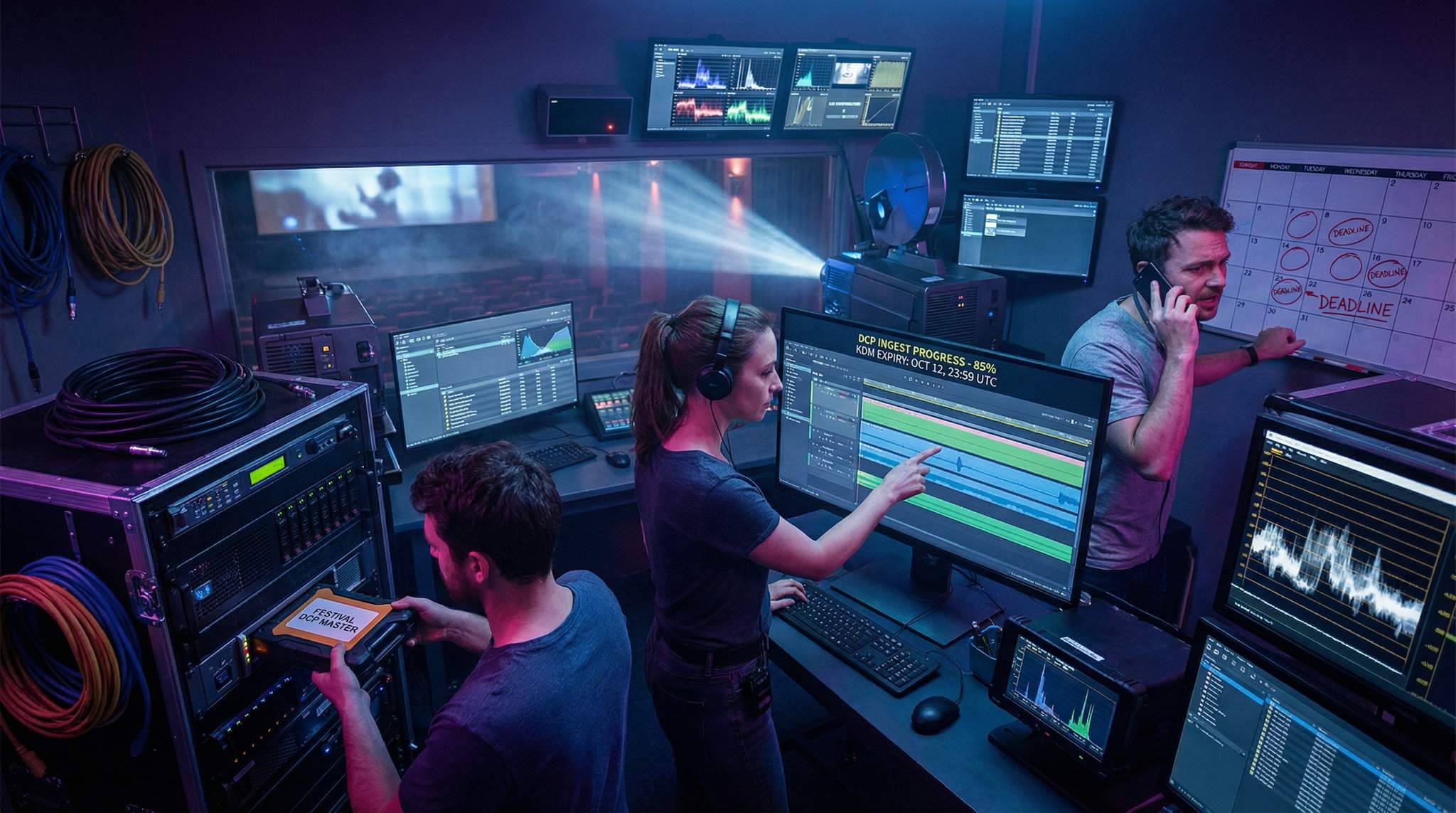
A good practice is to set a delivery deadline at least two to three weeks prior to your festival’s start date (or even more for large festivals) for all final screening copies. This gives your technical team a window to systematically ingest every DCP into the server and run a full-length test screening or verification of each file. It’s crucial to check image and sound quality, subtitle sync, and that the content plays smoothly on your equipment. If any file is corrupt or formatted incorrectly, you have time to ask for a replacement or make fixes.
Early deadlines are especially vital for encrypted DCPs that require Key Delivery Messages (KDMs). Verifying KDMs in advance is non-negotiable – you don’t want to discover at showtime that a film’s decryption key doesn’t work or has expired. Testing keys ahead of time ensures they unlock the content successfully on your servers. Indeed, some festivals schedule a special “test screening day” shortly after the DCP delivery cut-off – for instance, setting the deadline on a Monday and running full tests by Wednesday – which gives a small buffer to troubleshoot any issues found during testing.
In setting deadlines, also consider shipping and data transfer time. If you accept physical hard drives, specify a date when drives must arrive (accounting for international shipping delays and customs if applicable). For online file transfers, remind teams that uploading large DCP files can take time, and you might need an extra day on your end to download and verify files. It’s wise to build in a cushion: require materials early enough that even if a few filmmakers are late or a package is delayed, it won’t jeopardize the festival schedule. Remember, a missed or last-minute delivery can cascade into a very public failure – something no festival wants on their record.
Provide Clear Instructions for KDM Targeting (and Mind the Time Zones)
Encrypted DCPs add another layer of complexity: the films are locked by encryption and only playable with a valid KDM – a small file that essentially “unlocks” the movie for a specific server, location, and time window. To avoid any mishaps with encrypted content, a festival’s technical team should give filmmakers very clear instructions on how to generate and send their KDMs.
First, communicate exactly which server or projection system the KDM should target. KDMs are keyed to a unique identifier (the media block certificate) of the cinema server that will play the content. If your festival uses multiple venues or screens, you’ll need a KDM for each one. Provide filmmakers with the necessary information such as the server’s certificate or its serial number (often in the form of a long alphanumeric string or a .pem file) well in advance. Some festival organizers create a detailed technical sheet for each venue, listing the projector model, server type, and the required KDM details, so that filmmakers or distribution labs can easily target the correct device. Never assume all filmmakers know this – for many, especially newcomers, the concept of targeting a specific server is unfamiliar, so your instructions should be step-by-step.
Need Festival Funding?
Get the capital you need to book headliners, secure venues, and scale your festival production.
Next, be crystal clear about the time window that KDMs need to cover. Always specify the time in a universal way – include the time zone or use UTC to avoid confusion. For instance, if your screening is on October 10 at 7pm local time, don’t just ask for the KDM to be valid on October 10; explicitly state the needed active period (e.g. “valid from Oct 9 00:01 local time to Oct 11 23:59 local time”). KDMs can and do fail simply because of time zone miscalculations or daylight savings quirks, so double-checking this detail is essential. A good practice is to request keys that start a day or two before your festival and expire a day or more after the festival. In fact, some festivals mandate that KDMs be valid from the moment the DCP arrives in their possession until at least one day after the event, precisely to allow flexibility in testing and any schedule changes, a standard outlined in PÖFF’s technical regulations.
Also, encourage filmmakers to send a test KDM as soon as they can (if the content is encrypted). This could be a key that is valid immediately upon DCP delivery, which lets your team ingest the DCP and do a quick trial playback. Once confirmed, that key might expire, and later the actual festival screening KDMs (with the real dates) can be sent. This two-step approach (test key followed by final key) is used by many top-tier festivals because it catches problems early.
Communicating all these KDM requirements in a simple checklist or guide can save everyone a lot of headaches. Specify the KDM contact person on your festival team who will handle keys, and list their email and phone number, so that if anything goes wrong or if there’s confusion on the film distributor’s side, they can get help fast. The more clarity you provide about KDM targeting and scheduling, the fewer panicked phone calls you’ll receive during festival week.
Offer a Help Desk for First-Time Filmmakers and Teams
For many filmmakers, especially those debuting at a festival, creating and delivering a DCP can be a daunting new experience. A forward-thinking festival organiser will anticipate this and set up support to guide less-experienced teams. Consider establishing a “help desk” or support contact specifically for technical questions about deliverables. This could be an email hotline or a dedicated staff member (or volunteer) who can walk filmmakers through the process of preparing and sending their DCP.
In practice, some festivals partner with post-production houses or DCP service providers to assist filmmakers. For example, several international festivals — from goEast in Germany to Independent Film Festival Boston and even Hong Kong International Film Festival — have collaborated with DCP creation services to offer special discounts for festival participants needing to make a DCP. This not only helps filmmakers who might be on a tight budget, but also ensures the festival receives a professional-standard DCP that is likely to play without issues. It’s a win-win: the filmmaker feels supported, and the festival gets a reliable screening copy.
Beyond partnerships, simply being available to answer questions is invaluable. Provide a technical FAQ detailing common issues (e.g. “How do I format my hard drive for delivery?” or “What does it mean if my DCP is ‘unencrypted’ versus ‘encrypted’?”). Indicate acceptable delivery methods (upload links, physical drives, etc.) and who to contact if something goes wrong during upload. Some smaller festivals even run brief workshops or one-on-one sessions for local filmmakers on how to create a DCP, covering basic tools like open-source DCP creation software and how to check a DCP file before sending it.
Empathy and patience go a long way here. Remember that first-timers might not know terms like “frame rate” or “KDM” in depth. A mentor-like approach from the festival’s side can turn a potentially stressful process into a learning opportunity for filmmakers. Not only will they appreciate the guidance, but your proactive support also reduces the likelihood of receiving improperly formatted content at the last minute. By holding filmmakers’ hands through the technical delivery, you ultimately protect your festival’s screenings and reputation.
Real-World Lessons: Successes and Pitfalls
Even with all these measures, things can go wrong – but each hiccup is a chance to improve for next time. In 2012, a highly anticipated screening at the New York Film Festival had to be cancelled due to a DCP issue, marring the festival’s 50th anniversary celebrations. This digital disaster at the New York Film Festival underscored why rigorous testing and backup plans are so important. After that fiasco, festivals worldwide took note: many began insisting on backup keys, unencrypted DCP copies for emergencies, or even Blu-ray backups just in case.
On the other hand, there are plenty of success stories where thorough planning saved the day. Festivals like Sundance and Toronto routinely handle hundreds of DCPs each year. Their technical teams often begin ingesting and checking files weeks ahead, catching issues like missing audio channels or subtitle errors in time to get corrections. A common success factor is having a redundancy plan – for instance, keeping a spare DCP server on standby or having a previously tested backup drive of the film. Seasoned festival producers know to prepare for the unexpected: whether it’s a power outage, a file that won’t copy, or a KDM that’s slow to arrive from a studio on the other side of the world.
Another positive example is how community-driven film festivals manage to support filmmakers. Small regional festivals sometimes lack the latest equipment, but by clearly stating their needs (say, requiring an unencrypted DCP or a ProRes file if they don’t have an easy way to handle keys), they find workable solutions. Some have even turned to local cinema enthusiasts or universities with projection equipment to help test films in advance. The lesson is that no matter the festival’s size, communication and preparedness are the great equalisers.
Ultimately, the goal is to make the projection of every film seamless so that the audience and filmmakers can focus on the art, not the technology. By learning from both the war stories and the triumphs of past festivals, today’s festival organisers can avoid reinventing the wheel. Implementing these best practices – detailed spec guidelines, well-planned deadlines, crystal-clear KDM instructions, and strong filmmaker support – goes a long way toward running a glitch-free festival.
Adapting DCPs for Non-Traditional Venues and Pop-Ups
Modern event producers are increasingly setting up secret pop-up screenings to generate buzz or utilize unique architectural spaces. While these off-site events offer incredible marketing value, they present unique technical hurdles. Taking a DCP out of a traditional multiplex and into a warehouse or outdoor amphitheater requires specialized film festival AV production & screening solutions. You will need portable DCI-compliant projectors, standalone cinema servers, and robust audio processors capable of decoding 5.1 surround sound in an untreated room. When planning a pop-up, ensure your technical team generates KDMs specifically targeted to these mobile servers, as the hardware certificates will differ from your primary cinema venues.
Partnering with Professional AV Production & Screening Providers
As your event scales, handling every technical detail in-house becomes risky. Many top-tier organizers eventually transition to hiring dedicated film festival AV production & screening solutions to manage their entire projection infrastructure. These specialized vendors supply DCI-compliant projectors, cinema servers, and expert technicians who understand the nuances of managing a DCP for film festivals. When vetting potential AV partners, ask about their redundancy protocols, their experience with live KDM troubleshooting, and whether they provide on-site engineering support during your most critical premieres. Outsourcing your technical delivery not only mitigates the risk of a digital disaster but also frees up your core team to focus on hospitality, programming, and sponsor relations.
Frequently Asked Questions
What are the standard technical specifications for a festival DCP?
Standard Digital Cinema Packages (DCPs) for festivals must be DCI-compliant and encoded in JPEG2000. Acceptable frame rates are typically 24 or 25 fps, with audio configured for 5.1 surround sound or stereo. Festivals generally reject consumer formats like MP4 or ProRes files in favor of professional cinema resolutions like 2K or 4K.
How far in advance should DCPs be delivered to a film festival?
Festivals typically require final screening copies to be delivered at least two to three weeks before the event starts. This buffer time allows technical teams to ingest the files and perform full-length quality control tests to verify image, sound, and subtitles before the audience arrives.
How do I create a KDM for a specific festival venue?
To generate a valid Key Delivery Message (KDM), target the unique media block certificate or serial number of the specific server playing the film. You must also define a precise time window, preferably starting before the festival and ending after it, while explicitly accounting for the local time zone or UTC.
Why is it important to test KDMs before a festival screening?
Testing KDMs in advance is crucial because encryption keys are locked to specific servers and time windows. Verification ensures the key has not expired and targets the correct hardware. Many festivals request a test key immediately upon delivery to confirm the DCP works, followed by a final key for the actual event.
What happens during the quality control check for a DCP?
During quality control (QC), technical teams ingest the DCP into the cinema server and run a full-length verification. This process checks for corrupt files, correct image and sound quality, and accurate subtitle synchronization. Identifying these issues weeks in advance allows time for filmmakers to send replacement files if necessary.
Do film festivals accept encrypted or unencrypted DCPs?
Festivals accept both, but encrypted DCPs require valid KDMs for playback. To avoid technical failures, some festivals prefer unencrypted copies or require backup keys. If sending an encrypted DCP, filmmakers must provide precise instructions and ensure keys cover the entire festival duration plus a buffer period for testing.
What backup formats should be prepared for a film festival screening?
Festivals often recommend having redundancy plans, such as backup Blu-ray discs, ProRes files, or unencrypted DCP copies. These backups are essential safeguards against technical failures, such as corrupt hard drives or invalid encryption keys, preventing the need to cancel a screening entirely in the event of a digital disaster.
How can first-time filmmakers ensure their DCP works correctly?
First-time filmmakers should follow the festival’s published technical specifications strictly, paying attention to frame rates and audio channels. Utilizing festival-partnered DCP services can ensure professional standards. Additionally, sending a test KDM early allows the festival’s help desk to verify the file and troubleshoot issues before the premiere.
What is a DCP film and why is it the festival standard?
A DCP (Digital Cinema Package) is a collection of digital files used to store and convey digital cinema audio, image, and data streams. It is the industry standard for film festivals because it guarantees high-resolution, uncompressed playback and secure encryption, ensuring films are screened exactly as the creators intended across different professional AV setups.
Why should organizers hire specialized film festival AV production & screening solutions?
Partnering with specialized AV providers ensures that your event has access to commercial-grade DCI-compliant projectors, backup cinema servers, and expert technicians. These professionals handle the complex logistics of ingesting a DCP for film festivals, managing KDMs, and troubleshooting audio-visual issues on-site, which significantly reduces the risk of screening failures.