Why Pinterest is an Event Marketing Goldmine in 2026
A Visual Discovery Platform with Planning Power
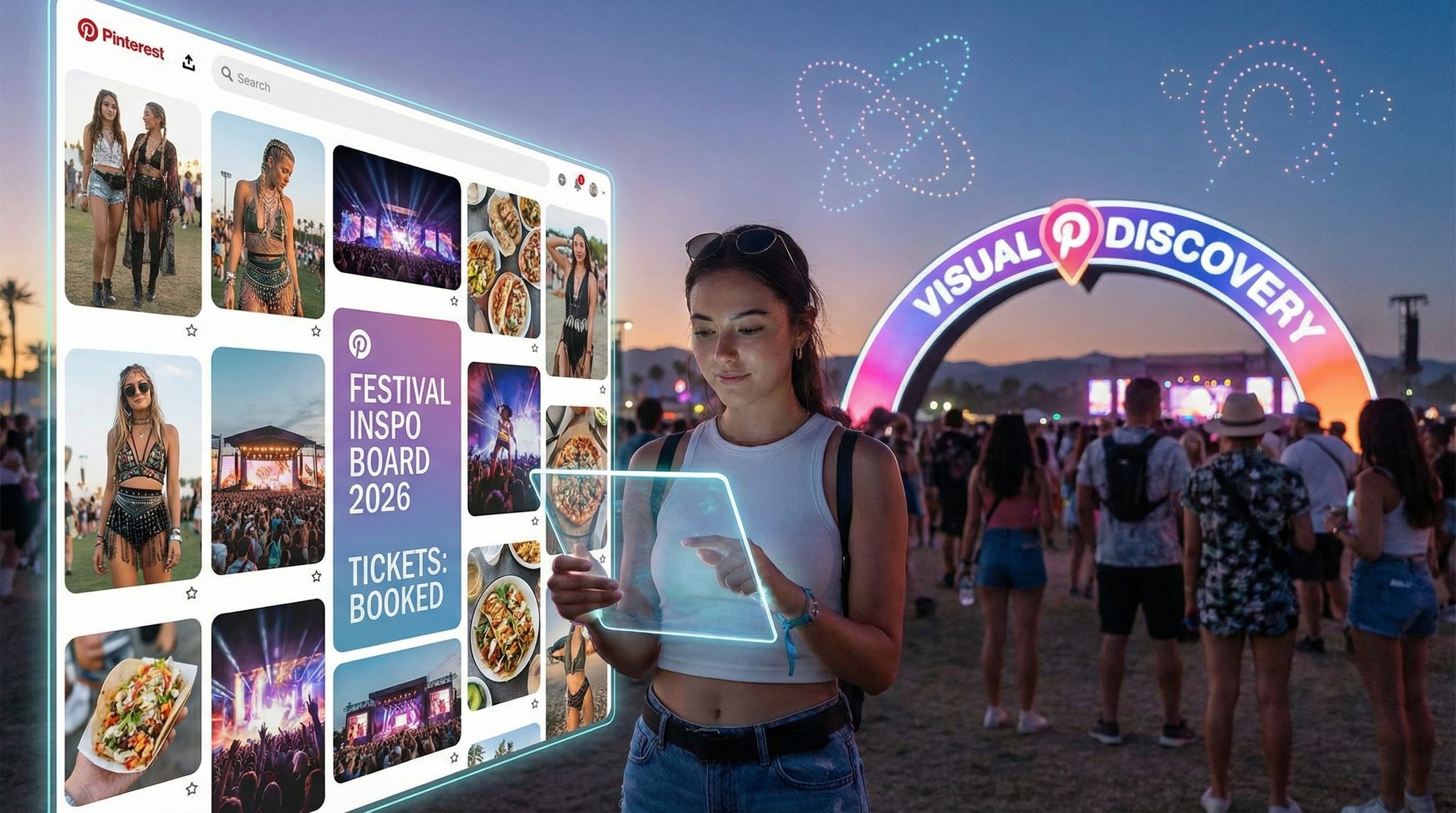
Pinterest isn’t just another social network – it’s a visual discovery engine where millions actively search for ideas, inspiration, and plans. Unlike feeds on Facebook or Instagram (where content from friends dominates), Pinterest users come looking for new concepts and solutions. This planning mindset makes Pinterest uniquely powerful for event promotion: people browse it to plan experiences – from festival outfits to conference tips – meaning they’re often in a discovery and decision mode rather than passive scrolling. In fact, Pinterest’s user base has swelled to over 550 million monthly active users globally according to recent Pinterest user statistics, and the platform saw a 23% year-over-year audience growth heading into 2024 as noted in Sprout Social’s platform growth analysis. That growth shows no sign of slowing in 2026, making Pinterest a rising opportunity for event marketers.
High-Intent Audiences Ready to Discover Events
Experienced promoters know the value of reaching audiences when they’re actively seeking inspiration. Pinterest provides exactly that scenario. Each week, users save more than 1.5 billion Pins to some 10 billion boards, a figure highlighted in data on Pinterest engagement metrics – from travel plans and party ideas to bucket-list festivals. This means a huge population of users curating future experiences; your event could be one of them. Notably, roughly 70% of Pinterest users are women based on demographic breakdowns of the user base, a demographic that often drives decisions for group activities and travel. But don’t dismiss Pinterest if your target is broader or more niche – male use is growing, and the platform’s interest-based nature lets you reach exactly the enthusiasts relevant to your event. Whether it’s comic-con fans collecting cosplay ideas or business professionals saving conference networking tips, Pinterest houses countless high-intent micro-communities. In a world where mainstream social algorithms increasingly throttle organic reach, Pinterest’s search-driven content offers a refreshing way to get in front of people actively seeking what you offer.
How Pinterest Stands Out vs. Other Social Platforms
Pinterest operates differently from the typical social media giants, and that’s a good thing for event marketers. Content on Pinterest has a much longer lifespan than on other networks – often 4 months or more of visibility according to analyses of social media content lifespan – meaning the Pins you create today can keep driving awareness (and ticket clicks) for an entire season. By contrast, posts on platforms like Instagram or TikTok peak within hours or days before vanishing into feeds. Pinterest is also inherently destination-friendly: every Pin can include a direct link out to your ticket page or event website, turning visual inspiration into actionable traffic. The table below highlights key differences that make Pinterest a unique (and often overlooked) gem in the social mix:
| Platform | Users (MAU) | Content Focus | User Intent | Content Lifespan |
|---|---|---|---|---|
| ~540 million (source) | Visual search & inspiration (images, Pins) | Plan and discover new ideas | Longest – months (evergreen) | |
| ~2 billion | Visual social sharing (photos, short video) | Follow brands & friends; be inspired | Short – ~1–2 days | |
| ~3 billion | Social networking (mixed content, events) | Connect with friends; event invites | Very short – hours | |
| TikTok | ~1 billion+ | Short-form video (algorithm-driven feed) | Entertainment & viral trends | Very short – 1–3 days (viral peak) |
| ~900 million | Professional content (posts, articles) | Network and learn (B2B focus) | Short – ~1–2 days |
Table: Pinterest vs. Other Social Platforms – Pinterest’s discovery-driven model offers longer content life and planning-focused users, in contrast to the quick-feed, friend-focused nature of most social networks. This gives event marketers a chance to plant “slow burn” promotional content on Pinterest that can steadily build interest over time.
Grow Your Social Following With Every Sale
Require social media follows, shares, or playlist adds to unlock presale access or special pricing. Turn every ticket purchase into audience growth.
It’s also worth noting that Pinterest can be a cost-effective paid channel. A recent analysis found Pinterest ads deliver 32% higher ROAS (return on ad spend) on average compared to other digital platforms, as reported in studies on Pinterest advertising efficiency. In other words, the dollar you spend advertising on Pinterest tends to drive more revenue – a big deal when every ticket sale counts. We’ll dive more into Pinterest’s advertising advantages later, but the takeaway is clear: if you’re only relying on Facebook, Instagram, or Google, you may be leaving a high-intent audience untapped. Forward-thinking event marketers are increasingly diversifying their channel mix; for instance, those prioritizing channels with the best ticket-selling ROI often discover that a smaller platform like Pinterest can punch above its weight in driving conversions.
Setting Up Your Event’s Pinterest Presence
Creating a Business Account and Optimizing Your Profile
Before you start Pinning, set yourself up for success with a Pinterest Business account (it’s free). A business account unlocks crucial features: analytics, paid ads, and the ability to claim your website. Seasoned event promoters treat this step as essential housekeeping – it ensures you can track performance and build credibility. Use your event or brand name as the account name, and write a clear, keyword-rich profile bio (e.g. “Annual EDM Festival in Croatia – music, camping & travel inspiration for festival-goers”). Include your website link and verify your domain on Pinterest so that your logo appears on any Pin from your site and you get attribution data. An optimized profile helps users (and Pinterest’s algorithm) understand who you are and what content you offer from day one.
Ready to Sell Tickets?
Create professional event pages with built-in payment processing, marketing tools, and real-time analytics.
Next, give your Pinterest profile some initial polish by setting up a few boards (more on board strategy below) and populating them with at least a handful of Pins. An empty profile can look uninviting – imagine stumbling on a brand’s page with no content. Experienced event marketers know first impressions count, so have a minimum viable presence ready before you actively promote your Pinterest. Lastly, choose a high-quality profile image (your logo or a compelling event photo) to ensure brand recognition. Consistency matters: use the same brand imagery and tone here as on your other channels so that attendees recognize you immediately across platforms. (For example, event promoters practicing omnichannel marketing keep logos, color schemes, and taglines uniform on Pinterest, Instagram, email headers, etc.) By laying this foundation, you signal professionalism and make it easy for pinners to trust and follow your event.
Crafting Event-Themed Boards That Attract Followers
On Pinterest, boards are how you organize content – and they’re often the first thing visitors check out on your profile. Think of each board as a curated gallery around a specific theme related to your event. The key is to create boards that align with your event’s lifestyle and interests, not just the event itself. For instance:
- Festival Example: A music festival might have boards like “Festival Fashion Inspiration”, “2026 Lineup & Artist Highlights”, “Camping & Travel Tips”, and “Aftermovie & Photo Highlights from Past Years”. The festival’s marketing team can share not only official posters and info, but also scenic shots of the venue, outfit ideas, and even Pins of the local area’s attractions. Coachella famously benefits from thousands of fan-made style boards each year – why not curate your own official style board to ride that wave of interest?
- Conference Example: A B2B conference could create boards such as “Industry Trend Infographics”, “Keynote Speaker Quotes & Books”, and “Productivity Hacks for Attendees”. By pinning valuable content (e.g. an infographic with data relevant to the conference theme or quotes from your speakers), you position the conference as a knowledge resource. This draws in professionals browsing Pinterest for useful tips and establishes thought leadership, warming them up to the idea of attending.
- Local Event Example: Even small community events can find a niche – a food and wine festival might make boards for “Wine Pairing Tips”, “Regional Recipes”, or “Past Festival Highlights & Testimonials”. These boards appeal to foodies and locals planning their weekends, providing value beyond “come to our event” messaging.
Organize boards around what your target attendee cares about. Name them with descriptive, SEO-friendly titles that include keywords people might search. “Summer Gala Inspiration – Decor & Dress Code” will perform better in search than “Gala 2026 Board” or something too generic. In board descriptions, write 1-2 sentences with relevant keywords as well (e.g. “Find outfit ideas, decor themes, and charity auction inspiration for gala events. Curated by the London Charity Ball – join us this August!”). This helps Pinterest’s algorithm surface your boards when users search those topics.
To spark ideas, here’s a quick reference of board concepts for different event types:
Turn Fans Into Your Marketing Team
Ticket Fairy's built-in referral rewards system incentivizes attendees to share your event, delivering 15-25% sales boosts and 30x ROI vs paid ads.
| Event Type | Board Theme Ideas | Purpose & Benefit |
|---|---|---|
| Music Festival | Festival fashion & style, lineup highlights, camping tips, past year photos, fan art | Engages fans planning outfits/trips; builds hype by showcasing artists and the festival vibe. Can drive saves from fashion and music enthusiasts. |
| Industry Conference | Speaker spotlights, industry stats infographics, best books or tools in industry, networking tips | Positions your event as a valuable knowledge source. Attracts professionals searching for insights and establishes credibility (attendees feel “I’ll learn a lot here”). |
| Trade Show/Expo | New product sneak peeks, exhibitor showcases, booth design inspiration, venue/travel info | Draws interest from potential attendees and even exhibitors. Pins of cool booths or products can get shared, boosting event awareness among industry buyers. |
| Community Festival | Local food & recipes, cultural history or traditions, family activity ideas, volunteer spotlights | Taps into community pride and interest. For example, sharing traditional recipes or past festival moments gets locals excited and invested in attending. |
| Concert/Tour | Setlist & lyrics art, band member profiles, fan merchandise & fan art, venue info | Feeds the fan base’s appetite for content about the artist and tour. Fans save and share these, effectively spreading concert info via their pins (word-of-mouth in visual form). |
Table: Board Ideas by Event Type – Tailor your boards to what your audience loves. By curating content aligned with attendee interests, you provide genuine value (beyond just pushing ticket sales) and organically attract followers who could become ticket buyers. Each board should tell a piece of your event’s story or culture.
Veteran promoters also recommend collaborative boards for extra engagement. Collaborative boards allow multiple people to add Pins. You might invite your event partners, sponsors, or even select influencers to contribute. For example, a fashion retailer sponsoring a festival could add Pins to the “Festival Fashion” board – their clothing items that match the vibe. This not only enriches your content with fresh perspectives, but also encourages those collaborators to share the board with their own followers (extending your reach). In some cases, events even invite fans or past attendees to contribute to a board (perhaps through a contest or application) as a form of audience co-creation. When your community actively participates in content creation, you’ve essentially co-created your marketing with your audience – leading to higher investment and organic buzz.
Grow Your Events
Leverage referral marketing, social sharing incentives, and audience insights to sell more tickets.
Board Organization and SEO Basics
The way you organize and label your boards can significantly impact discoverability. Order your boards strategically on your profile – put the most important and relevant boards in the top two rows, since many visitors won’t scroll beyond that. For an upcoming event, place the board that contains key info (like lineup or schedule) front and center. You can also create a board just for “Official [Event Name] Info & Updates” where you pin your event poster, ticket on-sale announcements, venue maps, etc., so that there’s one obvious go-to board for someone who lands on your profile wanting event details.
From an SEO standpoint, board titles and descriptions should include keywords that your potential attendees might search on Pinterest. For example, if you’re promoting a marathon, a board titled “Marathon Training & Nutrition Tips” with a description mentioning running, marathon prep, and the race name/location can help attract fitness-minded pinners. This board can naturally include a mix of general interest Pins (like a training plan graphic) and your event-specific content (like photos from last year’s race) – the general content pulls people in, and then they discover your event in the mix. This strategy of combining broad-value content with event promos is a savvy way to get traction on Pinterest. You’re essentially using popular search terms as bait, then introducing your event as the hook.
One pro tip: To further boost discovery, categorize your boards under Pinterest’s categories (e.g. “Travel”, “Music”, “DIY and Crafts”, etc.) if available, and use Pinterest’s Trends tool (available in business accounts) to research what keywords are trending each season. For instance, if data shows “summer music festivals outfits” is trending in spring, make sure you have a board or a batch of Pins ready to serve that demand. Adapting your board content to seasonal trends can dramatically increase your impressions. Remember, Pinterest is often used to plan well in advance – users may start looking up “Christmas party ideas” in October or “summer concert tour dates” in January. Align your board content calendar accordingly so you’re serving the right inspiration at the right time.
Crafting Pins that Convert Browsers into Buyers
Designing Eye-Catching Pin Visuals
On Pinterest, the visual is everything. With users scrolling through an endless cascade of images, your Pins need to stop thumbs in their tracks. Designing scroll-stopping visuals is an art that event marketers must master, as highlighted in guides on mastering event ad creative. Here are some battle-tested tips for Pins:
- Use the optimal Pin dimensions: Vertical images (2:3 aspect ratio, like 1000 x 1500 px) perform best, as they take up more real estate in the feed. Horizontal or small images get lost. For example, when we promoted a food festival, the Pins using tall, vibrant photos of dishes consistently got more saves than wider versions.
- Choose high-quality, vibrant imagery: Blurry or dark photos won’t cut it. Use bright, well-composed photos that showcase the experience of your event. A dynamic crowd shot with confetti in the air, a close-up of a delighted fan, or a beautifully staged product at a trade show can all evoke emotion. Experienced designers often apply a slight color boost or clarity filter to make the image “pop” – but avoid heavy text or gaudy graphics that feel too much like an ad.
- Incorporate text overlays strategically: Adding a bit of text on the image can dramatically increase context and clicks. For event Pins, a short punchy text like “Lineup Just Announced!” or “Early Bird Tickets Ending Soon” can create urgency and inform users why they should click. Keep text concise and highly readable (use bold, clean fonts; ensure contrast with the background). This technique works similarly to effective event posters – a strong visual plus a clear headline can compel action, a concept reinforced by strategies for designing visuals that drive sales. Just don’t overload the image; Pinterest recommends keeping text to a minimum so the Pin remains visually appealing.
- Maintain branding, but keep it subtle: Include your event logo or name somewhere on the Pin (bottom corner or as part of the text overlay) for brand recognition, especially if the image itself doesn’t make it obvious. This way, if the Pin gets saved beyond your control (which is what you want!), viewers still know it’s connected to your event. However, avoid big watermarks or anything that screams “promotional flyer”. Pins are more likely to be saved by users if they look like useful or inspirational content, not pure advertisements.
- Leverage rich media: Consider using video Pins for extra impact – a 10-30 second highlight reel of your festival or a speaker snippet from your conference can stand out amidst static images. Video content auto-plays (muted) in the feed, which can draw the eye. Just ensure the thumbnail is compelling because that’s what pinners see first. Additionally, Pinterest’s newer Idea Pins (multi-page story-like Pins) can be useful to showcase a sequence (say, “5 must-pack items for our camping festival” with one item per page). Idea Pins don’t initially link out, but as of 2025 Pinterest has tested adding links for business accounts, a feature noted in updates regarding Idea Pins for business – meaning you can now include a call-to-action on the last page to visit your site for tickets. Early adopter event marketers have jumped on this feature to deliver mini-content pieces that drive high engagement and then funnel viewers to their ticket page.
Don’t forget to source great visual content from the event itself. If your venue is visually stunning or you’ve invested in Instagrammable on-site moments, those same photo-op installations and scenic shots make for excellent Pins later. For example, that colorful mural or stage backdrop you set up for on-site selfies can become a signature image in your Pinterest content, reinforcing your event’s unique aesthetic. Smart promoters even plan some stage designs or decor with Pinterest in mind, knowing that striking visuals generate more re-pins (free promotion!). In essence, create a virtuous cycle: design events that look amazing, photograph them well, and feed those visuals back into Pinterest to attract the next wave of attendees.
Writing Compelling Pin Titles & Descriptions
While the image hooks the viewer, it’s the Pin title and description that provide context and drive the click or save. Pinterest functions as a search engine, so your text matters for SEO within the platform. Here’s how to optimize it:
- Pin Title: You get up to 100 characters for a title – make the most of it. Lead with something catchy and informative. If promoting an event, include the event name and a value proposition or keyword. For instance, instead of just “Sunshine Music Festival 2026”, a stronger title would be “Sunshine Music Fest 2026 – Beachside EDM Party in Miami”. The latter packs in what/when/where and will grab those searching for “music fest 2026”, “EDM party”, or “Miami festival”. Keep titles concise but descriptive; avoid one-word titles or overly clever puns that people wouldn’t search.
- Pin Description: In 500 characters, you can dive deeper. Only the first ~50-60 characters show before a cut-off in feed, but the rest is indexed for search and shown when the Pin is expanded. Front-load important info and keywords: e.g., “Join 50,000 fans at Sunshine Festival (July 2026 in Miami Beach) – lineup includes top EDM DJs. Get festival fashion inspo, travel tips & ticket giveaways on our boards! #EDM #MusicFestival”. This example weaves in essential details (date, location, genre) plus a call to action and even a couple of subtle hashtags. Pinterest isn’t driven by hashtags the way Instagram is, but one or two relevant tags can’t hurt discoverability (just don’t overdo it). The description is also a great place for a direct call-to-action: encourage the reader to click to “learn more” or “get tickets” or “see the full lineup on our site”. Many event Pins miss this simple nudge – don’t assume people will realize they can click through for details.
- Keywords and SEO: Think of keywords from a user perspective. If you were planning this event or interested in it, what might you search? It could be location-based (“Miami music festivals”), genre (“EDM festival 2026”), experience (“beach music festival”), or even problem-solution (“things to do in Miami summer”). Incorporate these naturally into your title/description. Also include related terms (synonyms or broader categories) – e.g., for a comic convention, words like “cosplay”, “comic-con”, “pop culture event”, etc., cast a wider net. Take advantage of Pinterest’s own search suggestions: start typing a term in the search bar and see what auto-completes; those are popular searches you might want to include.
- Voice and Tone: Keep it engaging and on-brand. Pinterest users appreciate a conversational, helpful tone more than a hard sell. Write as if you’re inviting someone to an experience rather than writing an ad. For example, a pin description for a wine tasting event might read, “Sip and savor with us in Napa – an intimate wine festival featuring 20+ estates. If you love bold reds and live music under the stars, this is your summer getaway. ?? Click to see the full winery lineup and plan your weekend in wine country!”. Notice how it’s enticing, paints a picture, and ends with a friendly nudge to click. According to copywriting experts, tailoring your messaging to each platform’s style is crucial – and on Pinterest that means informative yet inspirational copy wins.
One more pro tip: utilize Alt Text when uploading Pins. Pinterest allows creators to add alternative text (intended for screen readers, hence an accessibility feature) – but this is another place you can slip in descriptive keywords about the image. For example, alt text like “Crowd dancing at sunset during Sunshine Music Festival Miami 2026” not only aids visually impaired users but could reinforce your SEO. It’s unclear how much Pinterest uses alt text for search ranking, but it certainly doesn’t hurt to be thorough, and it makes your content more inclusive.
Utilizing Rich Pins and Event-Specific Info
Rich Pins are a type of Pin that automatically pulls extra information from your website, giving more context right on the Pin. While Pinterest has Product, Recipe, and Article rich pins (not a specific “Event” rich pin format per se), you can still leverage this for events. For instance, if you publish a blog post or press release about your event on your site (with the proper meta tags), an Article Rich Pin will display the headline, author, and even a snippet of the article on the Pin. This makes your Pin look more official and informative, which can increase clicks. Imagine pinning an article like “10 Reasons You Can’t Miss Sunshine Fest 2026” – on Pinterest it could show the headline and a blurb, enticing users to read more.
To set this up, you’ll need to add Pinterest’s metadata (Open Graph or Schema markup) to your event webpages or blog posts. Many web platforms and ticketing sites support this. If you’re using Ticket Fairy for your event page, for example, much of this metadata is handled for you, and you can always customize your event description to ensure a compelling snippet appears when shared. It’s worth the one-time effort to validate Rich Pins through Pinterest’s developer tools; once enabled, all Pins from your site will carry those extra details automatically. It’s a subtle upgrade that conveys professionalism and can dramatically boost ticket conversions by making it effortless for fans to get key info, as explained in guides on creating stunning event pages, directly on Pinterest before they even click through.
Even without Rich Pins, you should manually include important event info in the Pin graphic or description. We’re talking dates, location, and any headline talent that will catch eyes. A Pin of a beautiful festival crowd shot is nice – but “July 14-16, 2026” visible on the image or caption makes it immediately more relevant. Many users will save a Pin and revisit later; having the event date or “Tickets on sale now” on the Pin can spur them to action when they stumble on it again. Just be sure to update or redistribute Pins if details change or when tickets are nearly sold out – you can even create a sense of urgency with updated Pins (“90% Sold Out – Last Chance for Tickets!”) that loyal followers might reshare, amplifying social proof through fan-driven buzz.
Pinning Consistently (and at the Right Times)
Consistency is key on Pinterest. Rather than dumping 20 Pins in one day and then going silent for a month, aim to pin regularly to build momentum. Many veteran Pinterest marketers suggest starting with a schedule of a few Pins per day if possible, or at least a few per week. Steady activity keeps your content circulating in the fresh feeds and signals to the algorithm that your account is active. Use a content calendar to map out your Pinning schedule, especially in the lead-up to your event – e.g., a 12-week-out countdown where each week you highlight a different aspect (lineup announcements, behind-the-scenes prep, related playlists, etc.). By the time your event is near, you’ve built up a rich library of content that pinners have been engaging with for weeks or months.
Timing can also influence performance. Pin when your target audience is likely online. For example, if you’re targeting working professionals for a conference, evening and weekend Pinterest usage might be higher, whereas stay-at-home parents might browse in afternoons. Pinterest’s analytics can show you when your content gets the most engagement. Additionally, studies have often found that Pinterest activity surges in the late evenings (when people relax and scroll) and weekends. If you have limited time, schedule your most important Pins around those peak periods. You can use Pinterest’s native scheduler (which allows scheduling Pins up to 2 weeks in advance) or a third-party tool like Tailwind for more robust scheduling and analytics. These tools can also suggest optimal times based on when your followers are active.
And remember – Pinterest is a marathon, not a sprint (quite literally, given the long content lifespan!). A Pin you publish today might not blow up immediately but could gradually gain traction as it gets re-pinned over weeks. This long game is why consistent pinning and seasonal planning matter. One case study involved a New Year’s Eve event that started pinning party outfit ideas and cocktail recipes as early as October; those Pins steadily spread, and by December the event saw a flood of referral traffic from Pinterest of users looking for NYE plans (many of whom converted to ticket buyers). The lesson: post early, post consistently, and let Pinterest’s evergreen nature work in your favor.
Mastering Pinterest SEO and Discovery
Understanding Pinterest as a Search Engine
To succeed on Pinterest, it’s crucial to approach it less like a social feed and more like a search engine for visuals. Think of Pinterest’s home feed and search results as analogous to Google’s search results page – content appears because it’s deemed relevant to the user’s query or interests, not because they follow your account (in fact, the majority of impressions for your Pins will likely come from people who have never heard of your brand). This means you should optimize for discovery. We’ve touched on keywords in Pin descriptions; extend that thinking platform-wide:
- Board SEO: Ensure your board titles and descriptions contain target keywords. If you have a board for “Event Planning Tips”, it might surface when users search those terms, potentially leading them to discover your profile and event.
- Profile SEO: Even your profile bio is searchable. Including your event type and location in your profile (e.g., “Organizer of Australia’s Premier Tech Conference”) can help you appear in searches for tech events in Australia on Pinterest.
- Use Pinterest’s Guided Search: When you type a broad term into Pinterest search, it often shows suggested or related terms (sometimes as colorful keyword tiles or dropdown suggestions). These are gold for marketers. For example, type “music festival” and you might see suggestions like “outfits”, “makeup”, “camping”. This tells you what content people want related to music festivals. You can then create Pins or boards to match those interests (if relevant to your event) – essentially aligning your content with what the audience is already looking for.
- Trending Topics: Pinterest releases a “Pinterest Predicts” report each year and has a Trends tool to highlight emerging searches. For 2026, perhaps “immersive experience” or “metaverse events” are trending topics. If you find a trend that overlaps with your event, incorporate it. For instance, if “eco-friendly party ideas” is trending and you run a festival, showcase your sustainability initiatives or create a “Green Festival Tips” Pin. Riding a trending wave can massively boost exposure, because lots of users are converging on that topic at once.
Overall, adopt the mindset that Pinterest SEO is about matching your content to user intent. Just as you’d optimize a website to rank on Google, you’re optimizing your Pins to rank on Pinterest when people search for things like “summer festival Europe” or “networking event tips”. The good news is many event promoters are not yet doing this, so there’s a competitive advantage for those who do.
Leveraging Pinterest Analytics for Insight
Once you’ve been active for a while, Pinterest’s built-in Analytics will become your best friend. It provides data on your profile’s impressions, engagements (clicks, saves), and audience demographics. The Overview dashboard will show your top-performing Pins and boards – pay close attention to these. Which Pins got the most impressions or saves? Are there particular topics or visual styles that clearly resonate? You might discover, for example, that your “festival fashion” Pins far outperformed your “lineup poster” Pins in reach. That’s a cue to create more content around festival fashion (perhaps collaborate with a fashion blogger or do a giveaway for best dressed attendee) because that’s what the Pinterest crowd loves.
Pinterest Analytics also reveals interesting info about your audience’s interests. It can show the top categories and interests of people who follow you or engaged with your content. You might find overlaps you didn’t expect – e.g., a music festival’s Pinterest audience might heavily engage with “travel” and “camping gear” topics (telling you to pin more travel tips), or a business event’s audience might also like “leadership quotes” content. Use these insights to refine your content strategy. It’s very much a test-and-learn process: try a variety of pin types and themes initially, then double down on what the data indicates is working.
Don’t ignore the referral traffic data outside of Pinterest either. Check your Google Analytics or whichever tracking you use for your ticket site to see how much traffic (and conversions) Pinterest is driving. Since Pinterest often plays a discovery role, some users might click through to your site and not buy on the first visit, but they could be captured in retargeting pools or email sign-ups. So consider Pinterest not just a last-click converter, but an important part of the funnel. Many savvy event marketers measure assisted conversions – e.g., someone discovered the event via a Pinterest Pin, then a week later went directly to buy a ticket. That Pinterest discovery was still a key touchpoint. Using UTM tags on your Pin URLs (e.g., adding ?utm_source=pinterest…) helps track these paths in detail.
One more advanced tip: look at Pinterest Audience Insights for the broader Pinterest user base filtered by interests relevant to you. For example, you can see what the overall Pinterest demographic for “Music” or “Travel” looks like – their age, location, other affinities. If you notice, say, that “Music” enthusiasts on Pinterest skew younger than your Facebook audience and have a big interest in “Streetwear Fashion”, you can tailor your Pinterest content to that angle (maybe pin more style content, or emphasize youth-centric messaging). Essentially, use Pinterest’s own data to inform not only your Pinterest strategy, but even aspects of your event marketing persona targeting in general.
Engaging with the Pinterest Community
Pinterest may not be a traditional “social” network in terms of comments and direct messaging being central, but there is a community aspect. Engaging with others can amplify your reach:
- Follow relevant accounts and boards: Especially when starting out, follow influencers, artists, brands, or local tourism boards related to your event. For instance, a film festival might follow movie fan boards or an indie film Pinterest account. Often they will notice and some will follow you back or at least become aware of your event. More importantly, your home feed will be filled with pins from these sources that you can repin (curate) onto your boards, supplementing your content.
- Repin and curate content (not just your own): To build a robust board, you don’t have to generate 100% of the content. In fact, curating others’ high-quality Pins is a win-win: it provides value to your followers and can earn goodwill with the original content creator. For example, if a travel blogger has a great infographic on “Tips for Attending Festivals Abroad”, pin it to your board (perhaps your board is called “Festival Travel Hacks”). The blogger might notice and in turn discover your event. At the very least, your board gains depth and becomes a resource people want to follow. Many top-performing Pinterest accounts use an 80/20 rule – about 80% curated content, 20% their own content – especially at the beginning, to grow an audience. Over time, as your library of original Pins grows, you might shift that ratio, but curating will always remain a part of the strategy.
- Comment and interact selectively: Comments are not as central on Pinterest as on, say, Instagram, but they do exist. If users leave a positive comment or question on one of your Pins (“This looks amazing, where is it held?”), be responsive – answer them promptly. This is part of good community management and pre-sale customer support that can turn questions into ticket sales. You can also comment on others’ Pins if you have something meaningful to add (“Love this look! Our festival is all about wild costumes – totally inspired by this.”). Just avoid coming off as spammy or self-promotional in others’ comment sections. Genuine engagement can put your name in front of new audiences in a positive way.
- Encourage user-generated content on Pinterest: This is a tougher nut to crack because people often pin from the web or repin existing content rather than uploading new content to Pinterest as a social action (unlike Instagram where users post their own photos). However, you can still inspire UGC related to your event on Pinterest. One approach is to create a specific hashtag or challenge. For example, “Pin your Ultimate Festival Packing List with #SunshineFestChallenge” and the best board or Pin wins VIP passes. You promote this on your other channels and on Pinterest. Users might create boards or Pins with that hashtag. While Pinterest isn’t hashtag-centric, users are savvy enough to participate if the incentive is there and you clarify how to enter (perhaps they submit their board via a form or other method so you can find it). This way, you mobilize your fanbase to generate fresh content about your event on Pinterest, effectively turning fans into your marketers. It’s a strategy that overlaps with audience co-creation and ambassador programs – turning attendees into active promoters, as detailed in articles on amplifying event marketing through social media.
At the end of the day, engaging on Pinterest requires a balance. It’s not as time-intensive conversationally as Twitter or Instagram, but you should still treat the interactions you do have as opportunities to build relationships. Cultivate a small tribe of Pinterest enthusiasts around your brand by following them, appreciating their Pins (you can “react” with a heart), and maybe even featuring some of their content on your boards (with credit). That kind of community goodwill can translate to loyal attendees and word-of-mouth that money can’t buy.
Iterating and Adapting Your Pinterest Strategy
No marketing channel is static. As you gain experience with Pinterest, be ready to iterate. Try A/B experiments: create two Pins for the same content using different images or text to see which gets more engagement. For example, test a Pin with a crowd photo vs. a Pin with a performer close-up for your concert event – which one do people save more? The data might challenge your assumptions. Maybe the crowd shot felt more authentic and got shared twice as much. Use that insight and pivot your content strategy to lean into what resonates.
Also, stay updated on Pinterest’s evolving features. The platform of 2026 may introduce new ways to showcase content (for instance, if Pinterest rolls out AR features for trying on merch or interactive 360° Pins for venue tours, an innovative event marketer would jump on those). Keep an eye on official Pinterest Business updates and case studies. They often publish success stories and new best practices – if a festival or venue was featured by Pinterest for doing something clever, take note and consider how you can adapt that idea.
It’s also wise to periodically revisit your keyword strategy. Language and trends change. The search terms people used in 2024 might shift by 2026. For instance, “virtual event” Pins surged in 2020; by 2026 maybe it’s “hybrid event best practices” or completely new concepts. Every few months, do fresh keyword research on Pinterest. And archive or update boards that are outdated. If you had a board for “2024 Event” and it’s long past, archive it so it’s not cluttering your profile (archived boards can be reactivated later or just left hidden). Instead, spin up new boards that ride the current wave of interest.
In summary, treat Pinterest as a living, breathing part of your marketing ecosystem. Monitor performance, engage authentically, and refine your approach continuously. Over time, you’ll develop a sixth sense for what Pinterest-friendly content looks like for your particular audience. Many event marketers who stick with the platform report that it becomes one of their highest-ROI traffic sources for ticket sales – especially because content posted once can keep yielding results for months. By iterating smartly, you ensure that your Pinterest presence only grows more effective with each event campaign.
Pinterest Advertising for Event Promotion
When (and Why) to Use Pinterest Ads
Building an organic presence on Pinterest is foundational, but to truly supercharge your reach – especially on a timeline – Pinterest Ads are a potent tool. Promoted Pins (the term for Pinterest’s ad units) allow you to get your content in front of more of the right people, faster. A few scenarios where ads can be especially helpful for events:
- Driving initial awareness: If you’re launching a brand new event or entering a new market, you might not have an existing Pinterest following. Running Promoted Pins targeted to relevant audiences can quickly put you on the radar, seeding awareness among thousands of potential attendees in just days. For example, promoting a Pin announcing your festival lineup can generate buzz far beyond your organic reach, as it will appear in the home feeds and search results of users interested in “music festivals”, even if they don’t follow you.
- Promoting time-sensitive sales: Have an early bird sale or a critical on-sale date? Ads can ensure your message (e.g., “Pre-sale this Friday – 20% off tickets”) actually gets seen by the masses within that shorter window. Pinterest’s organic algorithm might not circulate your Pin widely in just a day or two, but a paid campaign guarantees impressions during that crucial period.
- Re-targeting engaged users: Perhaps people have been saving your Pins or visited your site via Pinterest but not yet purchased tickets. You can use Pinterest Ads to retarget those warm prospects with a compelling offer (like a discount or a reminder that tickets are selling fast). A gentle nudge via a Promoted Pin can often convert an on-the-fence browser into a buyer.
- Scaling up what works: Let’s say you notice an organic Pin performing extremely well (tons of saves/clicks). That’s a prime candidate to put some ad spend behind. If it’s resonating with a small audience, a Promoted Pin can amplify it to a much larger audience with similar interests, essentially pouring gas on the fire. Seasoned advertisers often take their “winning” Pins and turn them into ads for maximum impact.
One of the biggest advantages of Pinterest Ads is the context: your ads appear as native content (just Pins with a “Promoted” label) usually in places where people are already searching or browsing ideas related to your offer. It’s less interruptive than, say, a random banner ad on a website. And from a cost perspective, Pinterest Ads can be very efficient. Businesses typically pay between $0.10 – $0.30 per click in many cases, and often <$2 per downstream conversion according to statistics on Pinterest advertising costs. In fact, 26% of businesses in one study spent under $0.10 per click on Pinterest ads, a figure cited in reports on Pinterest ad affordability – incredibly cheap traffic compared to Facebook or Google CPCs. Many event marketers find that a modest budget on Pinterest (even a few hundred dollars) can go a long way, especially when targeting niche interests, because competition for those keywords/segments may be low.
Pinterest Ad Targeting: Reaching Your Ideal Attendees
Pinterest’s ad targeting capabilities are one of its strongest suits for event promotion, as they combine search-based targeting with audience demographics. Here are the main ways you can pinpoint the perfect potential attendees:
- Keyword Targeting: This places your Promoted Pin in relevant search results and feeds based on specific keywords users search or engage with. For example, you can target “jazz festival Europe”, “NYE party ideas”, or “gaming convention cosplay” – any terms that align with your event. If you know your event’s key themes or attendee interests, brainstorm a list of 25-50 keywords (Pinterest’s Ads interface will also suggest related terms). For a food expo, you might target “food festivals”, “cooking classes”, “gourmet recipes”, etc. Keyword targeting is powerful because you’re catching users right when they express interest in that topic.
- Interest Targeting: Pinterest categorizes user behavior into broad interest buckets (e.g., “Music”, “Travel”, “Food & Drink”, “DIY Crafts”, “Business/Marketing”). You can target these to reach people who have shown a general interest, even if they’re not searching specific keywords at the moment. An interest like “Live Events” or “Concerts” may exist, or you might target related interests like “Indie Music” or “Nightlife” for a club event. For B2B events, interests like “Technology” or “Entrepreneurship” could get your Pin in front of startup enthusiasts. Interest targeting casts a slightly wider net than keywords – it’s good for awareness and discovery.
- Location & Demographics: As an event, you usually need to filter your audience by geography – no point showing ads for a Los Angeles concert to someone in London (unless you specifically target travelers). Pinterest allows you to target by country, region, metro, and even ZIP code in some countries. Definitely use this to focus on your event’s draw area. You can also narrow by gender or age if relevant. For example, if you’re promoting a seniors’ expo, you might set age 50+; if it’s a college night, maybe age 18-24. However, be careful not to narrow too much – often interest + location is enough, since Pinterest’s user base already self-selects by interest. Demographic layers are optional tools to refine.
- Custom Audiences: Here’s where you leverage your existing data. You can create an audience of people who previously interacted with your Pinterest content (e.g., anyone who saved or clicked your Pins – great for re-engaging those who showed interest). More powerfully, you can install the Pinterest Tag (a small piece of code) on your website or ticketing page to track visitors and buyers. This lets you target “Website Visitors” – say, all the people who viewed your ticket info page but didn’t complete purchase, or even those who did buy (for upselling add-ons or future events). Additionally, you can upload a Customer List (emails of past attendees, newsletter subscribers, etc.). Pinterest will match those (hashed for privacy) to its users if possible – match rates vary, but if it connects with say 50% of your list, you can show ads directly to them (for a loyalty campaign or to announce your new event to known fans).
- Actalike Audiences: Similar to lookalike audiences on other platforms, Pinterest can create an “actalike” audience which finds users similar to a source audience you provide – e.g., similar to your past ticket buyers or site visitors. This is immensely useful to reach new people who share traits with your core audience. If your last event’s attendee list is uploaded and you make a 1% actalike of it, Pinterest will analyze patterns (perhaps they tend to pin certain travel photos or follow certain boards) and find other users who behave similarly. This can uncover pockets of potential attendees you wouldn’t have targeted via simple interests. Many campaign veterans recommend testing actalikes once you have at least a few hundred conversions or solid visitors tracked, as they often yield great results scaling your reach beyond your known circles.
In practice, you might combine several of these. For instance, a campaign could target keywords + location for one ad group, and an actalike of site visitors + interest filters + location for another, to see which performs better. Pinterest’s ad interface lets you refine targeting quite a bit – you can even do things like “People who searched X in the past 30 days” vs “people who just expressed interest in X broadly”. To start, keep it relatively simple: pick a handful of high-intent keywords relevant to your event, add your geo filters, and run that. Then perhaps separately run an interest+actalike combo to capture those not actively searching but likely to be interested.
One more targeting tip: schedule your ads to run when your audience is most active. If you notice most engagement on weekends, allocate more budget to those days. Also, align your campaign flight with decision-making timelines. People often start planning major outings (like a festival trip) months ahead – so you might run awareness ads far in advance and then retargeting ads as the date nears. Conversely, for local concerts, many decide within a week or two, so you might concentrate spend closer to the event date as urgency increases.
For quick reference, here’s a summary of key Pinterest ad targeting options:
| Targeting Option | How It Works | Example Use for Events |
|---|---|---|
| Keywords | Show ads when users search specific words or phrases. | Target searches like “Atlanta New Years party” or “art workshop near me” to reach people actively looking for events/ideas in your niche. |
| Interests | Reach users who have shown general interest in a topic (based on their Pin engagement). | Promote a music event to users interested in “Live Music” or a bridal expo to those in “Wedding Planning”, even if they aren’t searching right now. |
| Location & Demographics | Filter audience by geography, age, gender, etc. | Limit your ad to a 50-mile radius around Chicago for a local show, or target women 25-45 for a women’s wellness retreat event. |
| Website Visitor Retargeting | Reach people who visited your site (tracked via Pinterest Tag). | Show a “Don’t miss out – tickets selling fast!” Pin to everyone who viewed the ticket page but didn’t buy. Great for nudging warm leads. |
| Customer List | Upload emails of past attendees or leads, target matching Pinterest users. | Ensure your loyal past attendees see the announcement of your next event on Pinterest – keep them in the loop on multiple channels. |
| Actalike Audience | Pinterest finds users similar to your provided audience (e.g., past buyers). | Expand nationally by targeting users who “look like” your last event’s attendees – Pinterest might find similar music tastes or behaviors to identify new fans. |
Table: Pinterest Ad Targeting Options – Mix and match these to zero in on likely ticket-buyers. For example, use keywords for intent (“comic con costume ideas”), interests for broader reach (fans of superhero movies), and retargeting to re-engage those who showed interest. Smart targeting ensures your budget is spent on high-intent eyeballs, not wasted on random users.
Crafting Promoted Pins that Drive Clicks
When it comes to Promoted Pins (ads), all the best practices for organic Pins still apply – eye-catching vertical imagery, clear titles, etc. But there are a few additional considerations to make an effective ad Pin:
- Strong call-to-action (CTA): With organic Pins, you might be a bit more subtle, but in ads don’t be afraid to explicitly tell people what to do. Phrases like “Learn More”, “Get Tickets”, “Shop Now” (for merch, perhaps) in your Pin description or even as a small overlay on the image can boost click-through rates. Pinterest also allows adding a subtle CTA button on the ad (depending on format) – use it if appropriate.
- Use promotional language wisely: Pinterest’s ad policies are more lenient than, say, Facebook in some ways, but they still prefer a positive, inspiring tone. Focus on the excitement or benefit of your event rather than “Buy Now or Miss Out!” style text. For instance, “?? Tickets Available – Join the fun!” comes across better than “Buy Tickets NOW!!!”. That said, emphasizing urgency or scarcity (“Early bird pricing ends Friday” or “Limited spots – don’t wait”) is perfectly fine and often effective – just keep it truthful and not overly spammy in tone.
- A/B test creative variants: One advantage of ads is you can run multiple versions and quickly see which performs better. Try a few different images for the same ad (Pinterest allows up to 4 creatives per ad group to auto-rotate). Maybe one Pin image is a crowd shot, another is a performer close-up, another is an informative graphic. The data might show that the graphic (e.g., a cool stylized poster with event details) actually got the most clicks. Use that winner for broader rollout. Continuous creative testing is something veteran advertisers swear by – sometimes an image you didn’t expect will be the top performer.
- Keep landing page alignment: Make sure the page you send ad traffic to is highly relevant and optimized. If someone clicks a “Get Tickets – Sunshine Fest” Pin, they should land on the Sunshine Fest ticketing page or a nicely made landing page about Sunshine Fest with a clear buy button, not your website’s general homepage. Consistency between the Pin content and landing page content will also improve your Quality Score in Pinterest’s ad system (and potentially lower your costs). For example, if your Pin mentions “July 14-16, 2026 – Miami Beach”, the landing page should immediately show those dates and location too, confirming to the visitor they’re in the right place.
- Utilize video in ads if possible: Video Pins can be promoted and often have high engagement. A short 10-15 second event teaser with text overlays like “Experience This – [Event Name]” can entice viewers. Ensure the video starts with a bang (eye-catching scene in the first 1-2 seconds) because it auto-plays as people scroll. The motion can draw attention, and then a compelling thumbnail/title can seal the deal. We’ve seen, for example, a yoga retreat use a peaceful 15s video of the retreat location and class snippets as a promoted Pin – it stood out among static images and drove a great click-through rate to the sign-up page.
- Budget and bid strategy: Pinterest ads let you bid cost-per-click (CPC) or use automatic bidding for your objective. For event campaigns, a typical goal is driving traffic or conversions, so CPC bidding is common. Start with Pinterest’s suggested bid, or a moderate bid (maybe $0.50-$1.00 per click for higher value markets) and adjust based on results. The nice thing – you often end up paying less than your max bid if competition is low. Keep an eye on frequency; you usually don’t need huge budgets on Pinterest because the user base while large is more niche compared to Facebook. Even $20/day on a very targeted campaign can yield hundreds of impressions and dozens of clicks. Scale up gradually if you see positive ROI.
One more tip: install the Pinterest Tag on your purchase confirmation page (or use your ticketing platform’s integration) and enable Conversion Optimization for your campaign if you have enough data. This way, Pinterest will auto-optimize who sees the ad – showing it more to users likely to buy tickets (based on their algorithmic learning). Generally, you need a few dozen conversions tracked for the algorithm to learn effectively. If you’re just starting and don’t have that, you can run traffic campaigns to gather data. But if you do, letting Pinterest optimize for the event checkout conversion can dramatically improve your ad efficiency (it will seek out users similar to those who already converted). Many advertisers have found that once conversion optimization “kicks in”, their cost per ticket sold drops and they can justify scaling spend further.
Measuring Success: Clicks, Saves, and Ticket Conversions
As with any marketing effort, you’ll want to measure the impact of your Pinterest campaigns. Key metrics to watch include:
- Impressions: How many times were your ads (or Pins) shown? This tells you your reach. If impressions are low, you may need to broaden targeting or increase bids/budget.
- Clicks and Click-Through Rate (CTR): How many people clicked through to your site, and what percentage of impressions that represents. A higher CTR means your creative and targeting are well-aligned and engaging. Promoted Pins often see CTRs in the 0.2% – 0.5% range on Pinterest, but a really good one can exceed 1%. Compare your creatives – if one Pin has a CTR of 0.8% and another 0.15%, you have a clear winner.
- Saves (Repins): One unique aspect of Pinterest – even your ads can be saved by users to their boards. When that happens, your Pin gains organic traction (and might keep circulating for free!). A compelling ad can effectively “turn into” an organic Pin that keeps working for you. Track which ads got saves; it’s a sign the content resonated enough that people want to keep it. Saves are also an indicator of strong content quality, beyond just the immediate click.
- Conversion Metrics: If you set up the Pinterest Tag properly, you can see how many checkout events or signups happened attributable to Pinterest – both on a last-click basis and a view-through basis (someone saw your ad, didn’t click, but later visited your site directly and bought). Pinterest will report these. Obviously, the number of ticket sales driven is the ultimate metric. Calculate your cost per acquisition (CPA) by dividing ad spend by tickets sold from Pinterest. Is it cheaper or comparable to other channels? Many find it is. Also, consider the assisted conversions as mentioned – maybe Pinterest introduced them and your email campaign closed the sale. Multi-touch attribution models (if you use one) can give Pinterest partial credit in that scenario. Tools like Google Analytics can show if Pinterest was an earlier touchpoint for buyers. According to event marketing ROI experts, it’s wise to use a combination of metrics like CAC, ROAS, and attribution modeling, as detailed in guides on proving event marketing ROI, to fully grasp a channel’s performance.
Track these results and report them just like you would for Facebook Ads or email campaigns. If you sold 50 tickets directly from a $200 Pinterest ad campaign, that’s a fantastic 4:1 ROAS (assuming ~$50 ticket price) – something you’d want to note when justifying your marketing spend. Even if the numbers are smaller, consider the qualitative impact: you might have reached a new segment of attendees you’d miss elsewhere. And remember the brand awareness factor – not everyone clicks the first time, but those visuals and ideas may stick. One can argue that because Pinterest content has a long shelf life, the lifetime impact of a Promoted Pin could span much longer than the campaign itself (a save today could lead to a visit or sale months later).
In summary, treat Pinterest advertising as a complementary extension of your organic Pinterest strategy. Dial it up when you need that extra boost – whether it’s kickstarting a campaign, amplifying a hit piece of content, or sealing the deal with retargeting. With tight targeting and creative that speaks to pinners, you can achieve impressive results on surprisingly modest budgets. And every successful campaign builds not only ticket sales, but also valuable data about your audience that can improve all your marketing efforts.
Inspiring Real-World Pinterest Event Marketing Examples
Festivals: Style, Inspiration, and FOMO on Display
Major festivals around the world have begun tapping Pinterest to feed fans’ excitement long before showtime. A classic example: music festivals sharing style inspiration that doubles as promotion. Coachella, for instance, doesn’t need to advertise heavily – its brand is huge – but the fan culture around Coachella fashion is massive on Pinterest. Festival organizers notice this organic interest and can participate by curating their own boards or Pinning content that aligns with the trends. Imagine a board titled “Summer Festival Lookbook 2026” by a festival: it might include pins of boho outfits, glitter makeup tutorials, and photos from last year’s event showing crowds in stylish attire. Such a board not only gets followers (who save those ideas) but subtly promotes the festival’s vibe. People essentially think, “these outfits are cool – where can I wear them? Oh, at that festival!”. It’s indirect, but powerful.
Some festivals also Pin travel and planning tips that effectively serve as marketing. For example, a destination festival in Bali could create Pins like “Top 5 Beaches to Visit around [Festival Name]” or “Packing Checklist for a Bali Music Festival”. These provide value to pinners researching Bali trips, and concurrently plant the seed that a music festival is part of that dream trip. One real case study: an international techno festival noticed a lot of their attendees came via travel agencies. They started a Pinterest board with local attractions, festival afterparty spots, and DJ lineup posters. That board gained a following of electronic music fans planning vacations, and the festival reported a measurable uptick in foreign ticket sales traced to Pinterest referrals.
And don’t overlook fan engagement via Pinterest. Festivals have run contests where they invite fans to Pin their past festival photos or re-pin the festival’s content for a chance to win VIP upgrades. This essentially turns fans into a street team on Pinterest. For instance, a festival once did a “Pin It to Win It: Dream Lineup” contest – fans created Pinterest boards of artists they’d love to see at the festival, using the festival’s hashtag. Not only did this flood Pinterest with boards named after the event, it provided the organizers with insight into artist demand and generated tons of peer-to-peer promotion (each board creator was basically advertising the festival to their followers). It’s a brilliant example of audience co-creation boosting engagement.
Finally, smart festival marketers utilize Pinterest during and after the event to amplify FOMO. Live updating a board with photos of the festival in progress (beautiful sunset crowd shots, amazing stage visuals) can reach those at home. Many will save and share those Pins with captions like “Bucket list – I have to go next year!”. After the event, a well-curated “2026 Festival Highlights” board serves as a living recap – and a promotional teaser – that can circulate for months, constantly reminding Pinterest users what they missed (and that they shouldn’t miss the next one). This board also arms your superfans with shareable content to convince their friends to join next year. It’s essentially a visual testimonial of “look how incredible our event was” – the ultimate social proof. And as we know, fan-generated buzz and social proof can boost ticket sales by validating the experience to newcomers.
Conferences: Thought Leadership and Evergreen Content
Conferences and B2B events might not seem like an obvious fit for Pinterest at first, but they can absolutely thrive with the right approach. Visual educational content is king here. Think infographics, sketchnotes, quote graphics, and slide thumbnails. A marketing conference, for example, might Pin an infographic titled “2026 Social Media Trends” or a sleek quote image of a keynote speaker’s one-liner insight. Professionals on Pinterest often save these for personal reference or to share with their teams. By providing genuinely useful info in a Pin, conferences establish themselves as thought leaders. It’s content marketing via Pinterest – you’re giving value first (knowledge), and in doing so, attracting your target audience (who then see your branding and event name attached to that content). According to Event Marketer reports, educational content has one of the highest engagement rates on Pinterest for B2B niches because it aligns with the platform’s “teach me/inspire me” ethos.
A real-world example: TED Conference. While TED is hugely famous, they effectively use Pinterest by pinning TED Talk thumbnails, speaker quotes, and attendee snapshots. Someone browsing “inspiring leadership quotes” on Pinterest might stumble on a TED speaker quote, save it, then realize TED has a conference and videos, etc. Similarly, a smaller scale example: a digital marketing summit created a series of Pins summarizing key tips from each session (e.g., “5 SEO Tips from Jane Doe’s Talk”). Those Pins were shared widely beyond the attendee circle, bringing new eyeballs to the conference brand. Over time, the conference’s Pinterest boards became a repository of industry knowledge – a resource people follow year-round. This keeps the conference top-of-mind and lends credibility (“if their free Pins are this insightful, imagine the value of attending!”).
Conferences also use Pinterest for speaker and sponsor promotion in a symbiotic way. Creating a board “Meet Our 2026 Speakers” with headshots and brief bios (each Pin linking to a full bio or interview) gives speakers additional exposure (which they appreciate and often re-pin themselves, spreading the word to their followers). It also adds a human touch to your event promotion – faces and stories that potential attendees can connect with. A tech summit might also have a “Startup Spotlight” board, pinning logos or product images of startups exhibiting – essentially a visually appealing directory. Attendees and sponsors both love seeing this recognition, and it subtly advertises the breadth of innovation at the event.
One particularly clever move by some conference organizers: using Secret boards for collaboration and planning, then making them public later. For instance, the content team might have a secret board to collect inspiration for stage design, signage, or even social media marketing ideas. After the event, they might turn parts of it public as a behind-the-scenes peek or as a way to share design assets with future sponsors. While not a direct promotional tactic, it shows how ingrained Pinterest can be in the workflow – and sometimes these behind-the-scenes shares become unexpectedly popular Pins (people love to see planning processes and mood boards, it turns out!).
Overall, conferences that treat Pinterest as an extension of their content strategy – not just marketing – tend to reap the rewards. By populating boards with valuable evergreen content (that remains relevant long after the event), they continue to attract new followers who may convert to attendees for the next edition. It’s a long-tail approach; you might not sell out a conference via Pinterest overnight, but you build a pipeline of interest that yields high-quality leads. And in an age where content marketing fuels event attendance, Pinterest is a perfect platform to disseminate that content in visually engaging ways.
Local & Niche Events: Tapping Passionate Communities
Pinterest can work wonders for smaller scale or niche events too, precisely because it helps you find passionate interest-based communities rather than just broad demographics. Let’s say you run a local craft fair or maker’s market. Pinterest’s user base is full of DIY enthusiasts, crafters, and people hunting for creative inspiration. By creating boards like “DIY Craft Ideas” or “Handmade Jewelry Inspiration” and intermixing them with plugs for your upcoming craft fair, you attract those hobbyists. One might save a Pin of a beautiful macrame wall hanging from your board, then notice in the description “Come see more like this at the Portland Artisanal Fair on June 5!” – now you’ve planted a local event into the feed of someone who likely lives for these kinds of fairs. This tactic essentially markets your event by celebrating the passion it revolves around (crafts, art, etc.), rather than overtly selling. It feels community-driven.
Another example: niche fandom conventions (think a specific anime fest or a niche music genre fest). Fans of very specific things often congregate on Pinterest to share fan art, mood boards, and inspiration. If you’re organizing, say, a Harry Potter fan event, having Pinterest boards for “Wizarding World DIY Decor” or “Cosplay Ideas for Wizards” will resonate strongly. You can also leverage group boards with influential fans or bloggers in that niche – essentially a small-scale influencer strategy. They pin their creative ideas and include a note about the upcoming fan event they’re excited to attend (your event). Such an approach blurs the line between fan content and event promo, which is ideal. The community doesn’t feel bombarded by ads; instead, they feel like the event is part of the community.
Local events like food truck festivals, town fairs, or even venue-specific recurring nights (think a nightclub’s weekly themed parties) have found success by local Pinterest targeting and content. One case was a Seattle Street Food Festival that made a board for “Seattle Foodie Favorites” – pinning famous local dishes, photos of the city’s markets, and of course, dishes from vendors who would be at the festival. Seattle locals stumbling on those Pins (perhaps planning a trip to Pike Place Market or just browsing recipes) would find content that is both about their city and, indirectly, about the festival. By promoting the culture and not just the event, the festival positioned itself as the culmination of that culture. This helped attendance swell, as reported by the organizers who tracked a surprising amount of website traffic from Pinterest during the campaign period. It was an “aha” moment – realizing that even for a geographically bound event, a global platform like Pinterest can hyper-target local enthusiasts through interest and location filters.
And let’s not forget venue-driven promotion: If you operate a venue that hosts events, you can use Pinterest to promote the experience of attending events at your location. A wedding venue, for example, will have boards of wedding decor set-ups at the venue (which clients love browsing). A concert hall could have a board of historic concert posters or fan photos from shows (with permission) – essentially building a legacy and nostalgia that makes people want to be part of it. In 2026, some venues even started pinning 360° photos or VR snippets of their space to give viewers a sense of immersion (Pinterest supports some rich content formats). The more someone can picture themselves there, the more likely they’ll convert to an attendee.
These examples underscore a key point: no event is too small or too specialized for Pinterest. In fact, the more specific the passion, the easier it can be to connect with exactly the people who share that passion. The platform’s search and recommendation algorithms will do a lot of the heavy lifting to bring your niche content to the niche audience – as long as you provide the content and optimize it well. For event marketers serving smaller communities, Pinterest can be the secret sauce that turns a local gathering into a must-attend happening among those in-the-know. It’s about finding your tribe on Pinterest and inviting them to celebrate in person at your event.
Partner Collaborations: Amplifying Reach with Influencers and Sponsors
Another powerful way events are leveraging Pinterest is through collaborations with influencers or sponsors. We touched on this in other sections, but let’s dive deeper with examples. Consider a fashion influencer with a big Pinterest following who loves festivals. A festival brand can partner with her to create a shoppable inspiration board (“[Festival Name] x [Influencer] Style Picks”). The influencer pins outfits – some from her own content, some from the festival merch line, some from sponsors – all aligned with the festival’s aesthetic. She promotes that board to her followers (“Check out my collab board with XYZ Festival”). Suddenly, the festival is exposed to tens of thousands of her fashion-forward followers. It doesn’t feel like an ad; it feels like a genuine style guide. Of course, sprinkled in the board are Pins featuring the festival’s branding or past photos, which plant the idea that “this festival is where these killer outfits come to life”. Coachella’s team, for instance, might not need to do this (fans do it for them), but smaller festivals have seen success partnering with micro-influencers in travel, fashion, or music niches to curate boards.
Sponsors can play a similar co-marketing role. If your event has a major sponsor – say a beverage brand or tech company – coordinate a Pinterest strategy with them. Perhaps the sponsor has its own Pinterest following or at least lots of great content. A tech conference might work with a sponsor like a gadget company to pin “[Conference] Innovation Showcase” highlighting cool products (including the sponsor’s) that will be at the expo. The sponsor in turn can share the board or Pins to its audience, effectively cross-pollinating audiences. It also shows potential sponsors that you go the extra mile in exposure beyond the event day itself, which can help in sponsorship sales (a little bonus benefit of demonstrating savvy Pinterest marketing!).
One innovative example: a marathon partnered with a popular fitness pinner to create a board on marathon training and nutrition. The pinner (an authority in that space) added her tips, linked to her blog posts, and included information about the marathon event. Those training for any marathon found the tips useful and in the process became aware of this particular race. The marathon saw a spike in registrations from regions outside their usual draw, directly attributed to that Pinterest content – effectively expanding their reach nationally through one key influencer collaboration.
Influencer collaborations on Pinterest may not be as talked-about as on Instagram or TikTok, but they can be extremely cost-effective. Many Pinterest influencers (e.g., popular pinners or bloggers) are happy to do a board collaboration or a pin sponsorship for a reasonable fee or exchange (like VIP tickets or an event feature), especially if your event aligns with their interests. When done authentically, their followers respond with enthusiasm. The content also lives on – an Instagram Story takeover vanishes in 24 hours, but an influencer-curated Pinterest board can keep gaining followers and engagement for months, continuously referring traffic to your event page.
In conclusion, look beyond just your own team when populating your Pinterest content. Consider the broader ecosystem – fans, influencers, sponsors – and how you can involve them. Not only does this lighten your content creation load, it exponentially extends your reach. Just be sure any partnership is a natural fit: choose collaborators who genuinely resonate with your event’s theme and audience. Authenticity shines on Pinterest, where users curate what truly inspires them. A well-chosen collaborator will create content that pinners embrace (and attend your event because of it), whereas an off-key collaboration might fall flat. When in doubt, err on the side of providing real value and inspiration, and the promotional effect will follow organically.
Integrating Pinterest into Your Overall Event Marketing Strategy
Cross-Promoting Your Pinterest Content on Other Channels
To maximize Pinterest’s impact, don’t treat it as an isolated silo – weave it into the fabric of your multi-channel campaign. Start by letting your existing audience know you’re on Pinterest and why they should follow you there. For instance, announce on your Facebook, Twitter, or Instagram: “We just launched on Pinterest! Follow our boards for exclusive inspo – from behind-the-scenes peeks to insider tips for [Your Event].” Give them a reason – maybe you’ll be dropping a secret discount code on a Pin board, or sharing content there that isn’t on other platforms. Some event marketers include a Pinterest icon in email footers and websites, linking to the Pinterest profile, but a direct invite with a value prop works even better (e.g., “Planning to attend? Check our Pinterest for what to wear and do!”).
You can also embed Pinterest boards or Pins on your website or blog. If you’re publishing an article on your site, say “Top 10 Moments from Last Year’s Event”, you could embed a Pinterest board of photos corresponding to those moments. This not only makes your site content more interactive but also funnels site visitors to engage with your Pinterest (they might click the board and end up on your Pinterest profile). Many event landing pages now have social sections – adding a Pinterest widget showing a few latest Pins can entice visitors to explore more visuals. For example, a conference site might have a “Get Inspired” section pulling in Pins of speaker quotes or industry infographics; a festival site might showcase an embedded board of fan fashion or venue shots. It signals that your brand is active on Pinterest and invites a follow.
Email marketing is another cross-promotional avenue. Include popular Pins or boards in your newsletters. Instead of a generic image in an email, use a screenshot of a Pinterest board with a call-to-action like “Follow our ‘Road to [Event]’ board for weekly tips until the big day”. If you have segmented email lists (e.g., based on interest or ticket type), you can tailor which Pinterest content to promote (send the VIP ticket buyers a link to a board with luxury upgrade experiences, etc.). The idea is to create a reinforcing loop: Pinterest drives discovery to your site, and your owned channels drive your known audience to engage with your Pinterest, which in turn amplifies their excitement (and provides them content to share).
And don’t hesitate to mention Pinterest in physical spaces too if relevant. At your event, you could have signage that says “Find your photo on our Pinterest after the show!” or “Loved the art installation? See more on our Pinterest boards.” This encourages attendees to connect with you on Pinterest after the event, extending the relationship year-round (which is especially useful for annual events). It also shows that your brand is savvy and everywhere your fans are – a subtle credibility boost.
Using Pinterest for Pre-Event Engagement (and Post-Event, Too)
One of the biggest challenges for event organizers is keeping ticket holders excited in the gap between ticket purchase and the event date. Pinterest can be a secret weapon here in reducing no-shows and boosting engagement before the event. When someone buys a ticket, include a Pinterest follow prompt in the confirmation page or email: “While you wait for the big day, follow us on Pinterest for ideas to make the most of [Event Name]!” This works wonders for things like festivals (outfit ideas, meetups), conferences (prep reading, networking tips), and races (training plans, nutrition tips). You’re essentially onboarding your attendees into a community of interest where they’ll consume content that builds anticipation.
Some events create Pinterest-based challenges or countdowns. For example, a 30-day countdown board where each day they pin something new – a fun fact about the event, a behind-the-scenes staff profile, a teaser of a surprise. Attendees can check daily or get weekly summary emails highlighting the “Pin of the Week”. One music festival did a “Fan Spotlight” series on Pinterest in the run-up: each week they pinned a short interview (with photo) of a fan attending, sharing what they’re excited for and their past festival pics. This not only flattered those fans (who of course shared it widely, generating word-of-mouth) but also created a personal connection for others reading – it humanized the crowd and fostered a sense of community before anyone set foot on the festival grounds.
For post-event, Pinterest is ideal for extending the lifespan of event content. Upload all the best event photos as Pins (with an event recap description and link to a highlights blog or aftermovie video). Attendees will enjoy reliving the memories and will likely save those to their own boards (“My concert memories” or what have you), spreading your event to their circles. Non-attendees seeing those might think “wow, that looked amazing, I won’t miss it next time” – exactly the reaction you want. If you captured testimonials or media coverage, turn those into quote graphics or Pins linking to articles. Essentially, create a “scrapbook board” of the event’s success. It provides closure and celebration for those who went, and FOMO for those who didn’t, fueling interest for the next iteration.
Another clever tactic: if you have the next event’s date or theme ready, you can start a new board immediately after the event to start planting seeds. For instance, a yearly summit might finish and then launch a board “2027 Summit Ideas & Inspiration” where they pin content related to the newly announced theme for next year. It shows momentum and gives your die-hard fans a place to funnel their excitement (and maybe even contribute content if you invite them). Keeping people engaged year-round is tough, but year-round attendee engagement strategies increasingly use social platforms as gathering points – Pinterest can be one piece of that puzzle, alongside forums, Facebook groups, etc., especially for sharing idea-based and visual content.
Combining Pinterest with Other Social Media Efforts
Pinterest works best when it complements your broader social media strategy. Content you create can often be repurposed across platforms with tweaks, saving you time and reinforcing your message in different formats. For instance, the short vertical video you made for a TikTok teaser can also be a Pinterest Video Pin (maybe with a different caption oriented to discovery rather than entertainment). That infographic you posted on LinkedIn for professional clout can absolutely live on Pinterest where it reaches another segment of your audience. By cross-utilizing content, you maintain consistency and cover more ground.
However, it’s important to play to each platform’s strengths. On Instagram, you might post a gorgeous photo with a witty caption – on Pinterest, that same photo should carry a bit more informational text or context because users aren’t as familiar with your brand. On Twitter you might announce “Just 10 tickets left!” – on Pinterest, you might instead Pin a graphic that says “Sold Out Soon – Last Chance!” with the link to tickets. The angle is different: Twitter hits immediacy, Pinterest hits inspiration/decision-making, but they can reinforce each other. You could tweet a link to your Pinterest board (“Need ideas for our cosplay contest? We’ve got a Pinterest board full of inspo – check it out.”), merging the quick reach of Twitter with the depth of Pinterest content.
Another synergy is Pinterest and SEO/Google. Interestingly, Pins themselves can rank in Google Image search results. So a strong Pinterest presence might indirectly boost your visibility on Google. If someone Googles “XYZ Fest 2026 lineup poster”, they might see your Pin of the lineup among the image results, click it, and end up on Pinterest then to your site. It’s a reminder that Pinterest content is quite indexable and shareable beyond the platform. In fact, your Pins can be shared to Facebook or embedded in blogs by other users, etc., so good content can take on a life of its own. This is why focusing on high-quality, evergreen content on Pinterest can amplify your SEO/content marketing efforts broadly. It’s all interconnected.
In your campaign planning, include Pinterest in the timeline. For example, 12 weeks out: launch Pinterest boards; 8 weeks out: start running Promoted Pins; 4 weeks out: highlight a Pinterest contest; during event: remind people of Pinterest content; after event: push recap Pins. Integrate those tasks just as you would email blasts or ad flights. By planning holistically, you ensure Pinterest isn’t an afterthought, but rather a core part of the strategy delivering unique value – visual discovery and long-tail engagement – that other channels don’t.
Tools and Tips for Efficient Pinterest Management
Managing yet another platform might sound daunting, but there are tools and tactics to streamline your Pinterest marketing workflow:
- Scheduling Tools: As mentioned, Pinterest’s native scheduler is okay for a week or two out. For more robust planning, tools like Tailwind (a Pinterest & Instagram scheduling tool) are extremely popular among power pinners. Tailwind lets you queue up a large volume of pins, suggests optimal times to post based on engagement patterns, and provides additional analytics. It also has a feature called Tribes where you can join groups of similar content sharers (could be an “Event Promotions” tribe where you share each other’s relevant pins – essentially an organized mutual repinning system to boost reach). Using a scheduler means you can sit down for 2 hours and plan the entire month of content, which is a godsend for busy event teams.
- Canva for Design: If you don’t have a dedicated graphic designer, tools like Canva offer Pinterest Pin templates that are perfectly sized and designed for engagement. They have drag-and-drop templates for everything from quote graphics to listicles (e.g., “Top 5 Tips for [something]” layouts). You can quickly make professional looking Pins by swapping in your images and text – no advanced design skills needed. Consistency in style (using your brand colors, fonts, etc.) pays off, and Canva’s brand kit feature can help maintain that look across all your pin designs.
- Pinterest Trends and Analytics (again): These are built-in tools, but treat them as part of your toolkit. Commit maybe once a month to checking Pinterest Trends to inspire upcoming content (e.g., if you see “drive-in concerts” trending and you run a concert series, perhaps create content around that trend). Use Analytics to cull underperforming boards or pins – if something consistently flops, stop doing that and put effort into what works. An agile approach will save you wasted effort. As an experienced marketer, you know to follow the data – Pinterest is no different.
- Team Collaboration: If you have a team, assign roles. Maybe one person curates external Pins to repin (like finding cool user-generated pics or articles to add to boards), while another creates original graphics, and another handles scheduling and community comments. By dividing tasks, Pinterest doesn’t overwhelm any single staffer. Use shared Google Sheets or Trello boards to plan out pin topics, so everyone stays on the same page about what’s going out each week.
- Leverage Ticket Fairy’s Integrations: If you’re using Ticket Fairy as your ticketing platform, take advantage of its integrations that complement Pinterest efforts. For example, Ticket Fairy supports adding tracking pixels (so ensure your Pinterest Tag is installed to catch those conversions). Also, Ticket Fairy’s referral tracking system can be used creatively: if you have a referral or ambassador program, give your ambassadors Pinterest-friendly images and they might pin their referral link along with those images to get their friends to buy. Ticket Fairy tracks those sales, and you’ll know if Pinterest-based referrals are coming in. It’s a more advanced use-case, but some promoters have turned avid pinners into effective ambassadors this way, marrying the platform’s social reach with Ticket Fairy’s robust referral analytics (often delivering 20:1 ROI on referral programs). On top of that, since Ticket Fairy offers full data access, you can cross-analyze your attendee data with Pinterest audience insights – for example, verifying if your ticket buyers indeed match the Pinterest demographics you targeted.
In short, treat Pinterest like any important marketing channel: plan, execute, measure, optimize. With the right tools and an efficient workflow, maintaining a vibrant Pinterest presence is very achievable even for small teams. Often, the content you create for Pinterest can serve multiple purposes (website galleries, Instagram stories, etc.), increasing the return on the time you invest in it.
By integrating Pinterest into your overall strategy, you create a cohesive brand story across touchpoints. Someone might first encounter your event via a Pin, later see a Facebook ad, join your email list, and receive a reminder email, then finally convert – Pinterest might be the top-of-funnel spark that set that journey in motion. Or it might be the mid-funnel nurturer that kept them excited. Either way, when all channels work in concert (pun intended), you’ll see the impact in those sweet sold-out shows and packed venues.
Overcoming Myths and Maximizing Pinterest Success
“Is My Audience Really on Pinterest?” – Debunking the Demographics
One common hesitation we hear: “Pinterest is great for weddings or recipes, but my event audience isn’t on there.” It’s time to bust that myth. Yes, Pinterest has historically been stereotyped as skewing female and DIY-centric. And while it’s true that women (~70%) dominate the user base according to demographic breakdowns of the user base, consider two points: (1) women are often key decision-makers or influencers even for events ostensibly targeting a broader crowd (think wives organizing travel to a music festival, or executive assistants planning which conference the team attends), and (2) the male portion (around 20-30%) still represents over 100 million people – hardly trivial, and it’s growing. Moreover, Pinterest usage has diversified. There are thriving communities for gaming, sports, tech gadgets, finance, automotive – topics stereotypically male. So if you run a car show or an esports tournament, don’t assume Pinterest isn’t relevant. In fact, being present on Pinterest when your competitors aren’t can be an advantage: you’ll capture that niche interest with little competition.
Another angle: even if the specific individuals in your target might not be heavy pinners, the spirit of your event likely aligns with interests that are popular on Pinterest. For instance, a heavy metal festival might say “our fans aren’t on Pinterest.” True, you won’t find a “Metalhead fashion” category trending. But guess what is big on Pinterest? Music inspiration, band merch displays, tattoo ideas, festival camping hacks – all things a metal fan could be into. By connecting your event to adjacent interests, you tap into your audience in a roundabout but effective way. And if you truly believe your attendees avoid Pinterest (perhaps a very older demographic or highly corporate group), consider this: their spouses, friends, or colleagues might be on it and could influence them. Example: a golf resort promoted its jazz festival on Pinterest targeting users interested in “weekend getaways” and “jazz music”. Maybe the retiree who loves jazz isn’t on Pinterest, but his daughter who plans a Father’s Day trip for him is – she finds the festival on Pinterest and gifts him tickets. These indirect paths happen more often than you’d think.
In short, the audience is there if you approach it thoughtfully. The platform reaches Pinterest had over half a billion users globally as noted in recent Pinterest user statistics, so virtually every broad demographic (by age, region, interest) has some representation. The question is simply how to connect your event’s value proposition to what those people are looking for on Pinterest. And that’s a solvable creative challenge, not a dead end. So don’t let outdated notions keep you from exploring this channel – especially if your competition is sleeping on it.
Common Pitfalls to Avoid on Pinterest
As you roll out your Pinterest strategy, be mindful of a few classic mistakes event marketers can make (so you can sidestep them):
- Treating Pinterest like a flyer board: If all you do is Pin your event poster and ticket link over and over, you won’t get traction. Users will scroll past obvious ads. Avoid the “megaphone” approach. Instead of pinning “Buy Tickets – [Event]” with no other context, embed that call-to-action within useful or inspiring content (as we’ve emphasized throughout this guide). A board full of nothing but self-promotional posters is a ghost town on Pinterest.
- Inconsistent or last-minute Pinning: Many events create a flurry of Pins a week before showtime and then go silent. This yields minimal results. By the time your content might gain traction, the event’s over! Give yourself enough runway – ideally start Pinning actively 2-3 months out (or more, if it’s a large event). And keep a regular cadence. If you abandon your account for months, you lose momentum and followers might drop off. Steady, continuous presence, even if lighter in the off-season, is better than on/off bursts.
- Poorly optimized links and pages: It’s disheartening when a Pin goes viral but the link is broken or the landing page isn’t mobile-friendly. Do a QA on every Pin’s URL. Make sure it leads to a relevant, informative page (and ideally, one with a clear next step like a ticket purchase or sign-up). Also, since a lot of Pinterest browsing is on mobile, ensure your site (or ticketing page) is mobile optimized and fast. If the user experience after the click is bad, that traffic is wasted. Many Pinterest users will bail if a link loads slowly or seems unrelated. This is where using a robust ticketing site like Ticket Fairy helps – pages load fast, are mobile-optimized, and you can fully customize info to match the Pin context (plus track that user’s journey to purchase with the Pinterest Tag). Don’t send a user from an enticing Pin to a generic homepage where they have to hunt for event details; drop them right into the action.
- Ignoring community interaction: While Pinterest isn’t comment-heavy, if someone does engage (comment, ask, mention you), don’t leave them hanging. Also, don’t forget to follow and engage with others strategically as discussed. Some brands set up Pinterest and just broadcast content without ever interacting – that’s a missed opportunity to build relationships and get seen. It can be as simple as replying “Glad you like it – hope to see you there!” when someone comments they love a pin about your event.
- Not leveraging analytics/data: We’ve hammered this point, but it’s a pitfall if you ignore it. Pinterest might require some iteration. If after a few months you’re not seeing much, dive into the data to diagnose. Maybe your pins are getting impressions but no clicks – could be a sign the visuals aren’t compelling enough or the titles aren’t clear. Or perhaps certain boards get almost no views – maybe those topics aren’t hitting the mark. Avoid the trap of writing off Pinterest without analyzing why it didn’t work initially. Often a small tweak (different creative, better keywords, adding a couple of Promoted Pins to boost you out of the “no visibility” hole) can turn things around. As any campaign veteran will attest, a failing campaign can frequently be rescued by pinpointing the weak link in the chain and fixing it, rather than scrapping the whole approach.
By steering clear of these pitfalls, you’ll set yourself up for a much smoother, more rewarding Pinterest experience. Many events who thought “we tried Pinterest, it didn’t work” likely fell victim to one of the above – essentially not using the platform on its own terms. Learn from those missteps (and from our hard-won lessons!) so you can accelerate straight to the wins.
Staying Current with Pinterest Trends and Features
The digital marketing world is ever-changing, and Pinterest is no exception. To keep your advantage, dedicate a little time to stay current on Pinterest’s latest trends and features. Follow the official Pinterest Business blog and social accounts – they often announce new ad targeting options, interface changes, or trending user behaviors (for instance, if “Gen Z is flocking to Pinterest for financial advice” – a hypothetical headline – that’s intel you might use if Gen Z are your audience for an event like a career fair). In 2026, for example, Pinterest might be investing more in AI-driven content discovery or AR try-on experiences. If interactive AR Pins become a thing, perhaps a festival could use that to let users visualize themselves at the venue via AR – turning a promotional Pin into an immersive preview. Being an early adopter of new features can earn press and user interest; it signals your event is innovative.
Also pay attention to broader cultural trends as reflected on Pinterest. Each year, Pinterest typically publishes a “Pinterest Predicts” report covering emerging trends (from “Ancestral eats” to “Rainforest weddings” – they span all categories). If any predicted trend intersects your event, ride it. For instance, if “Digital detox retreats” are trending and you run a wellness festival, emphasize that aspect in your content (“unplug and recharge at our fest”). In 2026, maybe there’s a surge in interest around “space-themed experiences” (owing to space tourism news) – a New Year’s party event might incorporate cosmic decor and highlight that on Pinterest boards, knowing it will resonate with what people are into at the moment.
Competitor and industry monitoring helps too. See if other events similar to yours are on Pinterest and what they’re doing. You might glean some tactics or at least identify gaps where you can differentiate. If no one in your niche is doing Pinterest, you can become the go-to source for that community on the platform (first-mover advantage). If they are, find ways to stand out – maybe their boards are all product-centric whereas you can focus on community stories, etc.
Finally, as you scale success, think creatively about how to deepen Pinterest’s integration. Could you crowdsource content through Pinterest for your event? (e.g., ask followers to Pin ideas which you might actually implement – truly involving them in event creation.) Could you tap into Pinterest API or data to personalize offerings? (This is advanced, but imagine seeing that a segment of your followers all pin recipes – if you’re a festival, maybe you’d add more food elements to appeal to that interest and highlight it in marketing.) These are ways companies are using social listening and data to shape experiences nowadays.
The main point is: keep learning and experimenting. Our journey as an event marketing strategist over 20 years has shown one constant – those who adapt to new platforms and tools early often leapfrog ahead in selling tickets and engaging audiences, a fact supported by studies on Pinterest advertising efficiency. By reading this, you’re already ahead of many on leveraging Pinterest. Make it a habit to keep that edge. Pinterest in 2026 and beyond will continue evolving, and you can evolve with it to ensure it remains a ticket sales powerhouse for your events.
Frequently Asked Questions
Why is Pinterest effective for event marketing?
Pinterest operates as a visual discovery engine where users actively plan future experiences, making it ideal for event promotion. Unlike passive social feeds, content here lasts 4 months or more, allowing marketers to reach high-intent audiences looking for inspiration. This planning mindset drives traffic and ticket sales long after the initial post.
How long does content last on Pinterest compared to Instagram?
Pinterest content offers a lifespan of 4 months or more, significantly longer than the 1–2 day peak seen on Instagram or Facebook. This longevity allows Pins to generate awareness and ticket clicks for an entire season. Event marketers leverage this evergreen nature to build steady interest without needing constant reposting.
What are the best Pinterest board ideas for events?
Effective boards align with attendee interests rather than just event logistics. A music festival might create “Festival Fashion” or “Camping Tips” boards, while a conference could feature “Industry Trends” or “Speaker Spotlights.” These lifestyle-focused boards attract followers searching for inspiration, establishing the event as a valuable resource and driving organic discovery.
How do I design high-converting Pins for events?
High-converting Pins use vertical images with a 2:3 aspect ratio to dominate the feed. Incorporate vibrant, high-quality visuals that showcase the event experience, and add concise text overlays like “Early Bird Tickets” to drive action. Including a subtle logo ensures brand recognition, while video Pins can further grab attention through motion.
How does Pinterest SEO work for event promotion?
Pinterest SEO involves optimizing Pin titles, descriptions, and board names with keywords that potential attendees actively search. By treating the platform as a visual search engine and using terms like “music festival outfits” or “conference tips,” organizers match their content to user intent. This strategy increases visibility in search results and related feeds.
Are Pinterest ads worth the investment for ticket sales?
Pinterest ads often deliver superior value, with studies showing a 32% higher return on ad spend compared to other platforms. Costs per click can be as low as $0.10 to $0.30. By targeting specific keywords and interests, organizers reach users in a planning mindset, making it a cost-effective channel for driving ticket conversions.