Why Post-Event Tech Audits Are Essential in 2026
Closing the Loop on Event Technology
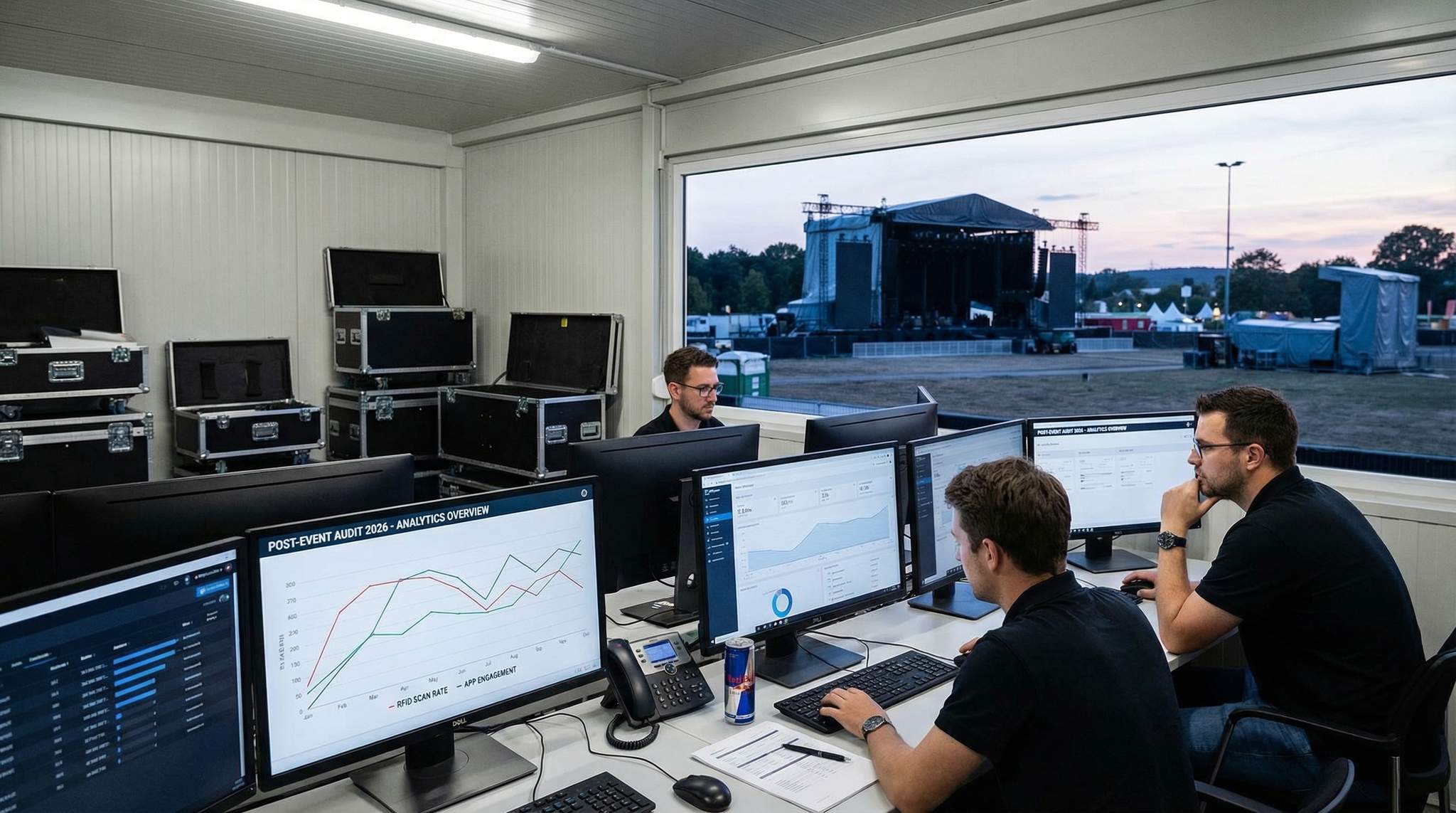
Modern events invest heavily in technology, from sophisticated ticketing systems to immersive on-site experiences. But the work doesn’t end when the event ends. In 2026, post-event tech audits have become a cornerstone of continuous improvement. After the lights come up and attendees go home, organizers gather mountains of data – scans, app clicks, Wi-Fi logs, transaction records – to see what the tech actually delivered through analytics reporting. Some of the most valuable insights emerge only after an event, when teams can analyze everything holistically without the pressure of live operations. By closing the loop with a thorough audit, event teams turn raw data into a narrative of what worked, what failed, and why.
Ensuring Accountability and ROI
Every technology component at your event represents an investment – in money, training, and trust. A post-event audit ensures you hold each component accountable for its performance and return on investment (ROI). Did the expensive RFID access control actually speed up entry? Did the bespoke event app provide enough engagement to justify its development cost? By examining hard data (e.g. scan rates, user adoption, revenue generated) in an audit, organizers can quantify the ROI of each system. For example, if a cashless payment system cost $50,000 but led to a 15% increase in on-site spending, that boost in revenue demonstrates clear ROI. In fact, industry studies have reported double-digit percentage increases in on-site revenue after moving to RFID cashless payments. Auditing helps verify such gains (or identify shortfalls) so you can confidently report the value of tech investments to stakeholders.
Learning from Successes and Failures
A tech audit isn’t just about numbers – it’s about lessons. Even successful implementations have room to improve, and failures are gold mines of information once the dust settles. Perhaps your new facial recognition check-in worked flawlessly at the main entrance (a success to replicate), but the self-service kiosks at registration experienced errors at peak time (a failure to troubleshoot). By reviewing every success and hiccup, you turn each event into a learning opportunity. Patterns may emerge: maybe certain Wi-Fi access points always overload during the keynote, or maybe very few attendees used the AR photo booth you set up. These findings allow you to adjust for next time – adding bandwidth where bottlenecks occurred, or better marketing underutilized features so they don’t go to waste. Experienced event technologists know that an honest post-mortem of tech performance is key to avoiding repeat mistakes. Each audit makes your team smarter and your next event’s technology smoother.
Enhancing Attendee Experience and Trust
At the end of the day, all of this is in service of a better experience for your attendees (and exhibitors, artists, speakers, etc.). Attendees might not see your backend systems, but they feel the effects – in shorter queues, reliable Wi-Fi, functional apps, and seamless cashless purchases. Conducting a post-event tech audit keeps the focus on attendee-centric metrics like wait times, connectivity quality, and user satisfaction. Catching and fixing tech pain points means future attendees encounter fewer frustrations. It also boosts trust: for instance, if your ticketing system glitched this time, acknowledging it and implementing changes shows fans that you’re committed to improvement. Consistently great tech experiences become a competitive advantage for event organizers. In 2026’s landscape, attendees remember who had glitchy entry or laggy streams – and who delivered flawless, tech-enhanced events. Auditing your technology is how you ensure you’re in the latter category, event after event.
Smooth Entry With Mobile Check-In
Scan tickets and manage entry with our mobile check-in app. Supports photo ID verification, real-time capacity tracking, and multi-gate coordination.
Preparing for a Comprehensive Tech Audit
Setting Objectives and Scope
Before diving into data, outline the objectives and scope of your post-event tech audit. What do you hope to learn? Common objectives include measuring reliability (uptime, error rates), user adoption (% of attendees who used each tech), and financial outcomes (revenue or cost savings attributable to tech). Set specific questions: Did our Wi-Fi meet the promised bandwidth? How many people downloaded and actively used the event app? Were there any security breaches at entry? Define the scope to cover all major tech components used – ticketing, entry systems, Wi-Fi/networking, mobile apps, RFID/NFC systems, cashless payment/POS setups, live streaming platforms, etc. If your event had unique tech (like AR activations or drones), include those as well. By clearly scoping the audit, you ensure no system is overlooked. Experienced event directors recommend documenting these goals upfront so the audit remains focused and doesn’t drown in irrelevant data. Essentially, know what you’re looking for and why – whether it’s to justify budgets, improve operational efficiency, enhance attendee satisfaction, or all of the above.
Gathering Data: Logs, Reports, and Feedback
A thorough tech audit is driven by data – both quantitative and qualitative. Start by collecting data from all systems involved:
– System Logs and Analytics: Pull logs from ticket scanners, RFID readers, Wi-Fi controllers, mobile app analytics dashboards, streaming platforms, POS terminals, etc. These logs contain timestamps, error codes, throughput numbers and more. For example, your ticketing system’s scan logs can reveal entry rates and any periods of downtime, while Wi-Fi logs show how many devices connected and where.
– Vendor Performance Reports: Many technology vendors provide post-event reports or analytics. A Wi-Fi provider might give you a report on peak bandwidth usage and coverage gaps. Ticketing platforms (like Ticket Fairy) often provide real-time dashboards and post-event summaries of ticket scans, attendance vs. tickets sold, and sales trends. Leverage these, and don’t hesitate to ask vendors for specific data points if not provided by default.
– Attendee Feedback and Incident Reports: Data isn’t just numbers – it’s also people’s experiences. Collect attendee feedback related to tech: Did the app work for them? Was the cashless payment easy? Any complaints about streaming quality? Surveys and social media listening help here. As one festival guide notes, an event isn’t truly over until you’ve learned from your audience’s feedback. Similarly, gather reports from staff and volunteers: they often log incidents (e.g. “Scanner down at Gate 3 from 5:10–5:25pm”) that may not show up in automated logs.
– Visual and On-Site Observations: Sometimes the most telling data comes from simple observation. Reviewing CCTV footage of entry gates might show queues building at a specific choke point. Or your own notes from event day (“registration kiosks had a crowd at opening”) provide context to the raw numbers.
Ready to Sell Tickets?
Create professional event pages with built-in payment processing, marketing tools, and real-time analytics.
By compiling all these sources, you create a complete picture of technology performance. Be sure to centralize this data – many modern events use a data warehouse or unified dashboard to consolidate multi-system information by integrating and unifying event data or using data warehousing for post-event analysis. If your systems weren’t well-integrated during the event, you might have to manually merge data (e.g. cross-reference timestamps to see if a Wi-Fi outage coincided with a drop in app usage). It’s effort well spent. The goal is to have one source of truth for analysis, where you can correlate across systems to identify cause-and-effect (like discovering that the event app crashed at the same time the Wi-Fi went down, explaining an engagement drop).
Involving Stakeholders and Vendors
Post-event tech audits shouldn’t happen in a vacuum. Involve all relevant stakeholders to get a 360° understanding. This means pulling in your internal team leads (IT/network manager, registration manager, mobile app product owner, etc.) for an internal debrief meeting. Have each share their perspective: what went well, what issues they encountered, what attendee feedback they heard. These firsthand accounts add narrative to the raw data.
It’s equally important to loop in your vendors or technology partners for a post-event review. Most vendors welcome (or at least expect) a debrief, often called a post-event service review. Schedule calls or meetings with your ticketing provider, Wi-Fi contractor, app developer agency, production AV team – whoever was responsible for tech delivery. Review their performance against SLAs (Service Level Agreements) or expectations: Did they meet uptime guarantees? How quickly did they respond to support calls during the event? Ask them for their own analysis and logs (if they haven’t provided) and insight into any problems. For instance, your Wi-Fi vendor might explain that a local interference spike caused a network slow-down at 2 PM, and propose a solution like switching channels next time.
Bringing stakeholders together fosters a culture of transparency and continuous improvement. It also helps identify whether an issue was due to the tech itself or how it was used. Sometimes, what appears to be a technology failure might turn out to be a process or training issue – for example, scanners were slow not because the system is bad, but because staff weren’t trained on the offline mode procedure when Wi-Fi dropped. You’ll only uncover that by talking to the people involved. A collaborative audit prevents finger-pointing and focuses on solutions, with everyone – internal teams and vendors – owning their part of the outcome.
Data-Driven Event Marketing
Track ticket sales, demographics, marketing ROI, and social reach in real time. Exportable reports give you the insights to make smarter decisions.
Timing: When and How to Audit
Timing is critical in a post-event audit. Plan a timeline that captures information while it’s fresh but also allows complete data collection. Here’s an example timeline for an event tech audit:
| Time After Event | Audit Task | Purpose |
|---|---|---|
| Immediately (Day 0) | On-site debrief with tech teams before leaving venue | Capture urgent issues/anecdotes while fresh; note any obvious failures or successes. |
| 1–2 Days After | Retrieve system logs and analytics data from all platforms (ticketing, Wi-Fi, app, etc.) | Preserve ephemeral data (some systems overwrite logs quickly); start crunching key metrics (entry rates, uptime, etc.). |
| 3–5 Days After | Send attendee tech experience survey and collect staff feedback forms | Gather qualitative data on user satisfaction and pain points; involve front-line staff insights. |
| 1 Week After | Hold vendor debrief meetings and request formal post-event reports | Get vendor perspective, verify any issues from their end, and obtain detailed performance reports (e.g. Wi-Fi usage, support tickets). |
| 2 Weeks After | Analyze all data and compile a tech audit report; schedule internal review meeting | Identify patterns, root causes of problems, and opportunities; create recommendations for future events. |
Every event’s exact timeline may vary, but the key is not waiting too long. Data gets stale, people forget details, and some log systems may purge info after a short period. Within a week of the event, you should have most of your data in hand and initial findings documented. Aim to finalize the audit report while the event is still fresh in memory, ideally presenting findings to leadership or the wider team within 2–3 weeks post-event. This ensures insights can be integrated into planning meetings for upcoming events while urgency is still there.
On the flip side, avoid rushing to judgment too soon. Give yourself enough time to gather all facts – for instance, waiting on a detailed vendor report can provide crucial context. Balance speed and thoroughness. The audit process itself can be iterative: you might do an initial quick analysis (to address any emergencies or quick fixes) within 1-3 days, then a deeper dive for strategic learnings by the 2-week mark. By following a structured timeline, you ensure nothing falls through the cracks and that the audit drives meaningful action rather than being a forgotten exercise.
Analyzing Ticketing and Entry System Performance
Ticket Sales vs. Actual Attendance
One of the first things to evaluate is how your ticketing system performed, from online sales through on-site check-in. A critical metric here is attendance vs. tickets sold. Compare the number of tickets issued to the number of attendees actually scanned in. For example, if you sold 5,000 tickets but only 4,500 attendees were recorded at entry, you had a 10% no-show rate. A small gap is normal, but a large gap is a red flag to investigate. Did weather, scheduling, or other factors cause drop-off? Or did issues at the entry gate prevent some ticket holders from getting in smoothly? Modern integrated ticketing platforms (such as Ticket Fairy) make it easy to get a real-time read on attendance vs. sales, which is invaluable for measuring the true reach of your event beyond just revenue. Additionally, break down attendance by ticket type: perhaps VIP ticket holders nearly all showed up (they invested more, so they’re committed), but a chunk of free invitees never arrived. These insights highlight where your audience was most engaged versus where you might be overallocating (e.g. too many free tickets that go unused).
Beyond headcounts, review the ticket purchase and delivery process. Post-event is a good time to audit if any buyers experienced issues in the lead-up: Were there complaints about e-tickets not arriving via email, or about difficulty using the ticketing website? If cart abandonment was high, maybe the checkout UX needs improvement or pricing tiers caused confusion. Those factors indirectly affect attendance and satisfaction, so include any major ticketing hiccups in your audit notes to address for next time.
Entry Throughput and Wait Times
The moment of truth for ticketing tech is the entry gate. Use your scanning logs and on-site observations to assess entry throughput – essentially, how quickly you processed attendees through the doors. Key metrics include average scan rate (attendees per minute each gate handled) and peak wait times at busy periods. If you find that 70% of your audience arrived within the same one-hour window (not uncommon, say right before a headliner set), you might also discover that entry lines grew unacceptably long as highlighted in ticketing analytics guides. Pinpoint exactly when and where any bottlenecks occurred. For instance, you might see that Gate A steadily handled 500 people per hour with no delays, while Gate B slowed to 200 per hour between 5–6pm. Investigate why: was a scanner device malfunctioning at Gate B? Were there not enough staff on that side? Did many attendees have issues with their QR codes at that gate?
An audit should also consider throughput versus capacity. If your venue has 8 entry lanes, but you only opened 4 – was that sufficient? Perhaps the data shows each open lane was maxed out while unused equipment sat idle, indicating a staffing shortfall. Or vice versa: maybe you overstaffed early hours when trickle-in was low, which is inefficient. These insights feed directly into future planning (e.g., next time open more lanes during predicted rush hours, and communicate to attendees to arrive earlier to spread demand). Technology solutions can aid throughput too – for example, some events now use self-service kiosks and instant badge printers to speed up check-in, reducing the load on staffed lanes. If long lines were an issue, research whether deploying such solutions could help; an event in 2026 that adopted self-service check-in kiosks saw entry wait times drop dramatically by giving attendees a DIY option. Your audit data will tell you if it’s needed: if each manual check-in took 30 seconds and caused backups, automation might be the answer.
Reliability of Scanning and Access Control
Evaluate the reliability of your entry systems from a technical standpoint. Did the scanners (or turnstiles, NFC readers, etc.) function without glitches throughout the event? Any periods of downtime or system crashes should be noted with their cause and duration. For example, if the ticketing app crashed at 2pm, how long until it was restored, and how many attendees were stuck waiting? If you had offline scanning modes available, check whether staff successfully switched to them – this is a crucial fallback when Wi-Fi fails during cashless operations. An audit might reveal that staff training on offline mode was lacking, which you can fix by the next event (through drills or better documentation). Also cross-check any downtime with support logs: did you have to call vendor support to resolve an issue, and was the response timely? If a particular device model gave repeated errors (e.g. a certain handheld scanner freezing), that’s a sign to repair/replace those units.
Grow Your Events
Leverage referral marketing, social sharing incentives, and audience insights to sell more tickets.
Security and accuracy are part of reliability too. Review how well the system kept out unauthorized entries or fake tickets. Modern venues use tactics like dynamic barcodes and real-time ticket validation to combat fraud, so see if any counterfeit or duplicate tickets were detected at your gates. If yes, it’s actually a success that they were caught – but also figure out how they slipped into circulation. A common audit insight is discovering the need for tighter anti-fraud measures: for example, an event might find that screenshots of QR codes were being shared among a few people. If your scan data shows multiple attempts to scan the same ticket, that suggests someone tried to gain entry with a copied code. In such cases, upgrading to anti-fraud tech (like rotating barcodes or RFID wristbands tied to ID) could be a recommended action. Indeed, venues that adopted dynamic, one-time-use ticket QR codes have significantly reduced successful scalping and fraud attempts. Ensure your audit documents any breach or attempted breach as a catalyst to improve security.
Capacity, Flow, and Zone Management
For events with multiple entry points or access zones (e.g. VIP areas, backstage, different halls in a conference), drill into those specifics. Did your access control system properly enforce tiered access privileges? For instance, audit the VIP entrance: was it truly faster and exclusive for VIP ticket holders, or did some VIPs end up stuck in general lines? Data from RFID or scanning systems can often break down entries by credential type. If you promised a premium fast-track entry and the audit shows VIPs still waited 15 minutes, that’s a problem to address (maybe a dedicated VIP lane understaffed or not clearly signposted).
Likewise, if there were restricted zones (artist backstage, staff-only areas), check the access logs to ensure no breaches. Every scan of an RFID wristband or badge into those zones should be recorded; confirm that only authorized credentials gained access. If your tech allowed it, see if any denied attempts occurred – e.g., someone with a GA wristband trying to enter VIP lounge. A few denied pings might be expected (attendees testing their luck), but more could indicate wristband swapping or a security gap. On the flip side, an audit might uncover that certain VIP amenities were underused – perhaps the data shows only half of VIP attendees ever scanned into the premium lounge you set up. That could be a marketing or signage issue (they didn’t know about it), which is a valuable learning: next time, better communicate VIP perks. Technology can help here too; for instance, RFID wristbands can be used to nudge VIPs with push notifications (“Don’t forget to visit the VIP lounge!”) if integrated with your event app . All these finer points come to light when you review zone-by-zone entry performance. In short, ensure the access control tech fulfilled its role in providing the right people easy access to the right places – and flag anything that fell short for improvements via training, signage, or system tweaks.
Evaluating Wi-Fi and Network Infrastructure
Network Performance Under Load
Event Wi-Fi and networking have become as critical as electricity at modern events – when it fails, everything from ticket scanning to live streaming can grind to a halt. A post-event audit should start with hard performance metrics of your network. Key indicators include:
– Concurrent Connections: How many devices connected to the Wi-Fi at peak times? Did this number approach or exceed the capacity your network was designed to handle? For example, if you planned for 5,000 devices but 8,000 showed up (between attendees, staff, and IoT devices), that overload would explain slowdowns.
– Bandwidth Utilization: Check the average and peak bandwidth consumption. If your internet uplink was 1 Gbps, did usage ever max it out? Monitoring logs might show that during the keynote, 800 Mbps was being consistently used – 80% of capacity, which is high. Also note which activities consumed the bandwidth (if your system lets you inspect traffic): was it video streaming, social media, perhaps an on-site media center uploading large files?
– Coverage and Signal Strength: Review if there were any dead zones or areas with poor connectivity. Attendee feedback often pinpoints these (e.g., “Couldn’t get Wi-Fi in Hall B”). If you had a heatmap or monitoring tool, use it to identify areas where signal dropped below acceptable levels.
– Network Errors/Outages: Document any times the network went down entirely or certain access points failed. For instance, a log might show AP #12 stopped responding at 3 PM and was rebooted. If you had redundant internet links, note if a switchover occurred (and whether it was seamless). Any DNS or DHCP server issues that caused hiccups should be captured too.
Compare these findings against your pre-event network plan. Did the network perform as expected? Perhaps you’ll find it mostly did – say, 99.5% uptime and latency under 50ms, which is solid. Or you might uncover surprises: maybe exhibit hall Wi-Fi crawled when an unexpected number of devices connected, indicating under-provisioning in that zone. Remember that attendee usage patterns are rising: by 2025 the average event attendee was using 3–5 GB of data per day at events, a huge jump from just a few years prior. If your network suffered, your audit might justify a budget increase for more bandwidth or better gear next time, because attendees’ connectivity demands are only growing. A 2026 guide to building reliable event networks emphasizes proper capacity planning and site surveys – your audit provides the real-world data to validate if your planning was on target or if adjustments are needed.
Attendee Connectivity Experience
Numbers aside, how did the connectivity feel for users? Correlate the technical stats with attendee feedback and behavior data. If you see a drop in mobile app engagement at certain times, was it because the Wi-Fi was slow then? Check social media or survey comments for complaints like “Wi-Fi was useless, I gave up” or praise like “The Wi-Fi was great even with thousands of people.” These subjective inputs matter because a network that looks fine on paper might still frustrate users due to configuration issues (like a login portal that was confusing or kept kicking them off).
Also examine the uptake of your Wi-Fi: what percentage of attendees connected to it versus using their cellular data? If relatively few people used the event Wi-Fi, it could mean either the network was poorly advertised (they didn’t know credentials), or perhaps strong 5G coverage made Wi-Fi unnecessary for many. But if your event app or other services depended on Wi-Fi, low usage might indicate an accessibility problem. On the other hand, very high Wi-Fi usage combined with poor performance spells trouble. For example, if 90% of attendees tried to get on and the network bogged down, you essentially delivered a subpar experience to a majority of your audience. Given that connectivity is often a make-or-break element of event experience, these insights are key. Some conferences even report that robust connectivity is tied to attendee satisfaction scores – people just expect to be online at all times.
During the audit, identify any specific incidents that impacted user experience. Did the speaker at a tech conference try to do a live demo only to have it fail due to internet issues? That becomes a lesson – maybe next time you provide a wired connection for critical presentations (something many events do to avoid relying on Wi-Fi in high-stakes moments). Or if an important virtual speaker was calling in and the connection dropped, that’s a glaring issue to resolve (maybe by prioritizing certain traffic or having a dedicated backup line). Essentially, capture not just the average performance, but any notable failures that an attendee or presenter would have noticed. Those are the stories that get remembered, so they’re the stories you most need to prevent in the future.
Infrastructure and Vendor Assessment
Your audit should also evaluate the infrastructure setup and vendor delivery against expectations. If you rented network gear or hired a managed service, did they meet their obligations? Check the SLA: for example, if the Wi-Fi vendor promised no more than 1% disconnect rate, does your log analysis agree? If not, document the discrepancy and discuss it in the post-event vendor debrief. Perhaps they need to upgrade equipment or adjust their deployment for your next event. Holding vendors accountable is a major part of post-event review – it’s not about blame, but about ensuring you get what you paid for and that they learn and improve too.
Assess the technical architecture as well. Did you have enough access points (APs) in each area? An audit might reveal that a single AP was handling far too many clients in the main hall, slowing everyone down. The solution might be to densify the AP layout or use newer tech like Wi-Fi 6 which can handle more simultaneous connections. Also, if you implemented traffic management (like throttling each user’s bandwidth or blocking certain high-usage apps), was it effective? For instance, maybe you throttled video streaming to preserve bandwidth, but people found a workaround or got upset. These are policy decisions to revisit with data in hand.
Don’t forget back-end infrastructure: internet backhaul, network switches, power backup for network gear. Was there any point where the backhaul became the bottleneck (common if your ISP link was too small)? Did a switch or router reboot unexpectedly? If yes, figure out why (power surge? firmware crash?) and plan redundancy. Some events now treat internet like a utility that needs redundancy – multiple ISP links, on-site caching, etc., especially for critical applications like live streaming. If your audit uncovers that a single failure point (like one router) caused a major outage, that’s a case for adding redundancy or at least a faster failsafe.
Lastly, consider doing a comparative analysis if you have historical data or benchmarks. How did the network perform relative to last year’s event (if similar)? Are things trending better or worse? If this is a first-time event, how did it stack up against industry benchmarks (e.g. X Mbps per 100 attendees is a rule of thumb)? Use resources like industry reports or guidance from groups like IAVM or PLASA for benchmarks. If your event was below par, you now have evidence to justify improvements. By scrutinizing all aspects of your networking tech – from user experience to hardware – your audit ensures that connectivity woes won’t catch you off guard next time. After all, an organizer forewarned by their own data is forearmed to create a smoother, seamlessly connected event in the future.
Auditing Mobile Event Apps and Digital Engagement
App Adoption and Usage Rates
Mobile event apps have become ubiquitous at conferences, festivals, and expos – but their value hinges on how many attendees actually use them. In your post-event audit, measure the adoption rate of your event app. What percentage of registered attendees downloaded and opened the app? If you find, for example, that only 30% of attendees used the app, that signals an engagement gap (and a potentially underutilized investment if you paid for app development). Don’t be discouraged by a lower number without context – industry benchmarks show that without strong promotion, event app adoption can languish around 20–30%, whereas events that aggressively promote their apps or make them essential can achieve 60%+ adoption. In fact, top performers have hit over 80–90% adoption by launching the app early with exclusive content and sometimes even requiring the app for on-site activities. Compare your adoption rate to your efforts: did you advertise the app enough? Was there content or utility that pulled people in (like digital tickets, maps, or must-see alerts)? If not, next time you might implement tactics like in-app only perks or clearer pre-event communications to boost adoption.
Beyond downloads, look at active usage metrics. How many users were active daily during the event? What was the average session length, or the total number of app opens? These figures tell you if the app was repeatedly useful or just a one-time download that got forgotten. For instance, you might see that of the 1,000 people who installed the app, 800 opened it on Day 1, but only 300 were still using it by Day 3 – perhaps indicating it wasn’t delivering ongoing value (or maybe attendees left after Day 1 in a multi-day event). Investigate any usage drop-offs and correlate with feedback: did people complain of bugs or that the content wasn’t updating? An app with offline capabilities is crucial in case connectivity is poor, so if your audit finds that many users struggled when their signal dropped, it suggests enabling more offline caching of schedules or maps in the future.
Feature Engagement Analysis
Delve into which features of the app got traction and which didn’t. Most mobile event app platforms offer analytics on feature usage: for example, how many users created a personal schedule, sent chat messages, participated in live polls, used interactive maps, or scanned QR codes for scavenger hunts. Evaluate each:
– Agenda/Schedule Views: Check how often sessions were viewed or favorited. If some sessions had low views despite high attendance, maybe people weren’t relying on the app to navigate (could be a sign they found the app cumbersome or used printed programs instead).
– Push Notifications Open Rate: If you sent push alerts (like “Keynote starting in 10 minutes at Main Hall”), see what percentage were opened. A low open rate might mean attendees had notifications off – either due to personal settings or because they didn’t see value in the messages. It might also reflect notification timing or content (ex: sending too many and people ignored them).
– Interactive Features: If your app had Q&A, polling, networking messaging, or gamification (common in 2026 apps to drive engagement), how many people actually used these? Perhaps only 50 questions were submitted via the Q&A feature when 500 people attended the session – indicating low adoption of that feature. An audit might trace the cause: was the Q&A tool hard to find in the app UI? Or did the moderator not remind the audience to use it? On the positive side, maybe the live poll feature saw 70% participation, which is fantastic and worth doing again.
– Content Consumption: Evaluate any content modules like speaker bios views, sponsor ads clicks, or documents downloaded. For example, if a sponsor paid for a banner ad in the app, your audit data can show them “your ad got 5,000 impressions and 200 clicks.” That is ROI proof for the sponsor and helps you justify app-based sponsorship for next time. If such numbers are low, reconsider how sponsor content is integrated (maybe it was too hidden or not valuable).
Identifying underutilized features is exactly the kind of hidden opportunity a tech audit should surface. If attendees barely touched a cool new feature you launched, find out why and decide whether to improve its visibility/utility or scrap it. Sometimes audits reveal that an app had too many bells and whistles and confused users; focusing on the top 3 features that people really want (schedule, messaging, maps, for instance) might improve overall satisfaction. In other cases, you might discover a gem – maybe the networking chat wasn’t widely used, but those who did use it stayed 2 hours longer at the event on average because they made new friends (meaning it has potential if more widely adopted). Use both data and direct feedback from attendees (“What did you think of the app’s features?”) to piece together what features hit or missed the mark.
Performance and Reliability of the App
Technical performance of the app is another audit angle. Review crash logs and load times. Did the app remain stable, or did it crash for a significant number of users? App store analytics and crash reporting tools can show crash-free user percentages. For example, a 98% crash-free rate is okay, but 90% is concerning (10% experiencing crashes is too high). Investigate any patterns – e.g., the app crashed mostly on a particular Android OS version, suggesting a compatibility bug to fix. Also check if certain actions caused issues (like viewing the 3D map caused slowdown). If your app offered offline mode (caching schedules and info without needing network constantly), verify it worked as intended. The audit might include a simple test after the event: disconnect a device and see if the app still shows the schedule/map. If it doesn’t, then in reality attendees would have been stuck when Wi-Fi failed – a critical insight if your network had outages. Some forward-thinking events in 2026 build their apps to be offline-first for communication resilience. If your event’s connectivity was patchy, having this feature (or improving it) will greatly enhance user experience next time.
Another performance aspect: user support for the app. Check if a lot of support tickets or helpdesk questions were about the app (“How do I log in?” or “App isn’t working on my phone”). A frequent complaint might indicate UX issues. For instance, if many couldn’t log in, perhaps the password reset flow was broken or people didn’t realize their ticketing account linked to the app. These are fixable with better design or clearer instructions. Include such findings in your audit report so your app developers or vendor can address them.
Finally, consider the app’s impact on attendee engagement overall. Did those who used the app tend to engage more and have a better experience? Sometimes surveys show higher satisfaction in app users, or your NPS (Net Promoter Score) might skew higher among them. That ties into ROI – one study found 78% of companies that use a mobile event app feel it improves their event’s ROI. If your audit can correlate app usage with positive outcomes (like higher session attendance or more feedback submissions), that’s a compelling argument to continue investing in and improving the app. Conversely, if the app flopped (low use, negative feedback), you may need to rethink your mobile strategy – whether it’s choosing a new platform or doubling down on driving adoption. All these determinations start with the cold, hard truth of the post-event audit data.
Attendee Feedback on the Digital Experience
We touched on usage data, but explicit attendee feedback is just as important for evaluating your digital engagement tools. Comb through survey responses and social media for mentions of the app, digital signage, AR experiences, or any tech-driven engagement. Did attendees actually say the app was helpful? Maybe comments like “Loved the app, especially the personal schedule feature” or “App was clunky – I gave up and asked staff for info” appear. Quantify sentiment if possible: e.g., 85% of survey respondents who used the app rated it 4 or 5 out of 5 for usefulness, but others never tried it. This tells you both that the app is valued by users, and that you have a marketing job to get non-users on board next time.
If your event implemented cool digital activations (like AR photo ops, interactive kiosks, or VR demos), evaluate those too. Were they popular? Underused? For instance, maybe you had an AR “treasure hunt” accessible via the app, but only 50 people participated – likely because it wasn’t promoted well or was too complicated. Or your audience demographic just wasn’t into AR. These insights can save money later (maybe you skip the gimmicks your crowd didn’t appreciate) or help you execute them better (simpler, or with an incentive to participate). On the flip side, maybe a digital engagement blew past expectations: e.g., the live polling during sessions got hundreds of responses and people mentioned how it made them feel heard. Highlight that as a success to repeat and enhance.
Also, consider multilingual and accessibility aspects of your digital tools. If you had non-English speaking attendees, did the app’s language support do its job? If complaints show some users struggled due to language barriers, you might need to offer translations or a multilingual interface as discussed in guides about breaking language barriers at events. Similarly, check if your app and digital content were accessible (e.g., did vision-impaired attendees comment on compatibility with screen readers? Did your live stream have captions?). Ensuring tech is inclusive is vital for attendee experience and often a legal requirement. Any audit findings around accessibility shortcomings should be top priority fixes – technology should enhance the event for everyone, not leave some people out.
In sum, your audit of mobile and digital engagement tech combines hard stats with human feedback to measure whether these tools truly enriched the event or not. Done right, you’ll come away with a clear picture of your app’s value, any digital engagement hits or misses, and a roadmap to either elevate the digital experience further or rethink it to better serve your audience’s needs.
Reviewing RFID/NFC Access Control Systems
Credential Distribution and Activation
Many events in 2026 use RFID or NFC-based credentials – smart wristbands, badges, or cards – for entry and beyond. If your event did, start your audit by examining the credential distribution and activation process. How smoothly did attendees receive and activate their RFID wristbands or badges? For example, at a large festival, were there long lines at will-call to pick up wristbands? If mailing out wristbands pre-event, what percentage failed to activate them online beforehand and needed help on-site? Audit data might include number of support cases like “wristband activation issues” or how many activations were completed versus outstanding. If, say, 20% of attendees never pre-activated their RFID wristband (which could contribute to entry delays), that suggests clearer instructions or incentives to activate pre-event next time. Some events tackle this by making activation fun or by sending reminder emails that highlight perks of activating (like “skip the ID check line by activating your wristband with your info”). Make note if on-site activation kiosks were overwhelmed – perhaps you need more of them or better staff training.
Also check for faulty or lost credentials. How many wristbands or badges had to be replaced due to malfunction or attendee loss? If a particular type of RFID badge had a high failure rate (e.g., the chip got damaged easily when bent), that’s important to know – you might choose a different vendor or tougher materials next time. Lost credentials are a security issue too: does your data show any deactivated for loss, and were any of those later used by someone else? Ideally, lost ones should be voided in the system quickly to prevent misuse. Your audit should review these procedures: time from loss report to deactivation, and any incidents of found fraudulent use. This overlaps with security but starts with how well you managed distribution.
Entry and Zone Tap Data
RFID/NFC systems generate rich data every time someone “taps” in at a gate or checkpoint. Use this data to analyze crowd flow and zone usage in detail. We already looked at overall entry throughput in the ticketing section, but RFID can provide deeper insights like exactly when each attendee entered, exited, and moved between areas. Plot out the entry curve: maybe 50% of attendees tapped in by 1pm, and the last stragglers by 4pm. This can validate or refine your event schedule (e.g., if most people skip early hours, you might adjust programming or incentives to arrive earlier).
For multi-zone events, check how people migrated. For example, at a music festival with multiple stages or a conference with multiple halls, RFID tap data might reveal that Zone X was consistently overcrowded while Zone Y was underused. If one stage saw far more traffic, was it due to a popular act or because other areas had bottlenecks? Perhaps the path to Zone Y was inconvenient, and people gave up – an issue you’d only catch by seeing that few tapped into Zone Y relative to capacity. You might need better signage or to rearrange attractions next time to balance load.
Review re-entry patterns too. If attendees can exit and re-enter (common with RFID wristbands allowing ins/outs), how often did they do so? A high volume of exits around meal times might, for example, indicate attendees didn’t find desirable food on-site and left the venue – a clue for your food & beverage strategy rather than tech, but valuable nonetheless. RFID data can shine light on such broader event dynamics.
Crucially, an audit should evaluate the speed and reliability of each tap. Were there any instances where the system couldn’t read a wristband on the first try, leading to queues? Perhaps interference or reader positioning caused slower reads at one gate. If you notice significantly longer read times or error rates at Gate C as compared to others, investigate environmental factors (was there metal framing or LED walls causing interference?), or hardware issues (maybe one reader was sub-optimal). It’s known that dense crowds and metal structures can reduce RFID read effectiveness without proper planning – your audit might confirm such a challenge occurred, prompting a reconfiguration of antennas or using more robust readers. Again, engage vendors on these points; they might suggest solutions like threshold tuning or adding secondary antennas in trouble spots.
Security and Anti-Passback
A major reason to use RFID/NFC is improved security and tracking. Your audit should check if the security promises were delivered. For example, RFID can be set up with anti-passback rules (to prevent one credential from being used to admit multiple people). Examine logs for any suspicious patterns: like the same wristband ID tapping in two different gates almost simultaneously (impossible unless someone cloned it, or illicitly shared it over a fence). If your system flagged such events, ensure those were handled (were those attendees caught by security?).
If the audit finds no such incidents, that’s great – it likely means the tech deterred bad behavior. But if you do find anomalies, consider it a success that the system captured them but also a learning to tighten any loopholes. Maybe volunteers at secondary entrances weren’t rigorously checking wristbands and someone tailgated through; next time invest in better training or additional scanning checkpoints. One venue reported that after introducing RFID entry, they eliminated nearly all ticket fraud at the gates, catching dozens of invalid attempts that previously slipped through. Use your data to see if similar benefits materialized. Did RFID prevent reuse of credentials effectively? Pre-RFID, one person might slip out with a stamp and hand their ticket to a friend outside – RFID should stop that if implemented right.
Also audit access control for restricted areas using RFID. Cross-verify lists: if only 200 staff badges should access backstage, do the logs show only those badges used at that door? If you find a general attendee’s wristband pinging a staff door (and being denied), that’s interesting too – someone attempted entry where they shouldn’t. Too many denied attempts could mean you need physical barriers or better signage (“Staff Only”) because people are testing boundaries.
Additionally, consider the analytics potential of RFID data in proving value to stakeholders. For instance, sponsors love data—if you had RFID activations at sponsor booths or experiential zones (say, tapping to register for a giveaway or activate an AR experience), the audit can report how many participated and the dwell time. If Zone A (sponsor area) got 5,000 unique visits via taps, that’s solid ROI for sponsors; if it’s lower than expected, strategize with sponsors on how to drive more traffic next time (maybe better location or incentives). This again shows how a tech audit ties into broader event success metrics.
Finally, review the infrastructure supporting RFID: Did the readers and backend software handle the volume? If you had 50,000 people and each did 10 taps a day, that’s half a million scans – did the system log all that without lag? If you find gaps in logs or system slowdowns, it might mean the middleware or database struggled. Some events deploy edge devices or local servers to handle high volume and sync later to avoid cloud latency. If your audit surfaces performance limits, work with the RFID provider on load testing or architecture improvements.
In summary, auditing your RFID/NFC systems is about confirming they delivered the efficient, secure access you planned for, and mining the rich data they provide to improve crowd flow and ROI. It’s a prime example of event tech that, when analyzed after the fact, can yield insights far beyond the gate – from how people moved and spent time, to how well you kept out the bad actors.
Assessing Cashless Payments and POS Systems
Transaction Throughput and Uptime
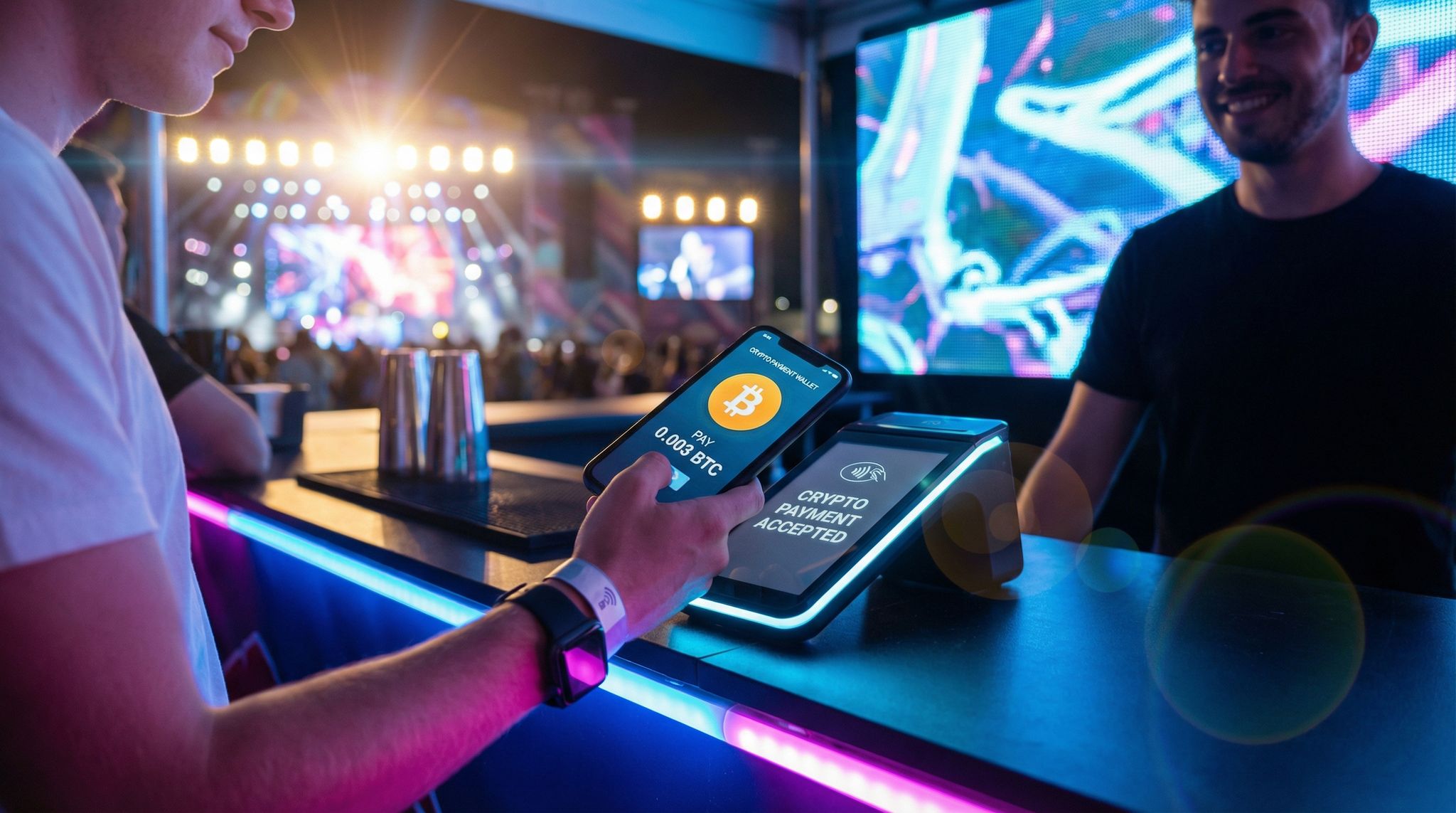
If your event implemented cashless payments – whether via RFID wristbands with stored credits, mobile wallet apps, or traditional credit card POS – auditing their performance is crucial to both operations and revenue. Start by examining transaction throughput: how many transactions per minute/hour could your system handle at peak, and did any slowdowns occur? For instance, during an event’s intermission or set break, everyone might hit the bars and concessions. Did the payment system keep up with that surge? Look at the busiest 15-minute interval – maybe you had 1,000 transactions between 8:00 and 8:15 PM across all vendors. If logs show transactions were queuing or terminals became sluggish at that time, that’s a sign of stress on the system (could be network latency, server load, or simply not enough terminals open). Any instance of system downtime or freezes in POS units must be logged. Even a 5-minute outage at a beer tent can mean thousands in lost sales and lots of unhappy attendees. Note when and where any outages happened, and cross-reference with vendor incident reports if you’re using a third-party payment system.
Uptime is a key metric: what percent of the event time was the cashless system fully operational? 99% uptime still means possible minutes of issues; aim for as close to 100% as possible, especially during peak hours. If you implemented offline payment modes (some RFID systems allow offline cache of balances to continue working if internet drops), check whether those kicked in appropriately. For example, did any terminals switch to offline mode and later sync up correctly? Your nightly reconciliation (where offline devices upload data once back online) should be audited to ensure no transactions were lost. Some advanced events do mid-event audits to catch discrepancies early. If your event spanned multiple days, look at each day’s performance – maybe Day 1 had some hiccups but fixes were applied by Day 2, which is a good sign of adaptive management.
Adoption of Cashless and Payment Preferences
Next, analyze how widely adopted the cashless system was among attendees (if it wasn’t the only option). If you also accepted cash or regular credit cards as backup, what percentage of transactions were cashless vs. cash vs. card? A high adoption of cashless (e.g., 90%+ of sales via the RFID wristband or event app) suggests that attendees found it convenient, and you succeeded in driving usage. Lower adoption (say 40%) might indicate resistance or lack of understanding, meaning you potentially missed out on the efficiency benefits. If possible, segment this by demographics or ticket tiers; sometimes VIPs adopt cashless more because they tend to embrace new tech or were given incentives, whereas older attendees might stick to cash. Identifying such patterns can inform targeted education next time (maybe on-site “how to use your wristband to pay” signage or staff assistance for those hesitant to use the tech).
Review top-up data if applicable (for systems where attendees preload money onto a wristband account). Did people top up well in advance or mostly on-site? If many waited to top up at the event and that caused lines at top-up stations, consider pushing pre-loading more in the future. Also, note any common issues: e.g., credit card readers failing or mobile wallet payments having a high decline rate. Perhaps international attendees had trouble if their cards required a PIN and your system didn’t handle that – something to correct. Attendee feedback might reveal attitudes: “Loved the wristband payments, so fast!” or conversely “I didn’t trust the wristband, I stuck to cash.” Those perceptions matter because user adoption is as much psychological as technical. For next time, success stories from your data can be marketed (“last event 95% of attendees went cashless without a hitch”) to build confidence, whereas any confusion points should be addressed in FAQs and on-site support.
Financial Outcomes and Per Cap Spending
One major reason to go cashless is the potential to boost spending and gain clearer financial data. Use your audit to calculate per capita spending and other revenue metrics. How much did the average attendee spend on-site (food, beverage, merch, etc.)? Compare this to past events or industry benchmarks. Often, organizers see higher per-person spend after adopting cashless systems because transactions are faster and more convenient – people tend to buy more when they can just tap and not worry about counting cash. If your data shows, for example, an average spend of $60 per attendee and previous cash-based events were around $50, that’s a significant uplift. Highlight that ROI: a 20% increase in on-site revenue can easily outweigh the costs of the cashless system. If you have multiple revenue streams, break it down: average spend on food, on drinks, on merchandise. You might find merch sales jumped when going cashless because people weren’t limited by the cash in their wallet.
Also look at transaction size and frequency. Did cashless encourage more impulse buys (e.g., more frequent smaller transactions) or larger purchases? One event audit found that with RFID payments, people bought an extra drink per day on average simply because lines moved faster, so they came back for more. Use your data to see if shorter queues (if achieved) correlated with more transactions per person. If you can track individual spending (some systems do, tied to user accounts), you might identify patterns like high spenders vs low spenders and when/where they spent. This can inform who to target with promotions (maybe rewarding top spenders with perks to encourage loyalty, etc.). It also helps with inventory planning – if most spend went to beverages and not merch, maybe adjust merch strategy.
Don’t forget to audit the settlement and reconciliation aspect. Were there any discrepancies in the financials? For example, the total money loaded onto wristbands vs. total spent vs. remaining balances. Ideally, these should match up with only the unspent balance left to possibly refund or carry to next event. If there was any shortfall (money that “vanished” due to technical error) or overage, that’s a serious issue to investigate with the vendor – transactional integrity is paramount. Check if all refunds (if offered) were processed correctly, and if fees were as expected (some cashless providers charge per transaction or a percentage – does your financial report reflect what you expected to pay?). The audit might also cover security of transactions: were there any reports or signs of fraud in payments? For instance, any user accounts compromised or someone finding a loophole to duplicate credit? These are rare but need immediate addressing if found.
In a nutshell, the financial part of the tech audit ties the operational performance of cashless tech to tangible outcomes: revenue, efficiency, and attendee spending behavior. If the tech worked well, you should see positive numbers and smoother operations; if not, you might find stagnating spend or complaints. Use those insights to either reinforce the use of cashless (with data-backed success) or to pivot strategy (for example, if adoption was low, maybe double down on educating attendees or consider a different payment solution). Ultimately, proving the ROI of payment tech with hard data – faster transactions, higher spend, fewer cash handling errors – will strengthen the case for continued innovation in this area.
Queue Times and Operational Bottlenecks
Even with high-level financial success, the devil is in the details of how the systems operated on the ground. Your audit should scrutinize queue lengths and wait times at points of sale across the event. Did any particular bar or food stall consistently have long lines? If so, analyze why through your data: was it because the POS system there was slower (maybe an old tablet that lagged) or because that location was understaffed or overly popular? Sometimes two identical beer stands can have different throughput simply due to staff efficiency, but if all things were equal and one was slower, it could be a technical bottleneck. Check if any transaction posts failed or needed re-running, as these would delay the line.
If you equipped staff with mobile POS devices or tablets, see if network connectivity issues affected them at peak times (tying back to the Wi-Fi audit). For example, a handheld POS might have struggled when too many devices were on Wi-Fi – if your audit correlates slow transaction times with network logs showing high latency at those moments, it clarifies the root cause. The solution might be providing a dedicated secure network for POS devices separate from public Wi-Fi, or ensuring offline mode can carry them through short dropouts.
Consider the placement and quantity of payment points. Data might show certain areas had far more transactions (e.g., the main bar did 40% of all drink sales) and also longer wait times. That’s a lesson that maybe you need an extra bar or satellite sales in that zone next time. Or maybe an express line for quick items. In one real-world example, a festival audit found that merchandise booths were swamped at gate opening because everyone wanted to grab limited merch – they responded next year by adding a pop-up merch stall in another part of the venue and enabling in-app merch ordering for pickup, which eased queues immensely.
Your audit might also reveal underutilized terminals – say a food court had 10 POS stations but data shows only 6 were active most of the time (perhaps due to staffing or layout issues). That’s inefficiency to address: either reduce devices (if you overestimated demand) or ensure all are manned and easily accessible.
Finally, incorporate any qualitative observations: Did you see frustration in lines? Did any point-of-sale areas become a gathering of grumpy attendees? If surveys ask about satisfaction with concessions, low scores could be due to waiting too long rather than prices. It’s all connected: long queues = lost sales and unhappy guests. Thus, your tech audit’s findings on POS performance directly feed into both operational tweaks (like better training or more signage “Use any line, they all serve the same items!”) and possibly tech changes (maybe faster terminals or a simpler payment flow). If you discover that a major bottleneck was staff needing to click through too many screens on the POS app for each sale, work with the vendor to streamline the interface or utilize preset quick-sale buttons for popular items. These granular fixes can collectively slash wait times by a sizable margin.
In summary, the audit of cashless and POS tech should capture not only the big picture of revenue and uptime, but also the on-the-ground experience of using those systems. The ultimate goal is that attendees spend less time waiting and more time enjoying, while you capture maximum revenue with minimal friction. By learning exactly where the payment process shined or faltered, you can turn each event’s data into concrete improvements – like adding more payment points, optimizing network support, or tweaking the system settings – to make transactions at your next event even more “seamless” as promised in all those tech brochures .
Gauging Live Streaming and Hybrid Event Tech
Live Stream Quality and Reliability
For hybrid events that blend live and virtual audiences, the performance of your live streaming infrastructure is as critical as on-site AV. Start your audit by examining the technical quality metrics of any streams you broadcast. Important data points include:
– Uptime/Availability: Was the stream continuously available without outages? Check the logs of your streaming platform or CDN (Content Delivery Network) for any downtime or error rates. If the stream cut out at any point (even for a minute), note when and for how long – and correlate with what was happening (e.g., did the internet drop at the venue?). A target is usually 99.9% uptime; any significant interruption is a serious issue to address.
– Bitrate and Resolution: What video quality were you streaming at (e.g., 1080p at 5 Mbps) and was it consistent? If adaptive bitrate streaming was used, see how often viewers got high vs. lower quality. If many viewers had to drop to 480p quality due to buffering, that suggests either their connections or your upload wasn’t adequate. Sometimes the audit finds that your encoding settings were too ambitious for the available bandwidth, resulting in lots of buffering.
– Latency: Measure the delay between the live event and the stream. For some events (like interactive Q&As), low latency is key. If you promised an ultra-low latency stream but logs show an average of 30 seconds delay, that might have hindered real-time engagement. It could be the platform or an unoptimized setting.
– Concurrent Viewers: Identify the peak number of simultaneous viewers and ensure your system scaled to handle it. If you planned for 10k concurrent but 30k showed up online (good problem to have, but a problem nonetheless), did the servers scale? Any errors like “server overloaded” would appear in monitoring dashboards. A spike beyond expectations might mean next time you need a more robust streaming plan (like multi-CDN or higher server bandwidth).
Compare these metrics against what was promised by your streaming provider or what you advertised. If you told remote attendees “Full HD, uninterrupted viewing,” and half of them got pixelated, buffering video, that’s a discrepancy to investigate and remedy. It might not even be your tech – maybe a large portion of viewers were from regions with weak internet; in that case consider offering multiple quality options or an audio-only stream fallback. However, if the issue was on your end (venue upload speed couldn’t handle the bitrate, etc.), then prioritize upgrading that infrastructure or using a bonded cellular system for backup next time (some events use those to ensure the feed goes out even if one connection fails).
Finally, don’t overlook recording and VOD (Video on Demand). Did you properly capture the stream recordings and were they of good quality? Sometimes, an audit finds that while the live stream was fine, the recording glitched – which affects the on-demand content you might offer. Check file integrity and whether backup recordings kicked in if needed.
Virtual Audience Engagement
Beyond the raw feed, assess how effectively you engaged the virtual audience. Many hybrid event platforms provide interaction tools: chat windows, Q&A submissions, polls, reaction emojis, etc. Look at the usage and responsiveness of these. For example:
– Chat Activity: How many messages were sent in the live chat? A bustling chat suggests high engagement; silence suggests viewers were passive or the feature wasn’t obvious. If you had moderators, review their logs – did they have to answer many technical questions (“video isn’t working for me!”) which could indicate common user issues, or were they facilitating substantive discussion? If the latter, great – if the former, maybe the platform UI was confusing or instructions were lacking (leading to user errors like not unmuting sound, a classic one).
– Q&A and Polls: If you ran Q&As or polls for online viewers, how many submitted questions or votes? Compare it to the number of viewers. If you had 1,000 online and only 5 questions, maybe you didn’t effectively prompt them, or perhaps the content didn’t lend to questions. Also check if those questions got addressed on the live broadcast; an audit might reveal that moderators cherry-picked easy ones or ignored online questions in favor of in-room questions, which is a hybrid faux pas. For polls, if engagement was low, consider next time making them more prominent or incentivizing participation (“We’ll give a shoutout or a prize to a random poll participant” can drive involvement).
– View Duration and Drop-off: Analyze how long virtual attendees stayed tuned. Did a large chunk drop off after the first 10 minutes, or at a certain segment like during a lunch break? Perhaps remote viewers got bored or there was a break in content. If you see a significant drop-off at a specific time (e.g., 30% left when in-person went to lunch), that’s expected and suggests you might need to provide dedicated remote content (like behind-the-scenes interviews) during those times to retain viewers. If people left because of technical issues (like stream died), you’ll see that too (viewer count plummets abruptly), in which case fix the tech, but if it’s content-related drop-off, fix the programming for online.
Additionally, consider any sponsorship metrics tied to the virtual audience. Did you have sponsored segments or ads in the stream? If so, what was the viewership at those times? If half the online audience wasn’t watching when a sponsor’s video played (maybe during a break), that’s something to address (maybe place sponsor messages when you have max viewers, or keep online viewers engaged so they actually see the ads). Some platforms track impressions or clicks on sponsored content in the interface – include those in the audit if relevant to prove ROI to sponsors and improve placements.
Gather feedback from virtual attendees separately. Often they have different pain points than in-person folks. Read survey responses or support tickets: did they feel included in the event? Did they complain of feeling like “fly on the wall” or did they enjoy interactive elements? If you had networking for virtual attendees (like video breakout sessions), see how many joined those and if any issues arose. One event audit might find that only 10 people joined the virtual networking out of 200 online attendees – maybe because it wasn’t promoted, or everyone logged off after the main content. That might lead you to embed networking in the agenda differently next time or choose a more user-friendly platform.
Integration of In-Person and Virtual Experiences
A true measure of hybrid success is how well you united the two audiences. Evaluate any touchpoints between in-person and online participants. Did you relay online questions to the stage in real time? If yes, how many and how smoothly? Check if moderators managed that queue well or if any technical delay made it awkward. If few online questions made it on stage despite many being asked, that’s a missed opportunity – likely an internal communication issue or bias. Make it an action item to give the virtual audience more voice next time, perhaps by designating a “virtual MC” whose sole job is to champion remote attendees’ input.
If you ran any hybrid activities (like a mixed online/in-person workshop or a contest that both audiences could join), examine participation. It can be tricky to get both audiences to engage together, but if you attempted it, see what the outcome was. For example, a global town hall might have had live polls that included both room and online votes. Did technology capture both correctly? And did presenters acknowledge the whole group (like “We have 300 answers from our virtual audience and 500 from those here in NYC”)? Review recordings to see if virtual attendees were given shoutouts (“We see some greetings coming in from our online viewers – hi everyone out there!”). If not, the audit might recommend better virtual audience visibility in the future, such as having a monitor on stage showing the live chat feed or number of online attendees, so the host remembers to include them.
From a tech standpoint, consider the platform integration you used. Was the virtual event platform feeding any data to the physical event or vice versa? For example, some conferences display a social media wall that includes tweets from both on-site and remote participants – if you had that, was it working and did people notice it? Or if remote attendees could book meetings with exhibitors just like in-person via the app, how many such connections happened? If low, perhaps exhibitors weren’t trained to check the virtual meeting requests.
Essentially, identify where the hybrid model either succeeded or fell short. One common insight from audits: remote viewers felt like second-class participants if the event wasn’t explicitly designed to include them. The fix could be more training for presenters to address both audiences, tech that brings virtual faces into the room (Zoom wall, etc.), or scheduling adjustments to cater content to online folks too. Document any such findings — e.g., “Virtual attendees commented they couldn’t hear audience questions because microphones weren’t used for in-room Q&A” is a tech solvable issue (require mics and repeat questions on mic). Or “On-site attendees had no way to interact with remote ones” – maybe next time you introduce a shared networking app or kiosks where on-site can chat with online.
The goal is that your hybrid tech audit not only looks at the streaming success, but holistically at the hybrid experience. Given that venues are increasingly going hybrid in 2026, mastering the blend is a competitive advantage. Use your audit to drive improvements that truly make hybrid audiences feel equally valued. For next time, you could incorporate strategies from experts on seamless hybrid integration, ensuring that the lessons learned translate into a more unified audience experience.
Post-Event On-Demand and Content Reach
Finally, consider the afterlife of your hybrid event content. The tech audit should include data on on-demand viewership if you offered session recordings. How many people watched the recordings within, say, a week after the event? Sometimes your live attendance (especially remote) might be lower, but many catch up later. If you see thousands of playbacks of a popular session, that’s great – it extends your event’s impact. It could also feed into monetization or ROI: some events sell access to recordings or use them to market future events. If a significant chunk of your audience engages post-event, track which content was most viewed and for how long (did they finish the video or drop off midway?). This can inform what topics or speakers have lasting interest, influencing future programming.
If you had content on social media (like live clips, highlight reels, etc.), gather those metrics too: video views, shares, comments. They contribute to total reach. For example, maybe only 500 watched your conference live, but a highlight video got 5,000 views on LinkedIn – that’s an extended audience to note. Present those figures in your audit report because it shows the full picture of event reach, often important for sponsors or stakeholders who care about eyeballs and engagement beyond those physically present.
Also factor in any tech issues with VOD content – e.g., were some recordings corrupted or uploaded late? If attendees expected recordings by the next day but it took a week, you might get feedback about that. Timely post-event content is part of the tech deliverables nowadays. If delays happened because the AV team needed time to edit, consider planning more resources for faster turnaround next event, especially for critical sessions.
Lastly, check if the platform and media delivery adhered to compliance needs: e.g., were closed captions provided for recordings as required by accessibility standards? If your audit finds missing captions or transcripts, that’s something to implement to both improve accessibility and comply with laws (in some jurisdictions). Modern tech can even auto-generate captions with decent accuracy, which you can then correct – an easy win to implement if not already done.
By analyzing the entire lifecycle of your hybrid content – live, interactive, and on-demand – your audit ensures you capture the full value and reach of your event technology. It might reveal that while live numbers were modest, the content had a long tail of engagement, reinforcing the importance of archiving and repackaging event content. Or it might surface that your tech did great live but stumbled on post-event follow-through. Either way, those insights loop back into planning: for instance, you might allocate more budget to post-production or choose a platform known for smooth on-demand features if that was a pain point. All these adjustments help maximize ROI on the considerable investment hybrid events entail.
Interpreting Data and Calculating Tech ROI
Defining Key Metrics and KPIs
After collecting all this data on individual systems, the next step of the audit is to translate it into meaningful Key Performance Indicators (KPIs) and insights. This often means boiling down complex data into a handful of metrics that reflect success or areas to improve. For each tech component, decide on the KPIs that matter most. For example:
– Ticketing/Entry: Average entry wait time, no-show rate (% tickets not scanned), check-in error rate, peak throughput per gate.
– Wi-Fi: Network uptime %, average user bandwidth, peak concurrent users, # of support tickets about Wi-Fi.
– Event App: Adoption rate (% of attendees), engagement rate (avg sessions per user or feature use stats), app store rating or user satisfaction score.
– RFID Access: Successful scan rate (scans on first attempt), unauthorized access attempts blocked, time saved per attendee at entry (if compared to previous methods), etc.
– Cashless Payments: Total on-site spend, per attendee spend, transaction failure rate, average transaction time.
– Live Stream: Peak viewers, average watch time, streaming uptime %, and engagement rate (e.g. messages per viewer).
Organizing these KPIs in a dashboard or a summary table can make it easy to communicate. For instance, you might create a table or chart of “Planned vs Actual vs Target” for each KPI. If your target entry wait was <5 min and actual was 4 min – green light, you met/exceeded. If target app adoption was 60% and actual was 45% – red flag, investigate why. Defining these targets ideally happens pre-event, but even if not, you can retroactively set benchmarks (maybe from industry standards or past events) to gauge performance. As one guide notes, not every data point is a KPI – focus on those that reflect the core objectives of your tech.
By summarizing at this level, you transform raw data into a story: perhaps “Most tech systems performed well, but the mobile app fell short of engagement goals and Wi-Fi suffered minor outages that need addressing.” These are actionable headlines. Also, identify any leading indicators for future issues. For example, if your RFID system was at 90% capacity handling attendees this year, that’s fine now but suggests if you scale up attendance further, you’ll need to expand system capacity or readers (thus it’s a future ROI consideration for growth).
Cost-Benefit and ROI Calculations
With performance measured, the audit should tackle the ultimate question: Was it worth it? This is where you compare the costs of each tech component to the benefits realized, quantitatively where possible. Start by listing the costs: vendor fees, hardware rental/purchase, staffing for that tech, etc., plus any indirect costs (e.g., did using an app save on printing costs?). Then list benefits: revenue gains, cost savings, or intangible benefits like improved satisfaction (which can translate into future revenue through loyalty, even if not immediate).
Some ROI calculations are straightforward: if your cashless payment provider charged $10k and you can attribute a $50k increase in F&B sales due to faster transactions, that’s a clear 5x ROI in pure revenue terms. Or, your streaming setup cost $5k but sold $8k worth of virtual tickets – ROI positive, plus it reached additional audience which may have marketing value. Others are more about cost avoidance: maybe deploying an advanced access control prevented an estimated $5k worth of gatecrashing (fraudulent entries) – not direct revenue, but losses prevented. Or a robust network may have prevented a critical failure that could have cost you dearly in refunds or reputation if the event had to pause.
Also look at efficiency gains: For example, using self-service check-in kiosks might have allowed you to operate with 5 fewer staff, saving X dollars in labor. Or using an all-in-one event management software (with integrated analytics) saved maybe 50 hours of manual report compilation, which you can quantify in labor cost saved. These are real ROI components often overlooked. If the data shows you scanned tickets 30% faster with handheld RFID readers compared to last year’s barcode scanners, you can arguably serve more attendees or reduce staffing – that speed is value.
Some benefits are harder to quantify but still important. Attendee satisfaction improvements can be gauged via survey scores or NPS. If your overall event NPS improved from 40 to 60 and many comments cite “much better entry process” or “loved the new app,” you can infer the tech played a role in boosting goodwill. While not a dollar figure today, satisfaction correlates to loyalty and return attendance, which is future ROI. If you have repeat events, track how many people say they’ll return or recommend the event – if tech was a factor, it’s indirectly driving future revenue (and you can bet finance or marketing will appreciate that argument if you articulate it well). Some advanced event organizers are now even calculating Return on Experience (ROX) in addition to ROI, attempting to put value on attendee experience enhancements.
Presenting ROI might involve data visualization for clarity. Charts that show “Cost vs Revenue Impact” per system can be powerful. For example, a bar chart with costs in one color and benefits in another for each tech: perhaps Ticketing cost $20k and directly enabled $500k ticket revenue plus $50k in prevented fraud – clearly positive. Wi-Fi cost $15k and while it doesn’t generate revenue directly, if the audit ties it to happier attendees or smooth operations, you note that qualitatively. You can also show a pie of where tech budget went vs. usage: if 50% of your tech budget went to a mobile app that only 10% of attendees used, that’s an imbalance to address.
Often, you’ll find some tech far outperformed in ROI (like cashless or ticketing) and others underperformed. Don’t shy away from conclusions like “XYZ tool did not justify its cost this time”. It might mean renegotiating a contract, or trying a different solution, or improving implementation to get more out of it. Since you, as the event organizer, ultimately need to justify technology costs with data, this audit is your evidence. It’s much easier to go to your boss or client and say “We spent $100k on tech, and here’s the breakdown: $70k drove direct value or efficiency gains and $30k we identified as having issues we need to fix or reconsider”. That beats a vague “I think it went okay.” And for the parts that did shine, you now have a strong case to maintain or even increase those budgets: e.g., “Our investment in high-density Wi-Fi paid off, as shown by social media engagement from attendees and lack of complaints – we should keep that level of service.”
Benchmarking Against Industry Standards
To give your audit findings more context, it’s useful to benchmark against industry standards or similar events. This helps answer if your performance was not just internally good, but externally competitive. Sources like industry reports, case studies, or networking with other organizers can provide benchmarks such as: average event app adoption is ~60% for conferences, typical entry processing rate is ~800 people per hour per gate with QR scanning, or average hybrid event online attendance is 4x the in-person count, etc. If you see stats like 78% of event organizers report improved ROI with mobile apps according to top event technology statistics, and your audit shows improvements too, you’re aligned; if not, question why.
Say your no-show rate was 15% and the norm for similar events is 10%. That indicates you might need to investigate reasons (was it something preventable like poor date or competing events, or just external factors?). Or your on-site spend per head was $20 and a study shows festivals average $40 – maybe your pricing or offerings need work, or people didn’t spend due to long lines (which you have tech data to correlate).
Also consider qualitative benchmarks: e.g., many events strive for almost invisible tech – attendees don’t notice it because it just works. If your feedback indicates attendees were very aware of tech issues (“everyone was talking about the app crashing”), you’re below the bar. Conversely, if feedback hardly mentions tech except in positive passing (“smooth entry!”), you likely met the standard of tech facilitating experience, which is what best-in-class events achieve.
One can use frameworks or standards from bodies like INTIX or MPI if available – sometimes they publish metrics for ticketing efficiencies or attendee engagement. Also venders often tout numbers (like “our solution reduces entry wait by 40%”). If you used a new solution, compare your results to their promises. If they promised 40% faster and you only saw 10% faster, that’s a discussion to have, unless there were mitigating factors identified (e.g., your team didn’t use all features that enable that speed).
By benchmarking, you not only validate your event’s performance but also set targets for future improvement. It’s a reality check – for instance, you might feel good about a 5% increase in virtual audience, until you learn that similar events doubled theirs by broadening marketing. So you could shoot higher next time. Or you may realize you’re a leader in some area – maybe few others attempted the AR activation you did, and even though only 100 people used it, that’s 100 more than most. That perspective can guide whether to continue pioneering or refocus efforts.
Overall, interpreting the data in a broader context ensures your audit isn’t just an introspective exercise, but one that keeps your event competitive and innovative. It’s how you turn raw numbers into strategic decisions – knowing if you’re ahead of the curve or playing catch-up in various tech domains, and planning accordingly.
Communicating Insights to Stakeholders
The final step of interpreting data is figuring out how to present these findings to different stakeholders in a clear, compelling way. Senior executives or event owners might not want to wade through log files – they need the high-level takeaway, with confidence that it’s supported by data. Consider preparing an Executive Summary highlighting key successes (e.g., “98% scan success rate ensured smooth entry”) and key learnings (“Mobile app underutilized, plan to improve adoption”). If you can tie outcomes to business goals, do so: for instance, “Our tech investments contributed to a 15% increase in attendee satisfaction and $100k more in revenue compared to last year.” Those kind of statements get attention.
For more technical stakeholders or the operations team, you might have a detailed report or even a post-event tech debrief presentation. Visuals like charts, tables (some as we discussed), and infographics help make complex data digestible. If you have comparisons (before/after, or vs. goal), highlight those visually – green/red indicators, etc. Make sure to also convey the why behind issues if known, not just the what. For example: “Entry slowdown at 5pm – Why? One gate’s scanner lost connectivity. Fix: have backup hotspot & better offline mode training.” Framing findings as Problem -> Cause -> Solution in your report can be very effective in driving home the actionable part.
Be honest about failures in these communications. Stakeholders trust teams that own up to issues with a clear plan. If a major tech component failed, your audit is proof you’re not sweeping it under the rug but tackling it head-on. Maybe include a brief case study in your report: “Case Example: POS Outage at Beer Garden – Cause: overloaded router – Impact: ~$5k lost sales, 200 attendees affected – Solution: implement network segmentation and add 4G backup for that zone next time.” This shows the thoroughness of learning from mistakes, turning them into improvements.
It’s often also worthwhile to share some audit insights with front-line staff or departments beyond just tech. For instance, the marketing team might benefit from knowing app engagement stats or the fact that 25% of attendees came due to a referral link (if your analytics shows that). Or the programming team would like to know which sessions were most viewed online. A post-event tech audit can bleed into a general post-event report, integrating tech-driven insights into the overall event evaluation.
Finally, emphasize the positive impact of doing this audit at all. Not all events take the time to do such analysis – by showing stakeholders the depth of insight gained (and how it will save money or boost attendee happiness), you reinforce the value of data-driven decision making. It sets a precedent and expectation that after every event, we learn and get better. That mindset, supported by rigorous audits, is what keeps events thriving and improving year after year.
Turning Audit Findings into Future Improvements
Prioritizing Issues and Opportunities
Once the audit is done, you’ll likely have a long list of findings – some good, some bad. The next challenge is to prioritize what to act on. Not every issue uncovered will be mission-critical, and resources are finite. A useful approach is to categorize findings into buckets such as Critical Fixes, Important Improvements, and Long-Term Ideas.
– Critical Fixes are issues that could seriously harm the next event if not addressed – e.g., “Entry system crashed for 15 minutes – need redundant servers” or “Live stream audio was poor – must upgrade audio capture.” These should go to the top of your to-do list. Typically, anything that impacted a large portion of attendees or posed a safety/security risk is critical.
– Important Improvements are significant but perhaps not emergency-level. For example, “Only 40% used the app – improve to at least 70%” or “RFID reads were slow at one gate – optimize placement.” These will enhance experience or efficiency, but an event could still function without addressing them perfectly (albeit not optimally). Plan these into your pre-event timeline and budget for the next iteration.
– Long-Term Ideas might be things like, “Consider integrating AI for personalization based on data gathered” or “Explore a new ticketing vendor as ours lacks certain features.” These come from opportunities noticed in the audit, but require more research or are nice-to-haves. Keep them in an innovation backlog.
Also identify any “quick wins” vs. bigger projects. Quick wins could be resolved by a settings change or a one-time action: e.g., enabling an app feature that was off, or adding signage where people got confused – things that cost little but can yield immediate benefit. Strike those off early to build momentum. In contrast, something like “replace the entire Wi-Fi system” is a project – you’d schedule it out with proper R&D and budget allocation.
Some teams use a risk/reward matrix to prioritize: rank items by impact on attendee experience and likelihood of occurrence. A high-impact, likely issue (like network outage, if current setup is shaky) gets top priority. A low-impact, unlikely issue (maybe one obscure app bug that only affected 2% of users) can be lower priority or just noted.
As you prioritize, loop back with stakeholders to ensure alignment. Perhaps your CFO cares most about ROI items (so revenue-related fixes rank high), whereas the operations director might prioritize things that reduce staff headaches. Balancing perspectives ensures the improvements list serves the whole organization’s goals, not just the tech team’s preferences. Remember, a post-event audit’s value is only realized if its findings lead to action – so getting buy-in on what to tackle first is key.
Implementing Changes and Testing
With priorities set, it’s time to turn them into an implementation plan. Each chosen improvement should have a clear owner and timeline before the next event. For example, if the audit concluded you need a better backup internet solution, assign your IT lead to research options (satellite backup, multi-SIM bonding, etc.) and aim to have it in place by a certain date. Essentially, treat them as mini-projects or tasks in your event project management workflow.
Crucially, test the changes under realistic conditions well before the event. A common pitfall is assuming that because you identified a problem and a fix, it’ll be solved – only to find out at the next event that the “fix” had its own issues. For instance, say you switch your entry scanning software to a new version to solve the crash issue. Simulate a load test with thousands of dummy entries to ensure stability. Or if you reroute how data flows for the cashless system, maybe do a trial run at a smaller event or a test lab to see if transactions indeed post faster. According to experienced implementation specialists, thorough testing and rehearsal are the way to ensure new tech solutions actually perform when it counts.
If feasible, integrate some of the improvements into any smaller events or pilot programs before your next big one. For example, if your next major festival is a year away but you have a smaller 500-person event in 3 months, use it as a testing ground for the new app version or the tweaked RFID gate setup. That hands-on practice can validate the fix or reveal adjustments needed, without the stakes being as high as your flagship event.
Make sure to update training and documentation alongside tech changes. If staff or volunteers struggled with a process, rewriting the SOP (Standard Operating Procedure) or adding a training module is part of the solution. The audit might have revealed a training gap (like staff didn’t know how to reboot a frozen kiosk), so fix that in the training checklist. Perhaps run a specific training session for “new improvements” so everyone is aware of changes – you don’t want muscle memory from the old way causing confusion next time (e.g., “Oh, we don’t swipe cards anymore, it’s tap-only now.”).
Don’t forget to also communicate changes to vendors or partners, especially if it involves them. If your plan is to, say, demand an SLA improvement in a vendor contract (“Wi-Fi provider must respond within 5 minutes to issues”), negotiate that well in advance. Or if you decide to switch providers because the audit showed a platform wasn’t up to par, start that procurement process early so you have time to implement and test the new product.
Lastly, document the expected outcome of each change, almost like a hypothesis: e.g., “By adding 2 more entry scanners and rebalancing staff, we expect max wait times to drop from 15 min to <5 min.” This sets a measurable goal that you can check in the next audit – creating a virtuous cycle of continuous improvement. It’s satisfying to later see the data and confirm, “Yep, the fix worked, as evidenced by the numbers.” And if it didn’t fully work, that’s okay – you’ll refine again. That’s the essence of iterative improvement.
Vendor Accountability and Upgrades
Your audit likely shone light on how each vendor or tech partner performed. Use this insight to drive accountability in your vendor relationships. For vendors that underperformed, have a candid discussion backed by data: for instance, “Your registration software went down for 10 minutes at peak, causing 500 attendees to wait. What will you do to prevent this? Can we get a failover setup or a penalty clause in our contract for downtime?” Good vendors will take this seriously and propose solutions – maybe an upgrade to a higher support tier or additional on-site technical staff (maybe at a cost, which you weigh against risk). If a vendor is dismissive or cannot address critical failings, it might be time to consider alternatives.
On the flip side, highlight vendors that did well, and even share the audit praise with them. It builds goodwill and can be leveraged – e.g., “The RFID system processed 250,000 scans with zero errors – great job.” This might translate to negotiating multi-year deals or getting them to showcase your event as a case study (which can sometimes bring perks or discounts). Vendors often have customer success teams; involve them in post-event reviews. Share specific data points you want improved, and ask for roadmaps: maybe the mobile app vendor’s analytics were lacking, and you need better insight – they might have an update or add-on to provide that by next event.
Consider if any tech needs a major upgrade or replacement. Perhaps your audit reveals your 5-year-old walkie-talkie system for crew comms was a bottleneck in crisis response. That might not have flagged earlier, but now you see tech elsewhere is modernizing (apps, automated alerts) and yours is behind. Make the case for an upgrade budget and evaluate options well ahead of time, so you aren’t scrambling. It could be something like deciding to move from a basic DIY ticketing system to an enterprise-grade one like Ticket Fairy’s platform for better reliability and data integration – using audit evidence of past system’s shortcomings to justify the switch.
Where budget is an issue, use your audit’s ROI findings to support investment. For instance, if you need to convince the finance team to allocate $30k for more Wi-Fi gear, arm yourself with the evidence that “We had 600 complaints about Wi-Fi, which likely impacted attendee satisfaction (NPS dropped 5 points). This investment should eliminate those issues and protect our event reputation (which correlates to ticket sales).” Or if an outage cost $5k in refunds or freebies to appease attendees, spending $3k on a backup system is clearly cheaper than future losses – audits often provide such ammo.
Also address software updates and maintenance. If some problems arose because systems weren’t updated (maybe a known bug fixed in a new version could have saved you grief), schedule those updates for next time and possibly run the new version in a small test environment to verify. Many cloud-based event platforms regularly add features – check if any new features post-event could address issues you had (for example, your streaming tool might add a Q&A module if you had to hack one together this time).
In summary, see your tech vendors as partners who should share in the responsibility for event success. The audit gives you concrete discussion points to ensure they deliver better each time. Those unwilling or unable to improve become candidates for replacement; those stepping up become valued allies. Ultimately you’re curating a technology stack that is continuously optimized – and sometimes that means swapping out parts or upgrading, guided by real-world data rather than hype. As one 2026 event tech playbook advises, avoiding pitfalls and ensuring success often comes down to choosing the right vendors and holding them to high standards – something your diligent post-event audits empower you to do.
Continuous Improvement Culture
By now it’s clear that post-event tech audits are not a one-and-done task, but an ongoing practice. To truly reap the benefits, foster a culture of continuous improvement within your team and organization. That means everyone expects that after each event, there will be a thoughtful review, and that feedback isn’t about blame – it’s about getting better together. When your team sees positive changes implemented event after event, they become more invested in the process, because they know their input matters.
Encourage an open dialogue during pre-event planning phases that references past audit findings. For example, “Last event’s audit showed we needed more check-in staff training, so this time we’ve scheduled an extra rehearsal day.” This closes the loop and shows lessons learned are being concretely applied. It can be motivating for staff to know the frustration they had last time (say, confusing radio protocol) was heard and led to simplification this time around.
Also, build knowledge repositories. Over 25 years, an event technologist gathers a lot of wisdom – capture that in documentation that lives beyond individual team members. Perhaps maintain an “Event Tech Playbook” for your organization, updated after each audit with new best practices or things to watch out for. After a few cycles, this becomes a rich reference that can prevent repeating mistakes from years ago, even if team members change. It’s like creating an institutional memory of tech lessons, so you don’t rely solely on people’s recollections. Many seasoned teams swear by internal post-mortem databases or wikis where each event’s key learnings are logged, tagged, and easily searchable when planning new events.
Celebrate the wins discovered in audits, not just fixating on the negatives. If your new stage scheduling software worked brilliantly and zero scheduling conflicts happened (which used to be a problem), acknowledge that, and maybe even share that story at an all-hands meeting or in a newsletter. It boosts morale and reinforces the value of adopting new tech and carefully evaluating it. Conversely, treat averted issues with the seriousness of actual issues – if your audit notes “no major outages, thanks to redundancy X,” drive home the point that redundancy was worth it and must be maintained. Sometimes success leads to complacency (“We never have Wi-Fi issues, why spend so much on it?” – well, because you spent, you had no issues – the audit narrative can support that rationale to higher-ups who might not see the behind-the-scenes effort).
It can also be beneficial to share knowledge externally, if appropriate. Many event professionals network and share experiences at conferences or forums. By discussing your audit insights with peers, you might learn new solutions or at least contribute to industry improvements. It positions you and your team as forward-thinking. A culture of continuous improvement often extends beyond one organization – as everyone shares, the whole industry gets better at leveraging tech. (Of course, be mindful of proprietary info or competitive edges you don’t want to give away, but generally sharing best practices benefits everyone.)
In conclusion, making post-event tech audits a habit – and acting on them – turns each event into a stepping stone toward excellence. Over time, you’ll likely notice fewer “fire-fighting” issues and more fine-tuning, as major kinks get ironed out. And if new tech is introduced (which it will, given how fast event tech evolves), you have a robust mechanism to validate it and integrate it effectively. The result: stakeholders trust that tech investments are worthwhile, attendees notice events getting smoother and more personalized, and your team gains confidence to innovate since they know any experiment will be learned from, whether it soars or flops. In the dynamic world of events, that continuous improvement mindset, fueled by rigorous audits, is what keeps you on the cutting edge and consistently delivering top-notch experiences.
Case Study: Turning Audit Insights into Action
It’s helpful to illustrate how post-event audits lead to real improvements. Consider the case of a large annual music festival (50,000+ attendees) that introduced RFID wristbands for entry and cashless payments. After the first RFID-enabled edition, the festival’s tech audit uncovered several issues and opportunities:
- Bottleneck at First Entry Morning: Data showed 70% of attendees arrived between 10–11am on Day 1, overwhelming the entry gates and causing 45-minute waits. Why? The audit revealed that although there were sufficient RFID lanes, many attendees hadn’t registered their wristbands online in advance and needed on-site help. The fix: next year, the organizers started wristband mailing earlier, bombarded attendees with “register before you arrive” messages, and set up dedicated “Help/Activation” tents away from main queues. Result: The following year, peak wait dropped to 10 minutes as 90% of wristbands were pre-registered – a huge win in attendee experience.
- Underutilized App Features: The festival’s app had a built-in friend-finder (using RFID taps to add friends). Audit data showed fewer than 5% used it, and anecdotal feedback was “didn’t know about it” or “didn’t see the point.” The team realized they promoted the set times and map features well, but not the friend-finder. The fix: they redesigned the app UI to put the friend feature front and center and gamified it (rewards for making X connections). Next event, 25% of attendees tried it, and it actually helped boost app adoption overall. Without the audit, that feature might have been killed or ignored, but instead they saw potential and enhanced it.
- Cashless Spending Patterns: The RFID cashless system data revealed something unexpected – beverage sales were spiking in weird patterns. Digging in, they found that at one main bar, transactions plummeted every time a big act was on stage (people stayed at the show), then a massive surge right after, causing huge queues. The audit insight: why not bring the bar to the people? Next year they deployed roaming beer vendors with handheld RFID POS during popular sets and added more smaller bars in viewing areas. Outcome: attendees could grab drinks with almost no wait even during peak times, smoothing the spend and increasing total sales by 20%. The post-event audit was crucial in visualizing those spikes and prompting a creative operational solution.
- Wi-Fi Resilience: The first year, one of the festival’s two internet uplinks failed on Day 2, but thankfully the backup took over with minimal disruption – something noted in the audit. The tech team realized they were lucky; if the backup had an issue, things like payment and staff comms could have suffered. Taking a page from crisis-proofing guides on building connected ecosystems, they doubled down on redundancy. Next year they added a third mobile backup and a more robust failover switch. Though it wasn’t needed (no outages that year), it gave peace of mind and will likely save the day in a future scenario. The audit-driven decision to bolster backups was essentially an insurance policy that everyone was happy to have.
This example showcases how identifying bottlenecks, underused features, unusual data patterns, and near-miss failures through an audit leads to concrete improvements: faster entry, a more engaging app, higher revenue, and stronger resilience. It’s a cycle: deploy tech ? monitor & audit ? improve ? deploy tech (new or refined) ? and so on, always leveling up.
Your own events might differ, but the principle holds: by dissecting what happened with an unsparing lens and then being willing to adapt, you ensure that mistakes aren’t repeated and successes are amplified. Over time, your tech stack and operational processes become finely tuned to your audience’s needs and your event’s unique rhythms, delivering on that ultimate promise – a superb experience with maximized efficiency and ROI.