Introduction: Email – The Ticket-Selling Powerhouse of 2026
Email: The Highest-Converting Channel for Registrations
Email marketing remains the undisputed heavyweight of event promotion in 2026. Despite the buzz around social media and video, email consistently drives more ticket registrations than any other channel, making it the most important registration driver. Industry research confirms what veteran event marketers see on the ground: email generates the best conversion rates and ROI for event sign-ups. One benchmark showed event email campaigns converting roughly 8% of recipients into ticket buyers, compared to significantly lower conversion rates for social media. In practical terms, if you email 10,000 interested fans, you might sell ~800 tickets, whereas 10,000 social followers might yield only ~300 sales. It’s no wonder email is often credited with 25–40% of total ticket sales for well-run events.
Email’s cost-effectiveness is equally impressive. Marketing surveys estimate an average ROI around $36–$42 returned per $1 spent on email – far higher than most channels. By contrast, paid ads often see single-digit returns or even require several dollars of spend per dollar earned. This exceptional ROI means even shoestring-budget promoters can achieve outsized results with savvy email campaigns. (It’s no coincidence that low-budget event marketing guides emphasize building an email list as a top priority for high ROI outreach.) Simply put, every pound or dollar invested in email can go further toward selling tickets than the same spend on ads or flyers.
Another advantage: direct reach. Social network posts might only be seen by 2–5% of your followers organically, meaning most fans miss social updates – the rest get buried by algorithms. But when you send an email newsletter, it lands in the inbox of everyone on your list (barring bounces or spam filters). Typical open rates for event emails range 20–30%, indicating fans actively check their inboxes, meaning a few thousand readers per 10k sent – an order of magnitude higher reach than a social post. The inbox is a space your fans actively check, which makes it incredibly valuable real estate for event promotion.
To illustrate how email stacks up, here’s a quick comparison of marketing channels for event promotion:
Built-In Email Marketing for Events
Send targeted campaigns, automated purchase confirmations, and post-event follow-ups directly from your ticketing dashboard.
| Channel | Audience Reach (Typical) | Conversion to Ticket Sale (Approx) | Cost & ROI Considerations |
|---|---|---|---|
| Email Marketing | ~20–30% open rates for subscribers, showing fans actively check updates | ~5–8% of subscribers buy tickets, representing high interest levels | Minimal cost per send; ~40:1 average ROI (outstanding payback) |
| Social Media – Organic | 1–5% of followers see each post, as algorithms limit visibility | ~1–3% of engaged followers convert | Free to post, but low reach; ROI hard to track (good for buzz) |
| Social Media – Paid Ads | Depends on targeting (paid reach) | Varies (often 0.5–2% click-through, with lower purchase rates) | Can reach new audiences; ROI varies, costs rising each year |
| Search/PPC Ads | Shows to active searchers (small pool) | ~2–5% click-through, modest conversion | Great for high-intent (e.g. “buy festival tickets”); ROI hinges on bid costs |
Table: Email offers reliably higher engagement and conversion on a per-contact basis than social media, often at a fraction of the cost. Paid ads can scale reach but at diminishing returns, whereas building an email list yields an owned audience you can tap repeatedly.
Why Email Works: Trust and Intent
Beyond numbers, email connects with audiences in ways other channels can’t. An email from your event – say “YourFest 2026 Updates” – is perceived as official and trustworthy. Fans know messages from your domain are legit, whereas social feeds are rife with impostor pages and distractions. With scammers increasingly impersonating festivals on social media, direct emails serve as a “single source of truth” for announcements, on-sales, and updates, helping fans verify official announcements. This trust means subscribers tend to take action on email offers: they click links, buy tickets, and forward deals to friends more readily than they would on a random ad.
Ready to Sell Tickets?
Create professional event pages with built-in payment processing, marketing tools, and real-time analytics.
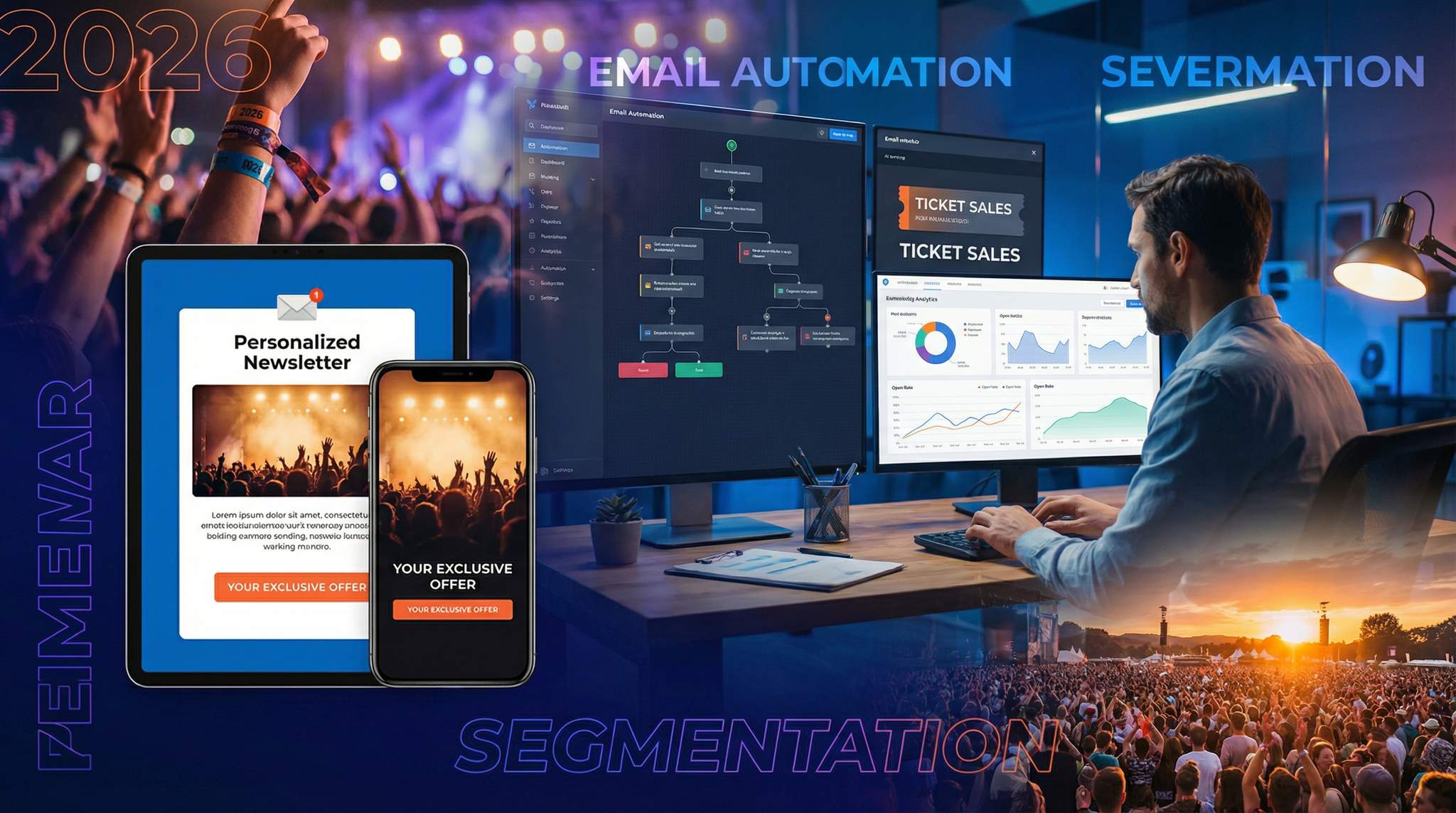
Email also lets you speak directly to motivated fans. If someone joined your mailing list, they’ve already shown interest – they’re a warm lead, not a cold prospect. Many event promoters find their email subscribers convert to purchasers at significantly higher rates than general audiences, proving the quality of email leads. These are folks who want to hear from you. And with modern segmentation (which we’ll dive into next), you can ensure they only get content highly relevant to them – further boosting the likelihood of a sale.
Finally, email shines because it’s under your control. Algorithm changes on Facebook or TikTok won’t suddenly throttle your reach – you own your list. As long as you follow best practices and respect your subscribers, you can reliably reach them when it matters. This independence is crucial in 2026’s privacy-first landscape, where third-party targeting is limited. In a cookieless world, your first-party data (emails, past buyer info) is a goldmine for segmenting your event marketing strategy. Experienced event marketers know that investing in building and nurturing an email list is like growing a garden of future ticket buyers – an asset that keeps yielding results year after year.
(Pro Tip: Always obtain proper consent for emails and follow regulations like GDPR and CAN-SPAM. Buying or scraping emails is a shortcut that can backfire with low engagement or legal issues. Stick to opt-in subscribers – they’re far more likely to convert and to trust your communications.)
Segmenting Your Audience for Maximum Impact
New Attendees vs. Loyal Fans
No two ticket buyers are exactly alike. In 2026, one-size-fits-all email blasts are a recipe for wasted potential, as noted in modern event marketing guides. The first step to mastering email marketing is segmenting your audience – tailoring messages to different groups of subscribers so that each sees content that speaks to them. A crucial segmentation is distinguishing new prospects from loyal returning attendees. The mindset and needs of a first-timer differ vastly from those of a veteran fan:
Turn Fans Into Your Marketing Team
Ticket Fairy's built-in referral rewards system incentivizes attendees to share your event, delivering 15-25% sales boosts and 30x ROI vs paid ads.
- First-timers may need more education and reassurance. Your emails should highlight what makes the event special (lineup, experience), include testimonials or social proof (“Over 95% of last year’s attendees said they’d come back!”), and perhaps offer a first-timer discount or welcome gift to nudge them to purchase. Since they haven’t attended before, address common questions upfront: What’s the vibe? Who’s this event for? Why is it unmissable? Removing fear of the unknown turns curious readers into confident ticket buyers.
- Returning attendees (loyal fans) crave recognition and exclusivity. This segment already knows and loves your event, so your emails can skip the basic pitch and focus on rewarding their loyalty. Think “Welcome back – we’ve got something special for you”. Early-access presales, loyalty discount codes, or a simple acknowledgment (“As a past attendee, you’re family to us”) go a long way. These folks are your most likely repeat buyers – make them feel valued. For example, many festivals run alumni presales where last year’s attendees get first dibs on tickets for next year, offering exclusive perks to loyal fans. A targeted email like “Thank you for coming last time – here’s an exclusive 48-hour presale window just for you” can convert at excellent rates while strengthening fan devotion.
One real-world example: Toronto’s International Film Festival (TIFF) segments previous all-access pass holders and gives them an opportunity to upgrade to VIP packages before anyone else, while new email subscribers get a different message focusing on this year’s highlights and how to attend the festival on a budget. They also segment previous all-access pass holders to tap them on the shoulder and bring them back. Both groups eventually buy tickets, but they take different paths – segmentation ensures each audience gets the right nudge.
Demographics and Interest Segmentation
Effective segmentation can be based on demographics and stated interests as well. Age and generation often influence what messaging resonates. A Gen Z audience might respond to a casual tone, memes, or TikTok clips in an email, whereas Gen X professionals might prefer a more formal style or details on logistics and comfort. For instance, an 18-year-old and a 48-year-old could both be on your list – but should you send them the same content? Probably not. If you know the age (or at least birth year) of subscribers, you can create segments like “Under 25”, “25–40”, “41+” and adjust imagery and references accordingly. A daytime family-friendly festival might emphasize safety and amenities to older attendees, vs. FOMO-driven party vibes to college-age readers.
Grow Your Events
Leverage referral marketing, social sharing incentives, and audience insights to sell more tickets.
Geographic segmentation is another powerful approach – especially for events attracting travelers. Locals vs. out-of-towners have different needs. A local attendee doesn’t need a hotel recommendation, but might appreciate a reminder about public transport or a special “neighbors’ discount”. Meanwhile, someone on your list who lives overseas or out of state will respond better to content like “Plan Your Trip: Cheap flights and hotels for the festival weekend” or a highlight of experiences that make the travel worthwhile. Many global events do this: the Berlin Marathon sends emails in German with local packet pickup info to Berlin residents, while foreign registrants receive English emails focusing on travel and welcome receptions. Similarly, the Berlinale film festival maintains separate communications for local cinephiles (in German) versus international industry guests in different languages, ensuring each group gets relevant info.
Interests and genre preferences can be a segmentation goldmine for multi-faceted events. Music festivals often split their list by music taste – e.g. rock fans vs. EDM fans – if they collected that data via ticket types or past behavior. Then they’ll send targeted announcements: rock fans get an email headlining the rock artists on the lineup, while EDM fans get one focusing on the DJ stage. One U.S. festival, Festival at Sandpoint, grouped their email list by genre of past attendance and sent genre-specific promos; this boosted open rates and ticket purchases because tagging subscribers by genre increases relevance. Likewise, a conference can segment by professional track or topic interest (tech vs. marketing vs. design), so an attendee keen on AI gets emails highlighting the AI sessions or speakers, whereas another who’s into leadership workshops sees content about that track. Relevance drives action – when readers feel “this event really gets me,” they’re far more likely to click and convert.
Below is a summary of some useful audience segments and how to tailor your messaging for each:
| Segment Group | What to Highlight in Emails | Example Tactics |
|---|---|---|
| First-timers (never attended) | Event basics, unique value, social proof | “What to expect” guides; newbie discount or welcome gift |
| Repeat attendees (loyal alumni) | Appreciation, insider info, loyalty perks | Alumni presale access; “We’re excited to have you back” messaging |
| VIPs & High-spenders | Premium experiences, upgrades, exclusives | Highlight VIP packages, lounges; offer VIP-only benefits |
| General Admission buyers | Value and community aspects | Emphasize affordable fun, crowd energy, main attractions |
| Local audience | Nearby conveniences, local pride, transit/parking tips | “Calling SF Bay Area fans – join your community”; parking info |
| Traveling audience | Travel deals, accommodations, destination highlights | Hotel partner discounts; “Explore the city during the event” guide |
| Genre/Interest segment (e.g. music genre or conference track) | Content matching their interests | Genre-specific lineup announcements; “Because you liked X last time…” recommendations |
| Highly engaged fans (opened/clicked many emails) | Urgent calls-to-action, exclusive invites | Early access to tickets or merch; ambassador program invite |
| Inactive subscribers (no engagement in 6+ months) | Re-engagement or exit messaging | “We miss you – here’s what’s new” + maybe a special offer; or a “last chance to stay subscribed” check-in |
Table: Examples of audience segments and how an event marketer can customize email content for each. By sending the right message to the right people, you increase relevance and conversion dramatically.
Notice how each segment above gets a different tone or offer. By segmenting your campaign by age, location, behavior, etc., you’re essentially running multiple mini-campaigns, each optimized for its recipients. The effort is a bit higher than a blanket email blast, but the payoff is huge. In fact, research shows segmented email campaigns can produce far better engagement – one analysis found segmented emails had about 14% higher opens and double the click rate of non-segmented sends. More importantly, those clicks and opens translate to higher ticket sales; personalized emails drive significantly more revenue, accounting for well over half of all email-driven revenue in some studies, compared to generic emails based on broad blasts. The bottom line: segmentation = better ROI. As one 2026 event marketing report title aptly said, one size doesn’t fit all for event campaigns – to sell out events today, customizing your approach is no longer optional, it’s imperative.
Behavioral Triggers: Timing is Everything
Another smart way to segment is by behavior and timing – effectively, letting audience actions dictate what emails they receive. For example, you might identify purchase timing segments: early-bird buyers vs. last-minute buyers. Early-birds (the folks who always buy in the first week of sales) love feeling ahead of the crowd and scoring discounts, so lean into that with emails reinforcing how smart it is to lock in tickets early (and maybe tease “early birds get the best price!”). In contrast, last-minute types need urgency and reminders of what they’ll miss – emails closer to the event like “Only 3 days until the show – final tickets!” speak to their procrastination-driven mindset. Data from thousands of events shows a growing trend of late bookings – e.g. one conference observed 60% of its registrations came in the last three weeks before the event, highlighting the trend of late bookings. By segmenting and messaging accordingly (early vs. late), you can cater to each group’s decision cycle.
Engagement level is another behavioral segment to leverage. Identify your super-engaged subscribers (those who open almost every email, click frequently, or maybe who have referred friends). You might treat them as VIP insiders, offering them referral program opportunities or sneak peeks (“Since you’re one of our top subscribers, here’s a first look at our lineup!”). On the flip side, identify cold subscribers (no opens in 6-12 months) and consider a re-engagement campaign or even a break from emailing them (to improve your sender reputation). Sometimes a subject line like “Still want to hear from us?” with an incentive can revive dormant contacts – or gently remove those truly uninterested to focus on hotter leads.
Lastly, leverage your ticketing/CRM data for behavioral insights. If your ticketing platform (like Ticket Fairy or others) shows who bought multiple events, who tends to get VIP, who buys merch, etc., use that! A person who consistently buys VIP tickets might be a great upsell target for a new VIP lounge experience email. Someone who always attends your summer festival but skipped this year could get a personal note: “We noticed you couldn’t make it last time – here’s a special offer to welcome you back.” These little touches, made possible by segmentation, make your audience feel seen and understood – and that emotional resonance often translates into conversions.
Segmentation can get quite granular (we could segment by gender, by device type, by specific artist interest, and so on), but start with the big wins: new vs. returning, local vs. traveling, interest clusters, engagement level. You can always refine further once those fundamentals are in place. The key is to avoid generic “blast everyone the same message” thinking. As experienced promoters attest, the days of blasting one generic email to your entire list are over – nuanced, segmented targeting is the key to 2026 success, as audiences demand relevant offers.
Crafting Automated Email Journeys Across the Event Lifecycle
Pre-Event Teasers and Early Nurturing
Winning an attendee’s inbox (and wallet) is a journey, not a one-off message. Smart event marketers design automated email sequences that guide potential attendees from interest to purchase, step by step. The journey often begins long before tickets are on sale, with teaser content to spark curiosity.
In the pre-announcement phase (say, 2–3 months out or more), you might start with a “Save the Date” email or a signup for early access. For example, a major festival might email past subscribers: “Save the Date: BigFestival 2026 is coming next July – sign up for lineup updates!” This not only plants the seed in attendees’ minds, but also lets you gauge interest and build a dedicated sub-list of highly interested people. Some festivals take this further: Tomorrowland requires fans to pre-register with their email before the ticket sale, ensuring high demand and rapid sell-outs – effectively capturing hundreds of thousands of eager leads weeks early, which they then nurture with hype content. Even if your event is smaller, a pre-sale waitlist or registration is a fantastic tactic. Those who opt in can receive exclusive teaser emails (“Teaser Trailer: First Headliner Reveal Coming Soon”, accompanied by a short video or artist clue). By the time you announce ticket sales, this segment is chomping at the bit, having been warmed up by your automated teasers.
As you approach the on-sale, consider an automated countdown sequence. For instance, 2 weeks before tickets go live, send an email: “Tickets on sale soon – get ready!” highlighting any early-bird pricing or limited quantities. 1 week before, another reminder lands, maybe featuring testimonials from last year or new perks to build FOMO. The day before on-sale, send a final heads-up: “Tomorrow 10 AM: Tickets Go Live – mark your calendar!” These emails should be automated and scheduled in your email platform, so they roll out consistently. They build anticipation and ensure that when the moment arrives, your subscriber base is aware and primed to act (no one can say “Oh, I missed the memo that tickets were out”). Many marketers have seen massive on-sale day traffic because they primed their list with such a sequence – it’s like priming a pump.
Ticket On-Sale Launch: From Announcement to Early-Birds
The on-sale launch email is one of the most important messages of your campaign. When tickets finally become available, you want an email in subscribers’ inboxes immediately. Ideally, the instant your ticketing site goes live, an automated email fires to all interested segments: “Tickets Now Available – Buy Yours Here!”. This email should be concise and action-oriented: announce that sales are open, remind readers of any limited-time offers (like “Early-Bird pricing 20% off until May 1” or “First 100 buyers get a free merch bundle”), and include a big unmistakable Call-to-Action button (“Get Tickets”).
It pays to send this as close to real-time as possible. If your ticketing platform or email service allows trigger-based sends (some ticketing systems like Ticket Fairy can send an automated blast or SMS the moment you flip tickets to “on sale”), use that. Fans often set alarms for on-sale times, but an email arriving right then acts as both a reminder and a direct link to purchase. In many cases, the launch email will have one of the highest open and conversion rates of any in your campaign – those who’ve been waiting will click immediately. We’ve seen events where 30–40% of the day’s ticket sales came directly from the on-sale email within hours of it being sent.
After the initial announcement, your automation can branch: those who buy tickets from that email can get a different follow-up than those who don’t. For example, purchasers trigger a confirmation or a “Thank you for ordering – Here’s what’s next” email, possibly with referral links (more on that later). Non-purchasers* (who didn’t click or click with no purchase) can automatically receive a follow-up nudge a few days later**: “In case you missed it, tickets are now on sale – don’t wait, early prices end soon!” By segmenting buyers from non-buyers at this stage, you avoid pestering people who already bought (and maybe upsell them instead), while continuing to nurture those who haven’t converted yet.
It’s also smart during the early sales period to send targeted content reinforcing the decision to buy now. For instance, if your event has tiered pricing, schedule an automated email a few days before the early-bird cutoff: “Early-Bird Ends Soon: Last chance to save £20 on your ticket – prices increase Friday!”. This leverages the principle of urgency and reminds fence-sitters to act. According to pricing strategy experts, sticking to your price increase deadlines is crucial, creating urgency that is more effective than ever. Similarly, if certain ticket types are close to selling out early, trigger a “Low Stock Alert” email to those who were interested but haven’t purchased that tier: e.g. “Only 50 VIP passes left – get yours before they’re gone!” When used honestly, these scarcity emails can spur a rush of sales from those who were procrastinating, especially when the sale only lasts a short time. They also work well for alerting fans that inventory is truly almost gone.
Mid-Campaign Drip: Nurture Interest and Overcome the Lull
Between the initial on-sale rush and the final countdown, most events experience a mid-campaign plateau – that period when ticket sales slow down after the early excitement fades. Email automation can help reignite momentum during this lull. Rather than going silent, plan a drip sequence of engaging content to keep potential attendees excited and informed. Think of these as “nurture” emails – providing value and stoking FOMO, not just saying “buy now” every time.
For example, you might schedule a “Meet the Lineup” series: once a week, highlight a different headliner, speaker, or attraction of your event. One week’s email could be “5 Reasons Everyone’s Excited to See [Band/DJ/Keynote] at Our Festival” with a short bio, hit songs or topics, and maybe an embedded video clip. The next week: “Your Festival Experience: Food, Art, and Surprises We’ve Planned” – showcasing non-music aspects that add value. Another idea is an attendee testimonials email: “Why Fans Love [EventName]: Stories from last year” including quotes or a 60-second aftermovie video. These content-rich emails keep your event top-of-mind and address questions that undecided subscribers might have (“What’s the vibe like? Is it worth it?”).
Automation is your friend here – you can pre-write and schedule these well in advance so that even if you’re busy with other promotions, the emails send on a regular cadence (say every 2 weeks in mid-campaign). The content should be genuinely interesting or useful, not just salesy. Experienced event marketers often treat mid-campaign emails more like a newsletter or behind-the-scenes peek – giving subscribers something to enjoy, which in turn keeps them warm to purchase. And don’t forget to include ticket links subtly (“Secure your spot” at the end of a lineup announcement, for instance). You’d be surprised how a compelling tidbit can convert holdouts – maybe that one artist announcement or new activity convinces someone who was on the fence. (In fact, adding a surprise guest or bonus event mid-way and announcing it via email is a classic tactic to jolt slow sales – when done right it can create a mini second wave of ticket purchases.)
If you find your campaign truly stagnating, you can also introduce a mid-campaign incentive via email. For example, “Flash Sale – This Weekend Only, All Tickets 15% Off” or a value-add like “Free drink coupon for anyone who buys in the next 48 hours.” Use these sparingly – you don’t want to train your audience to expect discounts – but strategically timed flash sales promoted by email can definitely boost a mid-campaign slump. Automation-wise, you’d schedule those emails to go out on the morning the flash sale starts, with a follow-up reminder on the last day. One promoter reported that a well-timed 48-hour flash discount email mid-campaign reactivated dormant leads and bumped their sales by 25% that week. The key is to present it as a special, limited offer (and ideally reward your email subscribers with it, rather than blasting everywhere, so they feel like insiders).
Last-Chance and Urgency Sequences
As the event date nears, it’s time to turn up the urgency. Most audiences need a final push to overcome procrastination, and automated “last-chance” emails are highly effective at this stage. Plan a sequence for the final 1–2 weeks before your event (or earlier, if you expect an earlier sell-out or cut-off):
- “2 Weeks To Go” Reminder: A general notice that the event is approaching and tickets are in limited supply. Emphasize any scarcity (“Over 85% sold”) and use a excited tone – “It’s almost here! Don’t miss out on an incredible night.”
- “Final Week – Don’t Miss Out” Email: At ~7 days out, explicitly push urgency. Include a bold “Only a Few Days Left!” headline and list maybe 3 big reasons to attend (e.g. “See [Headliner]’s only 2026 appearance”, “Experience our new immersive stage”, “Join 5,000 fans for an unforgettable weekend”). People respond to concrete reasons combined with a deadline. If your event is close to selling out, say so!
- “72 Hours Left” or “Last Chance for Online Tickets”: Many events stop online sales a day or two prior (for door sales or preparation). Time an email 2–3 days out: “Last Chance: Online ticket sales close Friday at midnight!” This reminds everyone that it’s now-or-never. Even if you keep sales open till showtime, a “72 hours” countdown injects FOMO – it tells the reader others are buying and the window is closing.
- “Final Call / Day-Of Push”: If not sold out, send a morning-of or day-before email: “Event is Tomorrow – Don’t Get Left Behind!”. This is the emphatic final tug. Use energetic language and maybe a big image of a packed crowd or stage to visualize what they’ll miss. Provide a direct purchase link and even at this late hour, new buyers will emerge (especially for online/virtual events or younger audiences who are very last-minute).
A few best practices for these urgency emails: Always be truthful about scarcity – if you say “only 10 tickets left” make sure that’s accurate. False urgency can backfire on trust. Segment your sends so that you exclude anyone who’s already bought a ticket, to avoid confusion or annoyance (few things irritate attendees more than getting a “buy now” plea after they already purchased). Modern email tools or your ticketing CRM should let you filter purchasers out of promo sends easily. Instead, those purchasers can get a different email (like event reminders or upsells) which we’ll cover next.
When done right, urgency emails often produce the highest conversion rates of any campaign phase. Many ticket buyers confess that what finally made them pull out their credit card was a “last chance” email that hit their inbox at just the right moment. In 2026, with late buying so prevalent, you might find 50% or more of your total sales come in the last month – so these final emails really matter, reflecting current attendee booking behaviors. One study noted that “almost sold out” alerts and deadline reminders can boost conversion among procrastinators significantly, using scarcity wisely for the best effect. We’ve seen clients literally double their sales in the final week thanks to a strong urgency email push combined with pricing deadlines. The formula is simple: specific deadline + clear CTA + a dash of FOMO = a surge in last-minute tickets. Just be careful to keep the tone encouraging rather than scolding – you want folks to feel excited it’s happening now, not guilty for waiting.
To visualize a complete campaign, here’s an example email timeline for an event, showing automated emails from pre-sale to post-event:
| Timeline Stage | Email Campaign Focus | Example Email Content & Purpose |
|---|---|---|
| 8–12 weeks out (Pre-sale) | Early teaser & list building | “BigFestival 2026 Dates Announced – Save the Date!” – Hype the event is coming, invite to join waitlist for lineup news. Goal: build interest list. |
| 6–8 weeks out (On-sale) | Ticket on-sale launch | “Tickets On Sale Now – Early Bird Available!” – Announce sales are live, give early-bird code or pricing deadline. Goal: drive immediate purchases. |
| 4–6 weeks out | Engagement & content drip | “Artist Spotlight: Meet Our Headliner” – Share exciting lineup content. Or “Top 5 Festival Highlights to Expect”. Goal: nurture interest, keep warm. |
| 3–4 weeks out | Ongoing engagement | “Your Festival Questions Answered” – FAQs, festival tips, maybe a testimonial. Goal: address objections, build trust to buy. |
| 2 weeks out | Urgency begins | “Only 2 Weeks Left – Don’t Miss Out!” – Emphasize limited tickets remain, highlight new updates (e.g. schedule release). Goal: spur those waiting to act. |
| 1 week out | Last-chance push | “Final Week to Secure Your Ticket – Early Bird Ends Friday” – Last call before price jump or sales cutoff. Goal: create urgency (deadline). |
| 2–3 days out | Final reminder | “Last Chance: 48 Hours Until [Event]!” – FOMO-driven, possibly share weather/news and final CTA to buy. Goal: capture stragglers, maximize attendance. |
| Post-event (1–3 days after) | Thank-you & loyalty follow-up | “Thank You for Attending! + Special Alumni Offer” – Express gratitude, share recap highlights, offer discount or pre-reg for next event. Goal: retain attendees for future. |
Table: Sample automated email timeline for an event marketing campaign. Each stage’s emails are tailored to where the audience is in the decision process – from early interest generation to final purchase urgency and beyond.
By mapping out a timeline like the above and automating much of it, you ensure that no potential attendee falls through the cracks of neglect. You’re consistently guiding them along: tease > launch > nurture > remind > urge > thank. That steady drumbeat keeps your event in their consideration set from start to finish.
Triggered Emails: Reaching Buyers at Critical Moments
Cart Abandonment Recovery Emails
One of the most powerful automation tactics for event sales is the abandoned cart email. Imagine someone goes to your ticketing page, selects tickets, starts the checkout, but then leaves without completing the purchase – a very common scenario (the online ticket abandonment rate can exceed 80% for many events, representing a massive invisible revenue loss). Rather than losing that interested customer forever, a well-timed trigger email can pull them back in.
How it works: if you have the person’s email (either they were logged in, or entered it before dropping off), your system detects the abandoned order and automatically sends an email after a short delay. For example, 30 minutes or 1 hour after the cart is abandoned, an email goes out: “Still Interested? Your tickets are waiting for you”. This message is basically a friendly reminder – it might say something like, “We noticed you didn’t complete your ticket purchase for XYZ Event. No worries – you can still grab your tickets here:” followed by a clear link back to the cart or purchase page. Often just prompting them is enough; people get distracted, close the browser, or want to consult friends. Your email jogs their memory and makes it easy to resume checkout.
Abandonment emails can be made more compelling by including personalized details from the cart. For instance, “You left 2 x Saturday VIP Tickets in your cart”. Seeing the exact items can rekindle the desire, and it assures them their selection is still on hold (if your system holds inventory for them, mention it: “We’ve reserved your tickets for the next 24 hours”). Some organizers even add an incentive to the second or third reminder email if the first goes ignored – “Here’s 10% off your order – we’d love to see you there!”. Use incentives carefully (you don’t want to train fans to abandon on purpose) but for higher-priced events or late-stage sales, a little sweetener can recover a sale that might not happen otherwise.
The impact of cart recovery emails is proven. Businesses across industries report significant revenue recovered via these triggers – for events and attractions, some see $40,000+ in ticket sales saved per month and generate a 14.2x return on investment. Many of these customers achieve outstanding ROI every month from their cart emails. Even if your numbers are smaller, that’s revenue you’d have lost otherwise. Not only do these emails convert well, the data shows that buyers who come back via an abandonment email often spend more – one study found the average order value from cart-recovery emails is ~14% higher than typical, possibly because the extra reassurance or incentive convinces them to opt for that VIP package after all, helping to grow overall ticket sales revenue.
Best practices for abandoned cart emails: Send the first reminder fairly quickly (within an hour or at least the same day – striking while the interest is hot). Keep the tone helpful, not pushy or scolding. A subject line like “Oops, did something go wrong?” or “Need help completing your order?” can invite a click. In the email, provide a clear call-to-action back to the checkout. And if the first email doesn’t get a response, it’s worth automating a second follow-up a day or two later, perhaps adding urgency (“Only a few days left to secure your tickets”) or a small perk to encourage action. Many ticketing platforms, including Ticket Fairy, integrate this logic so you can enable abandoned order emails with minimal setup – definitely use it to claw back potentially lost sales.
Personalization: Dynamic Content & AI Recommendations
Personalization in event emails goes beyond inserting someone’s first name. With the data you have, you can dynamically tailor email content so each recipient feels like the message was written just for them. We touched on segmentation already – personalization is the next layer down, often powered by marketing automation tools and AI in 2026. Here are a few high-impact ways to personalize automated emails:
- “Because You Liked…” Recommendations: Use a subscriber’s past behavior to suggest relevant upcoming events or lineup items. For example, if data shows a person attended mostly techno DJ sets last year, an automated email could list the techno artists in this year’s lineup with a heading like “Since you loved the underground techno stage, check out these artists at 2026!”. Film festivals do this by tracking which films attendees favorited or bought tickets for, then emailing them when similar films or the next edition’s lineup is out, analyzing what films subscribers previously engaged with. They can also cross-promote relevant screenings to boost revenue, because readers feel the content is tailored to them. This kind of recommendation feels concierge-level. According to marketing data, such behavior-based emails get significantly higher click-through and purchase rates than generic blasts, because the content matches subscriber behavior. It works by connecting the right film with the right fan – because the recipient sees content they’re genuinely interested in.
- Dynamic Content Blocks: Modern email software can swap sections of an email based on subscriber attributes. Let’s say you’re running a multi-city tour. You send one email to the whole list, but include a dynamic block that shows “Upcoming Show Nearest You:” – fans in Melbourne see the Melbourne date, those in Sydney see Sydney, etc., all from one send. Or a festival email might have different content blocks for GA ticket holders vs. VIP ticket holders (e.g. VIPs get a section about the exclusive lounge, GA folks see a prompt about upgrading to VIP). By scripting these rules in your automation, each subscriber’s email is a little different, reflecting what’s most relevant to them.
- AI-Personalized Send Times & Frequency: Artificial intelligence tools can analyze when each subscriber is most likely to open emails (based on past open times) and automatically send your campaigns at that person’s optimal time. So Jane might get it at 7am and John at 5pm if that’s when they usually check email. Similarly, AI might predict which content a user is most likely to engage with and tailor the email order or recommendations accordingly. In 2026, savvy event marketers are leveraging such AI-driven optimization to boost engagement – for example, using AI to generate subject line variations for different segments treating email strategy with data-driven precision or to predict which recipients might need an extra reminder versus who’s already likely to buy. These nuances can be the difference between an email that converts and one that gets ignored.
The power of personalization is underscored by stats: Emails with personalized content have been shown to drive 6× higher transaction rates, yet surprisingly many event marketers aren’t using all the tools at their disposal. One report noted only ~39% of online retailers were including personalized product recommendations in emails, leaving significant revenue on the table. The events industry historically lagged a bit, but that’s changing fast. If you’re using a robust CRM or a platform like Ticket Fairy with rich attendee data, take advantage of it by tailoring content. Even something as simple as segmenting by interest (as discussed) or inserting a line like “We thought you’d enjoy this,
Limited-Time Offers and Unique Promo Codes
Another effective email automation tactic is sending personalized offers or promo codes triggered by specific conditions. For instance, suppose a segment of your list has clicked on ticket information multiple times but not purchased – you could automate an email to those “warm leads” with a small limited-time discount to tip them over the edge. The email might say, “We noticed you’re excited about [Event] – here’s a 10% off code just for you. Act fast, it expires in 72 hours!”. This kind of targeted incentive can convert people who are very interested but perhaps hesitating due to price or indecision. Because it’s targeted, you’re not devaluing your event broadly or annoying those who already paid full price. And by making it time-bound and unique to them, it feels exclusive and urgent.
You can also automate anniversary or birthday offers if you collect those dates. For example, send your subscriber a happy birthday email with a code for $20 off any event this year. Or on the one-year anniversary of when they first attended your event, send a note: “One year ago, you joined us at X – come back and celebrate with 15% off your next ticket!” These automated touches make your communication feel personal and thoughtful, even though they run on autopilot in the background.
A hugely underused approach is win-back offers for past attendees who haven’t returned. Let’s say someone came in 2024 but didn’t buy for 2025 – trigger an email during the 2026 campaign specifically to those lapsed attendees: “We Miss You – Here’s $30 off to come back to [Event]”. By analyzing your ticketing data, you can set an automation rule: if last_purchase_date < last year, send the win-back promo. Many events have increased their retention by reactivating lapsed fans with this strategy. Just be sure to weigh the discount appropriately (you don’t want to train regulars to skip a year to get a coupon). Often, framing it as a thank-you (“because you’ve attended in the past, enjoy this loyalty reward”) rather than a desperation move maintains goodwill.
Finally, consider group incentives via email. If your system detects a purchase for 1 ticket only (solo attendee), an automated email could encourage bringing friends: “Bring a Friend – use code BRING10 to get 10% off 2+ tickets.” Or after someone buys, you could send a refer-a-friend discount code which gives their friend a deal (and maybe gives the referrer a credit if that friend buys). Building these into your email flow can organically boost word-of-mouth. In fact, events that integrated referral codes into post-purchase emails have seen significant extra sales – one Ticket Fairy client saw ticket revenue jump 20–30% through fan referrals, leveraging the power of word-of-mouth marketing, at the cost of only ~1% of revenue in rewards. So the ROI of these email-triggered referral offers is superb. (We’ll talk more about post-event referrals in a moment, but it’s worth noting here as part of the automated offer toolkit.)
In summary, triggered emails and personalization go hand in hand to deliver the right message at the right moment. Whether it’s recovering an abandoned order, auto-suggesting the perfect event, or giving that extra nudge with a special offer, these automations work tirelessly in the background to maximize your ticket sales. They essentially multiply you – instead of manually chasing every lead, your email system does it for you, with tailored precision. The result is more conversions with less effort and ensuring no hot lead gets left behind.
Crafting Emails That Convert: Copy, Design, and Send Strategies
Compelling Subject Lines and Preview Text
Your email is only effective if it gets opened – and that battle is won or lost in the subject line (and its sidekick, the preview text). Crafting a compelling subject line is an art that every event marketer should hone. Aim for subjects that are clear, concise, and enticing. For instance:
– “[Event Name] Tickets – Final 48 Hours to Save!” (creates urgency)
– “You’re Invited: VIP Access Inside!” (exclusive tone for VIP segment)
– “Lineup Announcement: 3 New Artists Added!” (exciting news hook)
– “Can’t-Miss Experience Awaits at [Event]” (piques curiosity without being vague)
Personalization can help here too. Including the recipient’s first name or city in the subject can lift open rates. “Sarah, join us at X Festival – just 2 weeks left!” feels personal and attention-grabbing. Studies have shown that personalized subject lines can boost open rates by 20%+, directly benefiting your bottom line revenue. Just don’t overdo gimmicks – the content after the open must deliver on the subject’s promise.
Remember to leverage the preview text (snippet) that most email clients show next to the subject. This is prime real estate to reinforce your message. For example, subject: “Last Chance for Tickets!” + preview: “Prices go up Friday at midnight – grab yours now and save £15.” Many marketers forget to set a custom preview, and it defaults to some header or alt text – a missed opportunity. Treat the subject+preview combo like a short billboard for your email: between the two, convey urgency or value and a clear hint at action.
Also, keep subject length in mind. Mobile devices may cut off long subjects, so put the most important words up front. For instance, don’t start with your brand name every time (“YourFestival 2026 Update: …”) – in many email lists they already see the sender name. Instead, jump into the offer or hook: “Tomorrow: Pre-Sale Starts 10 AM – Are You Ready?” feels urgent and the key info (“Tomorrow pre-sale 10 AM”) is at the start.
A/B testing subject lines is highly recommended. If your email platform allows, try sending two versions to small sub-samples of your list (say 10% each) – one subject might be “Don’t Miss X Event – Limited Tickets Remain” vs. another “Limited Tickets – Don’t Miss X Event!”. Whichever gets higher opens in a few hours, send that to the remaining 80%. Seasoned event marketers often test different phrasing (urgency vs. curiosity, or adding emojis vs. none). For example, adding a relevant emoji like ? or ? can draw the eye, but it depends on your audience’s style. Test and learn what resonates.
Ultimately, the best subject lines promise value or urgency and spark interest – they make the reader think “I need to know more or I might regret it.” Pair that with a solid preview text reinforcing the call-to-action, and you’ll see those open rates climb – which is the first step to more ticket sales.
Email Copy: Short, Visual, and Action-Oriented
Once the email is opened, the content has to do the heavy lifting. Through experience, event marketers have learned that brevity and clarity are key. Your audience’s inbox is crowded; if your email is a wall of text, many will skim or skip. Aim to make your emails scannable and to-the-point:
– Keep paragraphs short (1–3 sentences). Use line breaks and white space to avoid a dense block of text, making every word count for busy readers. A good rule: if a paragraph looks longer than 4 lines on a phone screen, find a place to break it.
– Use bullet points or numbered lists for key info. For example, an email announcing a lineup might list “Top 3 Reasons to Attend:” as bullets – it’s easier to digest than a long paragraph describing all three. Or if explaining how to redeem a presale code, use 1-2-3 steps rather than a verbose explanation.
– Lead with the most important info. Don’t bury the lede. If your email is about a price increase deadline, mention that right at the start (“Only 2 days left at current prices…”). If it’s a newsletter style, start with the most exciting news (artist drop, special guest, etc.). You have only seconds to hook the reader, so put the juicy stuff up top.
– Maintain a conversational, friendly tone (unless your brand voice is very formal). Write as if talking to an excited attendee – enthusiasm is contagious, but avoid fluff. Instead of “We are pleased to announce that tickets are now available for purchase,” just say “Tickets are on sale now!” or “Secure your spot today.” Direct, energetic language works best.
A good example of concise copy: a pre-event “know before you go” email might say, “Hi Sam – The big day is almost here! Doors open at 7PM this Saturday. Quick tips: 1) Download your mobile tickets in advance. 2) Take the Orange Line to avoid parking. 3) Wear your wildest costume – best outfit wins VIP upgrades! See you at the gate!”. In just a few lines, it conveyed excitement, key details, and a call-to-action (in this case, more informational). Even informational emails benefit from brevity and clear formatting like the numbered tips above.
And always include a clear Call-to-Action (CTA) button when the goal is ticket sales. Midway and at the end of the email, have a prominent button like “Buy Tickets Now” or “Get My Pass”. Make it a bright color that stands out (aligned with your branding). Many readers won’t scroll a lengthy email – they might just see the top and click the first obvious link or button. So don’t hide your CTA at the bottom of a novel; surface it early. Actually, a common practice is to put a CTA button near the top (after a line or two of intro) and another at the end for those who read through. And ensure the button link works correctly and goes to the intended page (cart or ticket selection) – sounds basic, but a surprising number of campaigns have broken links, killing conversion.
Finally, when writing, focus on one primary message per email if possible. It’s tempting to pack every update into one blast, but if you ask the reader to do too many different things, they often do nothing. Each email should ideally have one central theme or goal (buy tickets, check lineup, refer a friend, etc.). If you need to communicate multiple things, consider separate emails or at least clearly separate sections within the message with subheadings so readers can find what matters to them. Clarity and focus in your copy will directly translate to better results – people act when the path is clear and compelling.
Visual Design and Mobile Optimization
Visually appealing emails can capture attention and convey your event’s vibe instantly. Humans process images faster than text, so leverage that with compelling visuals in your email design. For an event, this might include:
– Hero image/banner: A striking image at the top related to your event – e.g. a photo of a past crowd having a blast, an artist performing with dramatic lighting, or a graphic with your event branding and date. This sets the tone immediately. Many festivals use a vibrant shot from last year as the email header to evoke the emotion of being there.
– Photos of performers or speakers: If you’re announcing lineup or special guests, include thumbnail images or small banners for some of them. Seeing the face of a popular DJ or the logo of a keynote’s company can draw the eye to that section. Just keep file sizes small and layout clean.
– Icons and graphics: Little icons (like a clock symbol next to “Schedule” or a map pin next to location info) can make key details pop out. Branded graphics for things like “24 Hours Left” or “Sale!” can also add flair and emphasis.
– Animated GIFs or short clips: Some events incorporate a short GIF – for instance, a quick montage of last year’s highlights, or a flashing “Tickets On Sale Now!” graphic. Used sparingly, GIFs can be attention-grabbing without requiring the user to click play (they auto-loop). Just ensure the email isn’t overstuffed with large media; one moderate-sized GIF is usually enough to animate the email.
Crucially, design with mobile devices in mind. As of 2026, a majority of event email opens likely occur on mobile (often 60% or more, depending on demographic). So, use a responsive email template that adapts to small screens. This means single-column layouts, large tappable buttons (nobody can click a tiny text link on a phone with their thumb accurately), and images that resize for mobile. Always do a test send and check how it looks on a phone – are fonts readable without zooming? Is the main CTA visible without excessive scrolling? If not, tweak the design.
Also optimize images for quick loading. Compressed JPEGs or PNGs are fine; avoid any one image being more than say 0.5MB. Many people will be on the go – if your images load slowly, they might delete the email before even seeing it. Include alt text for images as well (e.g. <img alt="Crowd at XYZ Festival" ...>). Some email clients block images by default, so the alt text should convey what the image was (and any key message it contained). Plus, it’s essential for accessibility (visually impaired readers using screen readers will hear the alt text).
Maintaining brand consistency is important too – use your event’s color scheme, logo, and fonts (as much as email-safe fonts allow) so that the email feels like an extension of your event identity. It builds trust that this is an official communication and reinforces brand recall. Templates provided by Ticket Fairy or other event platforms often come with pre-set styling, which you can customize to match your brand.
In summary, good email design means the email is visually engaging, easy to read, and guides the reader’s eye to the call-to-action. A picture of a joyful crowd can evoke the emotion of your event better than paragraphs of text; a well-placed countdown timer image can instill urgency at a glance. By combining strong visuals with tight copy, you create emails that not only inform but inspire action – and you make it easy for readers to act, whether they’re at their desktop or scrolling on a phone in line for coffee.
Frequency, Deliverability, and Respecting the Audience
Even the best email content can backfire if you get the frequency or deliverability wrong. Let’s talk about finding the right cadence and staying in your audience’s good graces (and their inbox, not the spam folder).
Frequency: How often should you email your list? The answer varies by campaign phase and audience tolerance, but a guiding principle is quality over quantity. During critical periods (on-sale week, final countdown week), emailing every day or every other day can be acceptable – because you have truly timely news (tickets just released, deadline in 2 days, etc.). Subscribers expect more frequent updates around on-sales or event dates. However, blasting every single day for months will fatigue and annoy most people. Outside those peak moments, spread communications out. Perhaps weekly or biweekly during the general campaign, with informative content as discussed. Some seasoned festival marketers cap their promotional emails to, say, one sponsored or sales-oriented email per week even during busy times, ensuring they are less likely to cause fatigue, supplementing with organic updates or social posts in between.
If you have multiple distinct messages (lineup news, then a merch sale, then a travel guide), consider if you can combine them logically into one email or if they warrant separate sends spaced a couple days apart. Avoid sending multiple marketing emails on the same day to the same list – that’s a quick path to unsubscribes. The exception might be transactional emails (receipt, ticket download info) which are separate from marketing content – those should always be sent as needed and don’t “count” toward marketing frequency, though they do contribute to overall email volume a user gets from you.
One technique to manage frequency is to segment by engagement. For example, you could identify your highly engaged segment (opens most emails) and include them in more frequent sends, but for those who haven’t opened the last 5 emails, maybe put them on a lighter track so you don’t bombard people who aren’t responding. Also, always provide an easy way for subscribers to update preferences (e.g. maybe they only want big announcements, not all newsletter content – a preferences center can let them choose). It’s better than them outright unsubscribing.
Deliverability: This refers to your emails actually reaching the inbox and not getting flagged as spam. It’s a big deal – even a great campaign fails if emails vanish into spam folders. Key deliverability tips include:
– Use a verified sending domain. If possible, send emails from your event’s domain (e.g. [email protected]) and set up proper DKIM/SPF records. Most email service providers guide you through this. It builds trust that your emails are legit and not spoofed.
– Avoid spammy language, especially in subject lines. Words like “FREE $$$!!!” or excessive exclamation points and all-caps can trigger filters. An urgent subject is fine, just don’t format it like a sketchy ad (e.g. “BUY NOW!!!! LIMITED TIME” is bad form). For example, instead of “LAST CHANCE DISCOUNT!!!!”, say “Last chance – Early Bird discount ends today” which is far less likely to be flagged and more professional.
– Mix up your content. If every email is a templated image-heavy design with minimal text, spam filters might suspect it’s a mass marketing blast. It helps to include some real text (which also aids accessibility and those with images off). Also, ensure your email isn’t just one big image – that’s a classic spam flag. Balance text and images.
– Check your sender reputation and keep list clean. Don’t keep blasting to chronically inactive or invalid emails – high bounce rates or spam complaint rates will hurt your reputation. Use double opt-in or at least a confirmed welcome email to ensure addresses are valid early on. If you see many bounces, remove those addresses. If some people mark you as spam (complaints), consider implementing a suppression list – many ESPs do this automatically after a complaint or two from an address.
– Unsubscribe and compliance: Always include an unsubscribe link and honor remove requests promptly. Not only is it law (CAN-SPAM, GDPR, etc.), but it also helps keep only those who want your emails on the list, which improves engagement rates and deliverability. If someone can’t easily unsubscribe, they might hit “Report Spam” out of frustration – which is much worse for you.
Respecting the audience means being mindful of their experience. Don’t abuse the privilege of reaching their inbox. Provide value more often than you “ask” for something. If you’ve just sent three “Buy now!” emails in a week, maybe send a pure content or thank-you email next with no ask, to show you’re not only there to sell. Show empathy: acknowledge their inbox is full and you appreciate their time. Even a line in your email like “We know you get a lot of emails, so we’ll always keep our updates useful” can signal that you’re not just blasting away carelessly.
One advanced tip: monitor your metrics by domain (many email tools show you open/deliverability stats for Gmail vs Yahoo vs Outlook, etc.). If you see, say, Gmail open rates suddenly tank, it could mean Gmail is filtering you – sometimes due to too many Gmail recipients reporting spam or low engagement. You might then tighten your Gmail segment to active users for a bit to rebuild reputation. This is nuance, but in large campaigns it matters.
Overall, maintain a consistent but considerate presence in the inbox. Being predictable can help – for instance, a consistent “Thursday Updates” cadence during your campaign, so subscribers come to expect it. But always be ready to adapt if engagement dips or complaints rise. The trust of your audience is hard-earned and easily lost. As an event marketer with a long-term perspective, you want them not just to buy this time, but to stay on your list enthusiastically for future events too. Treat their inbox with respect, send them great content at a reasonable pace, and they’ll reward you with attention – and ticket purchases.
Post-Event Follow-Ups: Retain, Reward, and Re-engage
Thank You Emails and Attendee Feedback
Your marketing job isn’t over when the event ends. Post-event emails are crucial for fostering loyalty and maximizing the lifetime value of each attendee. The first and most important is a “Thank You” email sent within a day or two after the event. This should be heartfelt and genuine: thank them for being part of the experience, perhaps share a highlight or two (“Your energy helped make this our best year yet!”), and express that you hope to see them again. It’s amazing how often this simple gesture is overlooked by promoters – a missed opportunity to turn a one-time attendee into a returning fan. People appreciate feeling appreciated!
In the thank-you email, you can also invite feedback. Consider including a quick survey link: “Tell us about your experience” – maybe with an incentive like “Complete this 2-minute survey for a chance to win two free tickets to our next event.” The feedback not only provides valuable insight to improve future events, but it engages attendees by giving them a voice. Many will jump at the chance to suggest improvements or praise what they loved. Showing that you care about their opinion builds trust. Just be sure to actually listen and implement feasible suggestions – and maybe follow up later highlighting “we heard you” changes.
Another effective inclusion is sharing a recap or aftermovie. If you have an official photo album or video highlight reel ready (even a short one), link it or embed a teaser image: “Relive the night – check out the photo gallery from Event X.” People love seeing moments they might have missed, or even spotting themselves if it’s a community-focused event. It helps turn their one-day attendance into an ongoing experience, and they are more likely to share those recaps on social media – indirectly promoting your event brand.
Finally, the thank-you email is a nice place to subtly plant the seed for next time. Something like, “We can’t wait to do it again – stay tuned for 2027 dates coming soon!” or “As part of our community, you’ll be first to hear about our next event.” This keeps the momentum going so that the post-event high segues into anticipation for the future. Some events even open pre-registration or super-early-bird deposits for next year in the thank-you email (“Lock in your spot for 2026 now at the lowest price, just for alumni”). If you have die-hard fans, they’ll appreciate that chance – like how Burning Man or certain conferences let this year’s attendees snag next year’s tickets early.
Loyalty Rewards and Exclusive Pre-Sales
To boost retention, reward those who attended with special perks. A common and very successful strategy is to give attendees a loyalty pre-sale for the next edition of the event. For example, “As a thank-you for attending, here’s an exclusive Alumni Pre-Sale: Buy your tickets for next year now at 30% off before we release tickets to the public.” This can be automated if your event is annual – one month after this year’s event, trigger the loyalty pre-sale email. Not only does this drive early revenue, but it makes past attendees feel like VIPs. Major festivals often convert a substantial chunk of attendees into repeat buyers this way, sometimes selling out a large percentage of capacity purely to alumni months before general on-sale.
If committing to dates that early isn’t feasible, consider a loyalty discount code valid for when tickets do go on sale, or a VIP upgrade offer. For instance, “Use code ALUMNI to get 10% off any ticket next year, as our thanks to you,” or “Returning attendees will have a chance to upgrade to VIP at a special rate – stay tuned.” The key is to deliver on it later. These gestures tell your audience: we value your loyalty, and we want you back. People respond to that. Everyone likes to feel part of an exclusive club, especially for events that build a community.
Loyalty rewards aren’t one-size-fits-all. You could have tiers: e.g., those who’ve attended 3+ years in a row get an even bigger perk (maybe a free piece of merch or a meet-and-greet chance) via email. Data from loyalty programs shows that even small rewards can significantly increase repeat attendance, because they tap into a sense of belonging and appreciation. One survey indicated attendees with loyalty perks had a notably higher likelihood of recommending the event to others, amplifying word-of-mouth (they become ambassadors naturally when they feel tied to the event family).
The post-event period is also a great time to encourage social engagement. Your follow-up email can invite attendees to share their experience: “Got great photos or videos? Tag us with #EventName2026 – we’ll feature our favorites!” or “Join our Facebook Community Group to keep the party going year-round.” This extends their interaction with your brand beyond the event itself and keeps them in a loop where they’ll see future announcements. Essentially, you’re building a community, not just a one-off audience. People overwhelmingly trust recommendations from friends over any advertising, and they are more likely to speak out when their peer group is involved. If you nurture that community via email and other channels, those people will not only come back, but they’ll bring friends next time.
Re-Engaging No-Shows and Cold Leads
Not everyone who had interest ended up attending your event. Some bought tickets and didn’t show up; others were on your email list but never purchased. These groups shouldn’t be forgotten – they represent potential attendees for the future if you handle it right.
For no-shows (ticket buyers who didn’t attend): It’s useful if your event tech can identify who didn’t check in or scan their ticket (some systems can, or you might know if they requested a refund or transfer last-minute). A tactful email to these folks could say, “We’re sorry you weren’t able to join us at [Event] – we missed you! We’d love to see you next time, so here’s a little something for you:” and then perhaps offer a small credit or discount for the next event as a goodwill gesture. Even if you don’t give a discount, express regret they couldn’t make it and highlight what they missed (“The weekend was amazing – we hope everything’s okay and that you can experience it next time. Here’s the aftermovie so you can still catch a glimpse of the magic.”). This approach turns a potentially negative situation (they spent money but didn’t attend) into a positive touchpoint. It might rekindle their desire to come next time since you’ve shown you care.
For cold leads (subscribers who never bought): After the event, you can run a “sorry we missed you” re-engagement. “We noticed you were interested in [Event] but couldn’t attend. We’d love to have you join the fun in the future!”. Then you might invite them to stay tuned for upcoming event announcements or even tease any other events you do. If you have another event or tour in the pipeline, this is the time to cross-promote: “Maybe we’ll see you at one of these shows…” listing other dates. Treat them as still-valuable prospects, not as lost causes. They showed intent by being on your list; perhaps timing or cost prevented them from converting. You could even survey them briefly: “Help us understand – was it scheduling conflict? ticket price? lineup not your taste this year? Let us know here [link].” Any intel is good, and asking shows you care about meeting their needs.
Win-back campaigns down the line can also target those who attended in past years but not this year (if that’s applicable). As mentioned earlier, an automation rule for lapsed attendees (e.g., attended 2024 but not 2025) to get a special invite for 2026 can reclaim some fans. Often life gets in the way for a year; a personal note saying “we noticed you couldn’t come back, but we’d love to have you again” plus maybe a loyalty price can win them over. These efforts, while they might only convert a percentage, are worth it because acquiring brand-new attendees is usually costlier than reactivating someone who already knows your event.
Turning Attendees into Advocates (Referral and Social Sharing)
Your attendees can be your best marketers. After the event (and even between events), you should encourage and equip them to spread the word. We touched on social sharing, but a more structured approach is via referral or ambassador programs. Email is the perfect medium to launch and maintain these programs because you can directly reach your most enthusiastic fans with the details.
For instance, in your thank-you or a subsequent email, you might announce: “Invite your friends – Get Rewards!”. Outline that by referring friends to buy tickets for the next event, the attendee can earn merch, upgrades, or even free tickets. Many events now have referral systems (Ticket Fairy’s platform, for example, includes built-in referral tracking links for each customer). You could provide each attendee with their unique referral link in an email: “Share this link with friends and get £10 back for each friend who buys” or “Earn a free VIP upgrade if 3 friends use your link.” Ideally, it’s something you automate: the system tracks referrals and you fulfill rewards. But even if manual, a simple structure (“give your friend this code for 10% off, and we’ll refund you 10% when they purchase”) can work.
Why do this? Because word-of-mouth is incredibly powerful for events. Nearly 90% of consumers trust recommendations from friends over any advertising, leveraging the power of word-of-mouth trust. If you can activate your existing happy attendees to bring others, you expand your reach without heavy ad spend. And the post-event glow is the best time to ask – they just had a blast (hopefully), so they’re likely raving about it. Your email nudges them: “Tell your friends about your experience – here’s a reward if you do!”. Many will share out of pure excitement; the reward just sweetens it.
Case studies show referral programs can drive a significant chunk of sales. Some events have credited 20% or more of their ticket sales to fan referrals when they properly incentivized peer sharing. The ROI is tremendous because you only give rewards for actual conversions, unlike ads where you pay upfront. For example, Ticket Fairy’s referral tools have enabled events to boost ticket revenue by 20–30% while spending less than 1% of that revenue on referral rewards, proving referral programs can be game changers – essentially a very efficient marketing channel. So it’s worth automating emails to promote referrals: maybe a week after the event, “Loved [Event]? Bring your friends next time – here’s how you both win.” Then periodic reminders, or progress updates (“You’re 2 referrals away from a free VIP upgrade!”), can be sent to those participating.
Additionally, stay engaged year-round with your community through email. If you have a newsletter or occasional updates about your brand (maybe you host multiple events, or just want to keep fans entertained with related content), keep those attendees and even prospects on the journey. For example, a monthly or quarterly email like “Community Spotlight – DJ mix of the month and upcoming events” keeps people from forgetting about you. Even sharing when next year’s dates are decided, or asking them to vote on a theme or a fan poll (“Who do YOU want to see next year? Reply to this email or vote here”) keeps them involved. This kind of engagement makes people feel like stakeholders in your event’s story, not just customers. Then when tickets go on sale again, they’re already primed and eager.
In short, the end of one event is the beginning of marketing the next. Treat your attendees as partners: reward them, listen to them, and empower them to advocate for you. Use email automation to sustain those relationships (because doing it manually for thousands of fans is impossible). The more you can turn attendees into loyal ambassadors, the less you have to rely on costly ads down the line. Your email list becomes not just a sales list, but a community hub. And as any experienced promoter knows, a strong community is the bedrock of long-term success – it means recurring sell-outs, organic growth, and a brand that fans feel proud to be part of.