The Untapped Potential of Event Discovery Platforms
The Awareness Gap: Why Good Events Go Unnoticed
Even in 2026, one of the biggest reasons events don’t sell out isn’t a lack of quality – it’s a lack of awareness. You could have an amazing lineup and a perfect venue, but if potential attendees never hear about it, those tickets remain unsold. In fact, industry analysis has suggested that up to half of concert tickets can go unsold simply because fans don’t know the shows are happening, as TechCrunch reported on the massive volume of unsold inventory. This awareness gap is the void that event discovery platforms aim to fill. By listing your event on popular discovery apps, calendars, and aggregators, you ensure that more of the right people find out about your event.
Event discovery platforms are essentially the matchmakers between events and the audiences who are actively looking for something to attend. They catch those fans who might not follow your social media or see your ads, but who are checking concert apps or “what’s on” sites regularly. Seasoned promoters treat these channels as the secret weapon for awareness – a low-cost way to capture demand that traditional advertising might miss. Experienced event marketers emphasize an omnichannel approach where every touchpoint counts, integrating discovery listings alongside social media, email, and ads to surround the audience with your event’s presence, a strategy central to mastering omnichannel event marketing in 2026. The lesson is clear: make your event unmissable by appearing everywhere fans might look.
Fan Discovery Habits in 2026
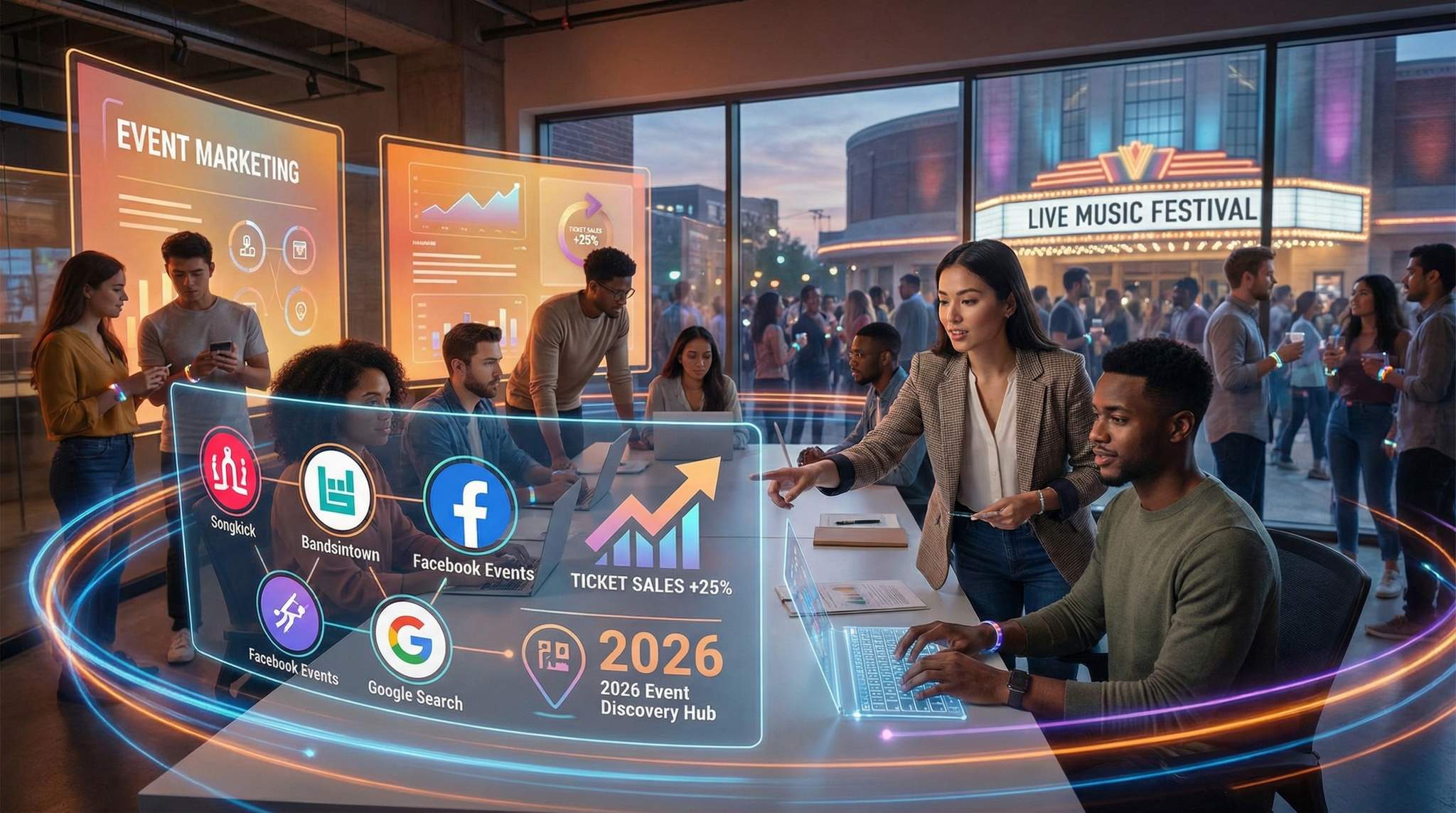
Understanding where and how fans discover events is key to leveraging these platforms. Today’s audiences are digital natives when it comes to event hunting. Concertgoers track their favorite artists on apps like Songkick and Bandsintown. Festival fans search Google for “events this weekend” or browse local lifestyle sites. Friends invite each other to Facebook Events. In short, fans’ discovery habits are fragmented across multiple channels:
- Mobile Apps & Notifications: Many fans rely on smartphone alerts from concert discovery apps or ticketing apps when an artist announces a show nearby.
- Search Engines: People literally Google phrases like “live music in London this weekend” or ask voice assistants for suggestions. If your event isn’t indexed or listed, you’re invisible in those moments.
- Social Networks: Social media remains huge for event discovery – often through friends’ posts or event pages being shared. Facebook’s events hub, for example, shows users popular events in their network and area.
- Local Media & Calendars: Despite the digital shift, local event calendars (city magazines, community blogs, radio station websites) still attract audiences looking for things to do, especially for community events or niche scenes.
Crucially, these behaviors vary by demographic. Younger audiences might lean on apps and Instagram stories for event news, while older demographics might trust local newspapers or Facebook events. Internationally, habits differ too – for instance, in some countries Facebook Events are ubiquitous, while in others local apps or forums dominate. The savvy event marketer in 2026 maps their audience’s journey from first discovery to purchase, and ensures their event appears on every channel that audience uses, effectively mapping the event attendee journey in 2026. By meeting fans on their preferred discovery platforms, you dramatically increase your event’s visibility.
Turn Fans Into Your Marketing Team
Ticket Fairy's built-in referral rewards system incentivizes attendees to share your event, delivering 15-25% sales boosts and 30x ROI vs paid ads.
High ROI, Low Effort Wins
One of the best aspects of leveraging listings and aggregators is the phenomenal ROI. Most event discovery platforms are free or low-cost to use, requiring more time than money. For a few minutes spent creating a listing, you can tap into massive networks of eager event-goers. The returns can be significant: for example, live music platform Bandsintown reports nearly 20 million monthly click-throughs to ticketing pages, with Bandsintown reaching 100 million registered users and noting that over half of its users have attended concerts after seeing them suggested on the app, confirming that platform suggestions directly drive concert attendance. Those are ticket buyers you might have missed otherwise, all acquired with minimal spend.
Compare that to typical digital ad campaigns – you may shell out substantial budget on social ads or search ads to reach similar numbers of people. Free listings won’t replace paid advertising for volume, but they consistently deliver some of the highest ROAS (return on ad spend) in the entire marketing mix because the spend is essentially zero. For instance, if listing on a free platform brings even 50 extra ticket sales, that could be thousands in revenue from just a bit of effort. And beyond direct sales, being present on these platforms lends credibility and aids other channels (many discovery sites provide backlinks or social proof that can boost your SEO and trust), helping you sell out events on a shoestring budget.
Ready to Sell Tickets?
Create professional event pages with built-in payment processing, marketing tools, and real-time analytics.
In an era of rising ad costs and algorithm unpredictability, these discovery channels are a godsend for marketers needing cost-effective tactics. During lean times or when squeezing a small budget, free and organic promotion channels become lifesavers. Experts advise that every promotional plan – whether for a 200-person club night or an 80,000-seat festival – include a checklist of free listings to maximize reach without denting the budget, utilizing low-budget event marketing strategies for 2026. It’s about picking the low-hanging fruit: the opportunities that take little effort but yield additional ticket sales. As we’ll explore, mastering these channels in 2026 can routinely add 5-15% more attendees to your crowd, which could be the difference between a lukewarm turnout and a sell-out.
To harness this potential, let’s dive into exactly which discovery platforms you should leverage and how to get the most out of each. First, we’ll overview the major channels and then provide deep-dive tactics for each one – from global concert apps like Songkick and Bandsintown to social media events, Google’s search listings, and hyper-local calendars. By the end, you’ll know how to ensure no interested fan slips through the cracks just because they didn’t hear about your event.
Getting Listed Everywhere: Key Event Discovery Channels at a Glance
Major Discovery Platforms in 2026
Event discovery isn’t one-size-fits-all – there are multiple platforms and listing services that each tap into different audiences. Here’s an overview of the major channels every event promoter should consider in 2026:
- Global Concert Discovery Apps: Songkick and Bandsintown are two juggernauts for live music discovery. Millions of fans worldwide use these apps to track tours and get notified when artists they like announce shows. If you’re promoting concerts or music festivals, these are must-use platforms to reach die-hard music fans. (We’ll dig deeper into both in the next sections.)
- Social Media Event Pages: Facebook Events remains one of the most ubiquitous ways people find events through their friends and social circle. A public Facebook Event page for your event can gain traction as people RSVP and share. Additionally, Facebook’s algorithm often recommends local events to users. Other social networks have smaller event features (LinkedIn for business events, or community features on platforms like Discord/Reddit for niche communities, which helps in aligning every touchpoint for maximum ticket sales), but Facebook is the big one to prioritize for consumer events.
- Search Engine Event Listings: Google now aggregates event listings directly in search results. When users search for events or things to do (e.g. “live concerts in Denver this weekend”), Google often displays a curated list or “Events” carousel. Getting your event into those results requires having it listed on sites Google pulls from (with proper schema markup). We’ll cover how to do this – it’s crucial for capturing high-intent searchers.
- Local Event Calendars: Nearly every city, region, or community has local event listing websites (city guides, newspapers, tourism boards, community bulletin sites). These might include local magazines (like Time Out in many cities), alternative weeklies, city tourism sites, library or university calendars, etc. They often have dedicated readership looking for “what’s on” locally. They’re especially important for community events, cultural events, or smaller shows that thrive on local attendees.
- Niche and Genre-Specific Sites: Depending on your event’s category, there may be specialized discovery platforms. For example, Resident Advisor is popular for electronic music/nightlife listings. Meetup can be useful for workshops or community meetups. There are also hobby-specific forums (for gaming events, cosplay conventions, etc.). These niche channels might have smaller audiences, but they’re highly targeted – precisely the superfans of that genre.
- Ticketing & Aggregator Platforms: Many ticketing platforms (like Ticketmaster, etc.) have their own discovery features and marketplaces. While you wouldn’t list on a competitor just for discovery, if your event is ticketed through a major platform, ensure it’s discoverable in their ecosystem. (For instance, Ticketmaster feeds its events to apps like Bandsintown automatically in some cases.) The good news is that Ticket Fairy also emphasizes discovery – its event pages are SEO-optimized and easy to share, helping your listings get found organically, further boosting your event SEO and search visibility.
To visualize the landscape, here’s a quick comparison of key discovery channels:
Grow Your Social Following With Every Sale
Require social media follows, shares, or playlist adds to unlock presale access or special pricing. Turn every ticket purchase into audience growth.
| Discovery Channel | Audience Reach & Focus | How to List Your Event | Cost |
|---|---|---|---|
| Songkick (concerts) | Millions of live music fans globally; integrated with Spotify and other apps for concert alerts. | Add via Songkick Tourbox (artist account) or promoter tools; link artist profiles to your event. | Free |
| Bandsintown (concerts) | 100M+ registered users, as Bandsintown continues to solve event awareness challenges tracking artists; strong in North America & Europe for tour alerts. | Use Bandsintown for Artists or Bandsintown Promoter to post shows; sync with artists’ pages. | Free (promoter dashboard has paid promo options) |
| Facebook Events (all events) | 3B+ Facebook users, local and social discovery; friends see when people RSVP or share. | Create public Event via your Facebook Page (or personal profile); include location, date, and ticket link. | Free (boosting posts costs $) |
| Google Search / Maps (all events) | Huge general audience; shows events for local “things to do” queries and on Google Maps for venues. | Ensure your event website or ticket page has Event schema; or list on sites that Google indexes (ticketing sites, event aggregators); update events on Google Business Profile if applicable. | Free |
| Local Calendars (geo-targeted) | City or region readers; e.g., local news sites, community boards, tourism sites. High intent for nearby events. | Submit event details via online forms or email as required by each site (often need lead time); many accept free listings, some curated by editors. | Free |
| Niche Platforms (genre-based) | Concentrated pockets of enthusiasts (e.g., EDM fans on RA, anime fans on cosplay forums, etc.). | Create account and post event details per platform guidelines; engage authentically in community if needed (e.g., Reddit posts require non-spam approach). | Free |
As you can see, each channel taps a different mode of discovery – from algorithm-driven suggestions to user-browsed calendars. The key takeaway is that a truly comprehensive event promotion strategy covers all relevant channels for your audience. A recent guide on mapping the attendee journey stresses the importance of being visible on popular event calendars, tourism sites, and niche forums in your space, a key step in mapping the complete event attendee journey. It’s about casting a wide net in a very targeted way: you’re not just blasting everyone, you’re placing your event in the path of those already looking for something to attend.
Matching Platforms to Your Event Type
Not every platform will be equally important for every event. A critical step is to prioritize listings based on your event’s nature and target audience:
Grow Your Events
Leverage referral marketing, social sharing incentives, and audience insights to sell more tickets.
- If you’re promoting a live music concert or festival, global apps like Songkick and Bandsintown should be at the top of your list (since fans of the artists will be searching there), followed by Facebook Events and Google exposure. Local music blogs or radio station calendars can come next.
- If it’s a nightclub event or DJ night, in addition to Songkick/Bandsintown (for known DJs), consider niche sites like Resident Advisor or local nightlife forums. Facebook Events are vital for club communities (people decide weekend plans via FB invites).
- For a community event or fair, local event calendars, community Facebook groups, and local news sites will likely drive more interest than a global app. Ensure you’re on the town’s “Events this weekend” list and any relevant community bulletin boards.
- For a business conference or networking event, LinkedIn Events and industry-specific calendars (maybe Chamber of Commerce websites, Eventbrite’s discovery if using that platform) could be important, as well as targeted Facebook/Google presence. (LinkedIn’s event feature isn’t as mainstream as others, but professional audiences do use it.)
- If your event appeals to a niche subculture (e.g., a cosplay meetup, an eSports tournament), seek out those fan communities – a subreddit, a Discord server, or a specialized site – and post your event there. Authenticity is key; as our guide on niche community promotion notes, engaging these fan communities genuinely (not spamming) can boost ticket sales by activating super-fans, similar to mastering artist and speaker co-promotion.
The principle is: go where your potential attendees already are. You’re effectively piggybacking on platforms that aggregate your exact target audience. A bit of research goes a long way here. Experienced promoters often keep an internal list of listing sites per genre or city, which they refer to each time they announce an event. For instance, a savvy promoter in New York might routinely submit to Time Out New York, NYC Arts, and BrooklynVegan’s events list for indie concerts, whereas one in Sydney might target Concrete Playground or Resident Advisor for electronic music nights. Over time, you’ll learn which channels yield the best turnout for your type of event.
Integrating Listings into Your Marketing Plan
To truly master these channels, treat them as an integral part of your campaign timeline, not a last-minute add-on. The best practice is to include listing tasks in your marketing plan from day one. For example, if you’re planning a big announcement for a concert tour, your checklist should include “Post event on Songkick/Bandsintown” right alongside “Launch Facebook ads” and “Send announcement email.” This ensures your listing goes live when excitement is highest. It also means early-bird fans can discover and buy tickets through their preferred channels immediately, capturing that initial momentum.
Timing considerations:
- At Announcement / On-Sale: Always aim to have key listings (Songkick, Bandsintown, Facebook Event, your website event page) live as soon as tickets go on sale, if not before. Many hardcore fans check apps the moment an artist announces a tour. Don’t miss that wave – being a day late on a Songkick listing could mean thousands of fans in that city didn’t get notified promptly.
- In the Lead-Up: Some local event sites or calendars might publish weekly or monthly rounds-ups (“Top events in November”). Know their schedules or deadlines. For instance, an alt-weekly newspaper might need event submissions by Monday to include in Friday’s edition. Mark these in your calendar.
- Last-Minute Visibility: As the event nears, your listings continue to work for those making spontaneous plans. People on Thursday might search for “concerts this weekend” – if you listed properly, your event shows up and can snag those last-minute ticket buyers. Keep information up-to-date (e.g., mark Sold Out if applicable, or better, use that to create FOMO).
To help plan, here’s a sample timeline for leveraging discovery platforms around an event launch:
| Timeline (Before Event) | Discovery Channel Task | Purpose |
|---|---|---|
| T-minus 8-6 weeks | Create Facebook Event page; list event on Songkick & Bandsintown (as soon as tickets on sale). | Capture early searchers and send notifications to core fans. Social sharing can start. |
| T-minus 6-4 weeks | Submit to key local event calendars (city guides, community sites). | Ensure inclusion in monthly/weekly event round-ups; improve SEO presence for local searches. |
| T-minus 4-2 weeks | Double-check Google search appearance (test search keywords); update event SEO/markup if needed. | Boost visibility for people starting to plan their upcoming weekends. |
| T-minus 1 week | Push on niche forums or social groups (Reddit, Discord, etc.) with a final heads-up. | Reach engaged community members and late planners with personalized invites. |
| Final days (T-minus 3-1 days) | Post reminders on Facebook Event (which prompts friend notifications); ensure any “Today/Tonight” local listings are active (some sites have “This weekend” sections). | Grab spur-of-the-moment attendees looking for something to do now. |
Naturally, adjust this timeline based on your event’s sales cycle (e.g., conferences might need earlier promotion; club nights can fire on shorter notice). The key idea is to bake discovery platform usage into your plan. The most successful event marketers treat these channels as mandatory steps, not optional extras. By doing so, you tap into every stage of the attendee decision process – from the person casually browsing weeks out, to the one deciding on Friday afternoon what to do that night.
Before we dive into each platform, one more pro-tip: maintain a “master info doc” for your event. This is a simple document containing all event details (date, time, venue address, description, artist lineup bios, images, ticket link, etc.). When it’s time to do listings, you can copy-paste from this master file to each platform, ensuring consistency and saving time. Consistency is vital – you want the same event name, date, and key description on every site to avoid confusion. Now, let’s look at how to ace each platform one by one.
Songkick – Notifying the Fans Who Never Miss a Show
How Songkick Works for Promoters
Songkick is one of the original and most beloved concert discovery platforms. It started as a way for fans to track their favorite artists’ tour dates, and it has evolved into a crucial notification network for live music. For promoters, Songkick offers a direct line to seriously engaged concertgoers. When you list a show on Songkick and tag the performing artists, all fans who follow those artists (and are in the vicinity of your event) get alerted – often via email or mobile notification. It’s like sending a targeted invitation to the people most likely to buy tickets.
Consider this scenario: you’re promoting a 1,000-capacity show for an indie rock band. The band has 5,000 Songkick followers in your city. By listing the event, you trigger Songkick to send a “New Concert Announced” email to those 5,000 local fans – effectively a free email blast to an audience you didn’t have in your own CRM. Those fans also see the show when they open the Songkick app or if they use Spotify’s concert feature (Spotify integrates Songkick data to show upcoming concerts for artists you listen to). This is extremely powerful. Veteran promoters will tell you that Songkick often drives a noticeable chunk of early ticket sales for artist-driven events. It reaches the super-fans who tend to be first in line to buy.
From a user perspective, Songkick has millions of monthly active users (as of mid-2010s it had about 10 million, and it’s certainly grown since then, as TechCrunch reported on the growth of concert discovery). These fans trust Songkick as their go-to gig guide. If an event isn’t listed on Songkick, dedicated fans might even question if it’s an official gig or overlook it entirely. Many artists themselves use Songkick’s Tourbox platform to manage their dates, ensuring their shows are listed and synced to their websites and Spotify. As a promoter, you want to collaborate in this ecosystem, not be absent from it.
Steps to List Your Event on Songkick
Getting your event on Songkick is straightforward, and it’s free. Songkick provides different paths depending on whether you’re an artist, promoter, or venue – but the goal is the same: add the show details into their database so fans see it. Here’s how a promoter or organizer can add a concert:
- Create a Songkick Account: If you don’t have one, sign up for a free Songkick account. Promoters or venues can use Songkick’s site to add events, with a support page guiding promoters to the right form. Alternatively, if you manage or work closely with the artist, you can use Songkick Tourbox (the artist-facing interface) to add the event – Tourbox is often used by artist managers/agents to maintain dates, as detailed in the guide to adding events on Songkick.
- Click “Add an Event”: On the Songkick website (desktop or mobile), scroll to the bottom and find the “Add an event” link. This starts the event submission process, as outlined in the Songkick promoter support documentation.
- Enter Event Details: You’ll need to input key info – artist(s) performing, date, venue, and city. As you type an artist name, select the correct artist profile from Songkick’s database. (This is crucial for notifications to trigger to that artist’s followers.) If any artist or even the venue isn’t already in Songkick’s system, you have options to add them or request to add – but chances are most known artists and venues are there. Be precise to avoid duplicate or incorrect listings.
- Add Ticket Link: Provide the direct ticket URL (for example, your Ticket Fairy event page link). Songkick will display a “Tickets” button that directs users to purchase. You can often mark if tickets are on sale or if it’s an RSVP/free show etc. If your event has multiple ticket providers or tiers, Songkick might list one primary link – usually whatever you input as the main ticket outlet.
- Review and Submit: Double-check everything (especially date and venue spelling) and submit the event. Songkick might take a short time to verify (in some cases there’s a moderation to prevent spam), but typically events go live quickly. Once live, check that the event appears correctly on Songkick’s site/app and under each artist’s profile.
Songkick listings include the event basics – date, venue, lineup, and a link to tickets. They don’t show a long description like a Facebook event might, so the most important thing is all the names and details are correct. If your gig has multiple artists, include them all so fans of each act get the news. Songkick will automatically handle notifying users who track those artists or who track that venue/metro area for concerts.
One more tip: coordinate with the artists on your lineup. Many artists and their teams proactively use Tourbox to add shows – if you’ve booked a popular artist, you might find they already added the event on Songkick themselves (especially if it’s a tour date). It’s good practice to reach out and ensure the event is listed (and to avoid duplicate entries). If the artist’s team has added it, you’re golden – just confirm the ticket link is correct. If not, as the promoter you can add it. In either case, let artists know to also promote the Songkick listing (“track me on Songkick” posts, etc., can drive more fans to follow and see the event). This aligns with treating your lineup as co-marketers – your artists are your ambassadors, and their involvement in promotion is key, effectively turning your lineup into ticket-selling ambassadors.
Tag Artists for Maximum Reach
The real magic of Songkick lies in its artist tracking system. Every time you list a concert, you want to ensure all performing artists are properly tagged to the Songkick artist profiles. This includes headliners, support acts, DJs – anyone who might have a following. Why? Because Songkick’s notifications and recommendations are largely based on artists. A fan in the app might have notifications on for their favorite DJ; if that DJ is playing your festival, but you only listed the festival name and not the DJ in Songkick, that fan might not get alerted. So always attach artists.
Songkick will suggest artist pages as you type names. Pick the right one (sometimes artists have similar names – double-check via the profile picture or known tour dates). If an artist is brand new and truly not in Songkick yet, you can typically create a new artist entry or contact Songkick support to add them. It’s worth the effort, because once added, fans can track them for the future too.
Another feature: Songkick lets users track venues and general locations, so people who just like to go to concerts in their city might see your event even if they aren’t tracking the specific artist. This works especially for popular venues – e.g., someone “tracks” The Fillmore in their city to be notified of any new show there. By listing the event, you tap into those venue-based followers as well.
In 2026, fans have come to expect that if an artist has a show in their town, it will show up in their Songkick feed. The platform is ubiquitous enough that not being listed can actually cause confusion. Some fans might even create unofficial listings if they notice a show is missing (Songkick allows users to submit events too if they find one not listed). You definitely want to be in control of that narrative – better you list it with the correct info and ticket links than a fan adding a stub without a proper ticket link.
Songkick Best Practices & Benefits
To ensure you’re squeezing all the juice out of Songkick, keep these best practices in mind:
- Prompt Updates: If there are changes (door times, lineup changes, sold-out status), update the Songkick listing. For example, marking a show as sold out on Songkick will stop promoting ticket links and show it as sold out, which can generate urgency and also prevent fan frustration. If you add a second show or move venue, treat Songkick like any other channel that needs the news.
- Leverage Data: Songkick provides some data to artists on how many Songkick-driven ticket referrals happen (often in Tourbox there’s basic analytics). As a promoter, you might not see this directly, but you can gauge anecdotally by tracking if there’s an uptick in sales when Songkick emails go out. Some promoters note that 5-10% of their tickets sold can trace back to Songkick referrals for mid-sized concerts. If you use Google Analytics, watch for referral traffic from Songkick links or utm tags.
- Don’t Forget Festivals: Songkick isn’t just for single-artist concerts. Festivals and multi-artist events should absolutely be listed. Songkick allows you to add multiple artists, so a festival with 20 acts can tag all of them – instantly alerting all those fanbases. It’s a bit more work to input many names, but the reach is exponential. (E.g., each act’s 500 fans in the area adds up to tens of thousands of potential interested fans who now know about your festival.)
- Free Promotion: Perhaps the best part – Songkick doesn’t charge you to list or to get those notifications sent out. It’s essentially free promotion targeted at the most likely ticket buyers. It’s hard to beat that ROI. And remember, these are fans who opted in to hear about shows, which means they’re highly engaged and not annoyed by receiving the info.
Songkick’s impact is nicely illustrated by countless real-world successes. For example, indie promoters have noted that when they announce a show and list it on Songkick, they often see an immediate jump in traffic to the ticket page from Songkick emails. Anecdotally, one promoter for a 500-cap indie show observed that nearly 60 tickets sold within 24 hours of listing on Songkick, before any ads had even run – largely attributed to fans getting Songkick alerts and snapping up tickets early. This kind of immediate conversion is gold for building momentum. It validates how discovery platforms actually drive sales, not just views.
In summary, for any music-related event, Songkick is a no-brainer. It aligns perfectly with fan behavior (tracking artists), plugs into other services like Spotify for extended reach, and costs nothing but a few minutes of your time. Next, let’s look at Songkick’s close cousin in the concert world: Bandsintown.
Bandsintown – Harnessing a 100-Million Strong Fan Network
Bandsintown’s Global Reach and Influence
If Songkick is one powerhouse of concert discovery, Bandsintown is the other major player on the global stage. And it’s big. Bandsintown announced in late 2025 that it had surpassed 100 million registered users across 196 countries, according to Bandsintown’s 100 million user milestone announcement – an astronomical audience of concert fans. It also boasts a network of over 700,000 artists and 65,000 venues/promoters posting events, leveraging user listening history and location data. For promoters, the appeal of Bandsintown is similar to Songkick: it connects your events with fans who have proven they’ll go to shows. But Bandsintown has its own unique features and audience habits that are worth understanding.
Bandsintown is very strong in North America and Europe, and it’s known for its mobile app and email alerts that keep fans updated about tours. Fans “track” artists (just like on Songkick) or set up general alerts for genres and locations. When your event is listed on Bandsintown and linked to an artist, all the fans tracking that artist (in your city/region) get a notification. These can be push notifications on phones, emails (“Don’t miss X coming to Denver!”), or in-app alerts. With millions of fans active monthly, those alerts translate into action: the platform logs nearly 20 million ticket clicks per month going out to various ticketing sites from its event listings, as Bandsintown recommendations drive significant traffic. And as mentioned earlier, a majority of surveyed Bandsintown users report attending shows they discovered on the app, confirming that platform suggestions directly drive concert attendance. That’s a direct line to ticket sales.
Another aspect of Bandsintown’s reach is its integrations. Many artists display a “Tour Dates” section on their official website or Facebook page powered by Bandsintown. So if you list a show on Bandsintown, that show often auto-populates not just in the Bandsintown app, but on the artist’s website or Facebook tour schedule. It’s essentially syndicating your event to multiple places where fans might see it. Bandsintown also partners with sites like Google (concert info in Google search can come via Bandsintown feeds in some cases) and even smartphone calendars (fans can sync Bandsintown to calendars). It’s an entire ecosystem geared toward connecting fans with live events.
Listing and Promoting Events on Bandsintown
Getting your event onto Bandsintown can be done in a couple of ways. Bandsintown has a platform called Bandsintown for Artists (commonly used by artists and their teams) and a newer platform called Bandsintown Promoter (or Bandsintown for Venues) aimed at venues and promoters, allowing you to list and manage your events efficiently. Here’s how to proceed:
- Via the Artist: The simplest scenario is if the artists on your lineup use Bandsintown for Artists. Many do (especially touring acts). When they input their tour dates, your event will automatically show up on Bandsintown. As a promoter, you should still check that it appears correctly (date, venue, ticket link). If the artist hasn’t added it, a friendly nudge to their management or agent can fix that. It’s in both of your interests for it to be listed.
- Via Bandsintown Promoter/Venue: You can sign up for a Bandsintown Promoter account (often it’s part of the “Bandsintown for Professionals” suite). This lets you create and manage events at your venues or for your promotions, using the Bandsintown Pro for Promoters dashboard. Using this dashboard, you can add events by specifying the artist lineup, date, and venue, similar to Songkick’s process. One advantage of using the promoter platform is you can manage all your events in one place and even run promotional campaigns (Bandsintown offers some paid tools like targeted emails to Bandsintown users in your area who might like a certain genre – potentially useful if you want to amplify beyond the organic listing).
- Sync from Facebook or Ticketing: Bandsintown can also automatically pull events from certain sources (for example, if a venue connects their Facebook or Ticketmaster account). Check if your venue or ticketing integration might already feed into Bandsintown. Some ticketing platforms allow an automatic sync to Bandsintown when you create a new event. If using Ticket Fairy, it currently focuses on its own marketing tools, so manual entry in Bandsintown is recommended to ensure presence.
The listing process itself is akin to Songkick’s: you enter the artist(s) and pick the matching artist profiles, fill in date/time, venue (Bandsintown’s database will have most venues – if not, you can add one), and crucially, attach the ticket purchase link. Bandsintown will display a “Find Tickets” or “Tickets” button on your event page that links out to your chosen URL. Make sure this is a direct link to the ticket page, not just a homepage.
Once published, the event should show up on the Bandsintown app and website, on artist profiles, and go out in the next email digest or push notification to relevant fans. Fans can also RSVP “Interested” on Bandsintown events (similar to Facebook’s Interested), which can increase visibility as their friends on Bandsintown might see what shows friends are going to.
For illustration, imagine you’ve listed a show for an EDM artist in Los Angeles on Bandsintown. A fan who has Bandsintown will get a push on their phone: “New show announced: [Artist] in Los Angeles on [Date] – Tickets available now.” That’s enormously powerful because it hits them where they pay attention (phones) and when they’re in the mindset to consider buying (the moment of discovery, not as an interruption). It’s like flyering the exact right people, digitally.
Engaging Fans with Bandsintown’s Tools
Beyond the basic listing, Bandsintown offers some additional tools to engage fans and promote your event further:
- Targeted Campaigns: Through Bandsintown Promoter, you can purchase targeted email or alert campaigns. For example, you could send a dedicated email about your show to all Bandsintown users in your city who track similar artists or that genre, utilizing tools to promote your events to targeted fans or by sending promoted emails in specific areas. These are paid features, but some promoters find them cost-effective, given you’re hitting a very music-focused list. The ROI might be better than broad social ads since it’s highly targeted first-party data (Bandsintown knows these users like X genre or artist).
- Artist Message to Fans: Artists can send a message to their trackers via Bandsintown (like “Hey, just announced a new show!”). As a promoter, encourage your artists to do this for your show, because it personalizes the invite. It’s one thing for the app to notify them, another to see the artist posting about it directly on the platform.
- Analytics: If you have a promoter account, you might get access to basic analytics – how many followers the artist has in that city, perhaps clicks your event got, etc. Use this data to gauge interest. For instance, if an artist has 10,000 trackers in your city and only 30 RSVP’d on Bandsintown, you might decide to bolster marketing because maybe many fans didn’t notice (or the artist’s local popularity might not translate to sales, etc.). On the flip side, a large number of Bandsintown RSVPs could signal big organic interest, letting you project stronger sales.
- Social Sharing: Bandsintown events can be synced or shared across social media. Sometimes, artists have their Bandsintown tied to auto-post on Twitter or Facebook whenever a new show is added. So your listing can spawn posts elsewhere without you having to do anything. It’s another form of amplification.
It’s also worth mentioning that Bandsintown’s audience skews toward avid concert-goers who often attend multiple shows a year. They are the type who actively seek live music experiences. By being on their radar, you’re targeting those high-propensity buyers. That can help even for lesser-known artists – a user might discover a new band simply because they’ve been looking for any concert on a Friday night and saw your listing in the app’s “recommended” section.
Success Stories and ROI with Bandsintown
Many promoters have shared that Bandsintown has become a critical driver of their marketing success. For example, when an indie festival in Texas listed all its lineup on Bandsintown, they noticed a wave of ticket sales every time a new artist was added and notified (particularly when headliners went live on the app). The platform essentially acted as a drip campaign, rolling out awareness as they gradually announced artists. Over the festival’s sales cycle, Bandsintown accounted for a solid single-digit percentage of total ticket referrals – without a penny spent on those referrals directly.
We already noted the impressive stats from Bandsintown’s own reports: 100M fan users and 20M monthly ticket clicks, highlighting how Bandsintown recommendations drive significant traffic. Those numbers illustrate the aggregate power, but on a tangible level, consider a medium-sized tour: A promoter for a 10-date tour noticed that in some markets, Bandsintown was the #2 or #3 source of traffic to their ticketing page (after direct and Facebook). In cities where the artist had a strong following on Bandsintown, as much as 10-15% of early ticket sales were coming via Bandsintown notifications in the first week of announce.
One real example: an electronic music promoter in Europe used Bandsintown’s promoter tool to send a targeted alert for a show by a rising DJ. They targeted users in a 50-mile radius who track any artists of similar style. That one email (costing a few hundred dollars) led to an immediate 5% bump in ticket sales that week – easily paying for itself in revenue. It wasn’t a huge blast (maybe it reached a few thousand people), but those people were exactly the right audience, yielding a very high conversion rate compared to a generic email or ad blast might have.
The bottom line is that Bandsintown is a heavyweight channel for reaching concert-goers. Promoters who ignore it are leaving free (or relatively cheap) exposure on the table. By listing your events and using its features, you tap into one of the largest communities of live music fans on the planet. It’s particularly vital for tours and multi-city promotions – a centralized way to hit fans in each market through one platform. And much like Songkick, it’s part of the modern fan’s routine: plenty of fans have both apps and use them in tandem. So, cover both bases – Songkick and Bandsintown – to maximize your reach in the live music space.
Having covered the music-centric platforms, let’s shift to the broader social sphere: how to use Facebook Events to amplify your reach.
Facebook Events – Turning Social Networks into Ticket Networks
The Social Power of Facebook Events
Facebook might have been around for nearly two decades, but its Events feature remains a cornerstone of event discovery in 2026. With over 2.9 billion monthly active users on Facebook globally, according to recent Facebook marketing statistics, the sheer scale is unparalleled. But beyond the raw numbers, it’s the social mechanics that make Facebook Events so powerful. People discover events on Facebook through their friends – seeing a friend interested or going, being invited directly, or seeing a shared event post. This word-of-mouth effect can make your event go viral within circles of like-minded people.
Consider that even as far back as 2015, Facebook reported 450 million people were using Facebook Events each month, as Facebook expanded its dedicated events features – and usage has only grown since then. Today, Facebook acts as a de facto public events calendar for many communities. Users often check the Events tab to see what’s happening nearby or in categories they like. If your event isn’t on Facebook, a huge portion of your potential audience might simply never encounter it in their daily social media scroll. On the flip side, a well-promoted Facebook Event can snowball: one person marks “Interested,” their friends get notified or see it in their feed, and suddenly dozens of people join in, creating a bandwagon effect.
Facebook Events also integrate with Facebook’s algorithmic suggestions. Users get recommendations like “Popular Events This Week” or notifications if several of their friends are going to the same event. Especially for younger audiences who might not use email or other discovery apps as much, Facebook (and Instagram to a lesser extent) is where they find happenings. And now that Facebook and Instagram are tightly integrated (you can share your FB event to your Instagram followers via stories or DMs, for example), the reach is cross-platform.
Crafting an Irresistible Facebook Event Page
Creating a Facebook Event page for your event is an art in itself. This page often becomes the central hub of social activity around your event. To maximize its impact:
- Use an Eye-Catching Cover Image: The event photo/banner is the first thing people see. It should be high-quality, relevant, and scroll-stopping. For a music event, that might be a vibrant photo of the artist or a stylized poster graphic. For a conference, perhaps the logo and key info in a clean design. The image should communicate the vibe instantly (fun, intense, professional, etc.). Facebook recommends a 1200×628 image for events for best display. Remember, this image also shows as a thumbnail when shared – so make it count.
- Write a Clear, Compelling Description: Your event description on Facebook can be fairly detailed (include what the event is, highlights, schedule, any age restrictions, etc.), but keep the top line punchy. In the first couple of sentences, convey the unique selling point: “Don’t miss an evening of psychedelic rock with Band X – their first hometown show in 3 years!” This text is what will persuade someone glancing at the event to click “Interested” or buy tickets. Use formatting or emojis judiciously to make it skimmable. Important: include the ticket link prominently (“Get tickets here: [link]”). Although Facebook also has a “Tickets” button field when setting up the event – definitely fill that in so a big “Find Tickets” button appears on the event page – it never hurts to also paste the URL in the description for visibility.
- Set Accurate Date, Time, Location: It sounds basic, but ensure you input the correct date and time (including PM/AM, we’ve all seen bloopers there). If the event spans multiple days or has staggered times, clarify in description if needed since Facebook might only allow a single timespan. For location, tag the exact venue page or address. Tagging an official Facebook venue page is best because it helps people see the map and even click through to see what/where the venue is. This also can make your event show up on the venue’s Facebook page under their Events (extra exposure if people browse the venue’s upcoming events).
- Privacy = Public: Make sure the event visibility is set to Public. A private or friends-only event won’t be discoverable to new audiences. Public events can be seen by anyone and can be shared by anyone. Since we’re talking marketing, you want it public so people can stumble on it or get recommendations.
- Co-hosts and Cross-Posting: Add relevant co-hosts to your FB event – these could be the artist/band’s official Facebook pages, the venue’s page, or a partner organization. When you make someone a co-host (which they have to approve), the event can also show up on their page’s event list. For example, if the venue accepts your co-host request, your event now appears on the venue’s Facebook profile in the events section, reaching their followers. Same with artists – if a band page co-hosts, fans on Facebook who follow that band might get notified like “Band X added a new event.” It’s a great way to multiply reach through official channels. (Note: Some bigger artist pages don’t co-host events unless it’s their own official tour or promoter, but it’s always worth asking.)
- Keywords and Tags: Facebook allows event categories and sometimes tags. Choose a category that fits (Concert, Networking, etc.), as people do filter searches by category. The tags aren’t heavily used by users, but they might help the algorithm recommend your event for certain interests. For example select relevant Genres or Topics if available (like “Live Music”, “Hip Hop”, “Tech Conference”, etc.).
A well-optimized Facebook Event page acts like a mini-website for your event that can virally spread. It’s often one of the top search results if someone Googles your event name too (Facebook’s domain authority is high), which is an extra SEO side-benefit. And within the Facebook ecosystem, it’s your anchor for engagement.
Driving Discovery Through Social Sharing and Invites
Once your Facebook Event page is up, the next step is to ignite the social sharing. Unlike Songkick or Bandsintown that push to fans automatically, Facebook relies on the network effect – but you can prod it along:
- Invite People: As the event organizer, you (and anyone you assign as co-host with admin rights, such as staff or promo team) can directly invite friends to the event. Facebook has limits (you can’t invite thousands in one go without triggering spam flags), but you can certainly invite relevant people. For a public event, you might invite influencers, local promoters, or friends you know would be interested so they can help spread the word. Be strategic – targeting those who are likely to click “Interested” or “Going” helps generate activity which then shows to their friends.
- Encourage the Team and Artists to Invite/Share: Get your street team or staff to RSVP and share the event. Similarly, artists and speakers should be encouraged to post the event link on their own Facebook feed (“We’re excited to be playing XYZ – RSVP on the event!”). The more initial traction, the more Facebook’s algorithm will notice and feature it. According to experienced promoters, events that quickly gather RSVPs (even just “Interested”) have a higher chance of being suggested to others due to perceived popularity.
- Regular Updates and Engagement Posts: Use the event’s Discussion tab to post updates, teasers, and engage attendees. For instance, share a video snippet of the artist performing, or announce “Set times just released!” or run a contest (“Share this event and tag a friend for a chance to win a free ticket”). When you post in the event, it notifies everyone who clicked Interested/Going (depending on their notification settings). This keeps the buzz going and keeps your event showing up in feeds. It’s also a channel to communicate important info closer to the date (door policy, last-minute tickets, etc.). Just avoid over-spamming; make each update meaningful so people don’t mute notifications.
- Leverage Hashtags and IG Stories: While on Facebook itself hashtags are less pivotal, if you connect to Instagram, create an IG Story about the event and use the “??Tickets” link sticker or “See More” to direct to the FB event or ticket link. Also, use any relevant local hashtags in your posts (like #LAEvents, etc.) on IG or Twitter to catch those browsing for things to do. Cross-promoting the Facebook Event on other platforms can funnel more people into RSVPing on Facebook.
- Use Facebook Ads (if budget allows): Even with minimal spend, boosting your Facebook Event can dramatically expand its reach. You can run an Event Response ad targeting people in your area with interests related to your event. This isn’t free (it’s a paid tactic beyond the “minimal cost” theme), but even £50 could push your event into thousands more feeds. However, even without ads, a highly engaged event will naturally surface in local people’s suggestions.
Facebook also has a neat feature: if someone marks themselves as “Interested” or “Going”, Facebook will sometimes remind them as the event nears (“Your event is coming up tomorrow”). It’s like built-in retargeting to reduce no-shows. And if they actually marked “Going”, their friends might see a blurb like “John Doe is going to X Event” in their news feed, which is basically free peer-to-peer promotion.
One big advantage of Facebook Event pages is the social proof they generate. When potential attendees see that “300 people are interested” or see familiar faces in the Going list, it builds confidence and FOMO (fear of missing out). People inherently perk up at an event that looks popular. Even media outlets sometimes scan Facebook to judge if an upcoming event is newsworthy (a high RSVP count can signal buzz). It’s not a perfect metric by any means – plenty of interested clicks don’t translate to attendance – but it’s directionally useful and influences perception.
To illustrate success: imagine a local food festival created a Facebook Event and diligently promoted it through local foodie groups. Within two weeks, 5,000 people clicked Interested. This huge number prompted the city tourism board’s page to share the event as well (seeing the apparent popularity), and local bloggers picked it up. Ticket sales surged, and the organizers later noted that Facebook was the number one referral of traffic, and a significant chunk of attendees mentioned “saw it on Facebook” as how they heard about it. This kind of viral loop is uniquely possible on Facebook due to its massive user base and sharing mechanics.
In summary, Facebook Events transform your attendees into your marketers. Every interaction – an RSVP, a share, a comment – extends your reach to new eyes. It’s the classic “word-of-mouth on steroids” effect. And while younger demographics also use other platforms (Instagram, TikTok) for event discovery, Facebook’s structured event system and broad user base give it a continuing edge for formal event promotion. The key is to make your event page appealing and actively stoke the conversation there. Now, having covered social and dedicated apps, let’s talk about capturing those searching on Google – through Google’s event listings.
Google’s Event Listings – Winning the Search Game
How Google Surfaces Events in Search
When people want to find events, many turn to Google, the world’s most-used search engine. Google has gotten smarter about showing event information directly in search results – often in the form of a special “Events” snippet or carousel. For example, a user searches “concerts in Chicago this weekend” and Google may display a list of events with dates, names, and sometimes brief details, pulled from various listing sources. Clicking one often leads to an event listing page on a partner site or a Google-hosted summary with a “Get tickets” link.
Google aggregates event data from numerous sources: ticketing sites, event discovery platforms, and any website that uses structured data markup for events. In essence, if your event information is posted on a reputable site and formatted in a way Google can read (via schema markup), it’s eligible to appear in these results. Google also integrates with certain partners (for instance, Eventbrite and Bandsintown have been known to feed into Google’s event search results in the past). The goal for you as a marketer is to ensure Google knows about your event – and ideally, to have it show up in those shiny event listings when relevant.
Why is this important? Because search intent for local events is high-quality. Someone actively searching “things to do in [City] on Friday” or “[Artist] tickets [City]” is likely ready to buy if something catches their eye. It’s a very hot lead. If your event is among the search results, you’re in front of a motivated potential attendee at the perfect moment. According to local search data, nearly 46% of all Google searches are seeking local information, highlighting the importance of optimizing music event page SEO, and a good chunk of those are people looking for events, restaurants, activities, etc. That’s millions of searches daily that could relate to events.
There’s also voice search: people asking their voice assistants “What concerts are happening this weekend near me?” Google Assistant uses the same event data to answer. If your event is in the mix of Google’s data, it might be read out as an option. We’re in an era where people expect immediate answers, and Google’s event snippet is providing just that – make sure your event is among those answers.
Using Structured Data and Event Schemas
The technical but crucial part: structured data markup. This is HTML code (in JSON-LD format typically) added to webpages that clearly labels event details (name, date, location, price, ticket URL, etc.) for search engines. If you have a dedicated event page on your website or your ticketing page supports it, implementing the Event schema greatly increases the chance Google will pick it up for event listings, a core component of maximizing search engine visibility for events. Many modern ticketing platforms, including Ticket Fairy, embed structured data automatically in event pages. For example, Ticket Fairy’s event pages provide Google with all relevant info in the backend code, so events can be indexed with proper context.
If you’re not sure, you can use Google’s Rich Results Test tool on your event page URL to see if it detects event markup. If not, talk to your web developer or ticketing platform about adding it. The markup should include at least: event name, start date/time (in ISO format), location (venue name + address), and a ticket offer (price range and a URL to buy). Including an image, description, and end time is also recommended. Google will use this to possibly create a search snippet like:
“Jan 15, 8:00 PM – The Example Venue – [Event Name]: [Short description]. Tickets $20 – $30 – [Ticket Provider Name]”
Even if Google doesn’t show the fancy snippet (it doesn’t always, as it experiments with how often to show events, fluctuating how often it displays the events rich snippet, affecting how event schemas appear in search results), having that markup helps your SEO generally. It makes your page more understandable and may improve its ranking for relevant queries.
Another way to ensure Google catches your event is to list it on sites that Google already scrapes. For instance, if your event is on Eventbrite (which is heavily indexed) or Meetup (for community events), Google often includes those. We’ve already listed Songkick and Bandsintown benefits – Google sometimes shows their results too. In other words, covering multiple listing sites not only directly reaches users of those platforms, but can double as feeding Google more sources to find your event. It’s a belt-and-suspenders approach.
Keep in mind: Google’s own behavior with event results has had changes. In late 2023 and early 2024, SEO news noted Google was fluctuating how often it displays the events rich snippet, as noted in reports on Google rich result changes. Sometimes they dial it back (perhaps to not clutter search results or due to data quality issues), but as of 2026, the feature still exists and is worth tapping into. At minimum, having the structured data means when people search for your specific event or events at your venue, Google can present details neatly (maybe even a knowledge panel on desktop with event info).
Google My Business / Google Business Profile is another avenue: if you’re running events at a venue or you’re an organizer with a business listing, you can post events there. For example, a venue can have an “Upcoming events” section on its Google Maps listing. You achieve this by either linking your events through approved ticketing partners or by manually adding event posts in your Google Business Profile dashboard (as a special “Event” post type). It’s worth doing – so when someone finds the venue on Google Maps, they see your event listed and can click through. Claiming and updating your Google Business Profile with event info ensures you catch those local searchers, further enhancing your event’s local SEO presence.
Capturing “Things to Do” Searches
Perhaps one of the most valuable sets of Google queries to capture are the generic ones: “things to do this weekend in [City]”, “events in [City] [Month Year]”, or “free concerts near me”. To show up here, beyond structured data, think about SEO and content. Some promoters actually write blog posts or content on their site like “Top 5 events in [City] this month” and include their own event – purely to rank for that term. If you have the capacity, creating content around your event (listicles, articles on the artists, etc.) can help you snag some organic traffic. But that’s more effort than using aggregators that already rank.
Instead, ensure your event is on the web’s major event listing sites that tend to appear for those searches. For example, in many locations, sites like Eventbrite, Eventful (now defunct but its data fed others), or TimeOut often rank for “things to do in [City]”. If your event is listed there, even if a user goes through those, they’ll find you. Some city tourism websites or local magazines rank high for these queries; submitting to their calendar indirectly places you in those Google results via the third-party site.
Also, optimize your event page title and description for search. If you have an event page on your site or Ticket Fairy, make sure the page title is something clear like “Band X Live in Los Angeles – Jan 15, 2026 – Tickets” rather than a cryptic name. This helps Google match it to searches like “Band X LA 2026 concert”. A Ticket Fairy blog on music event SEO noted that adding geographic and date keywords in your content can improve visibility by targeting specific audience search keywords. For example, mention the city and year in your descriptions (many people search an artist name plus the city or year).
Pro-tip: If your event features any notable performer or headline attraction, capitalize on that in search. People might not search for “Local Food Fest 2026”, but they might search for “Chef John Doe cooking demo in Dallas”. So if Chef John Doe is at your fest, you want that name on your page and in markup. Similarly for music, list all artists so that if someone searches “[Opening Band] [City] concert”, your event comes up. This is essentially SEO thinking applied to event listings – think of all the keywords someone might use to find an event like yours.
Remember, Google searchers often don’t know exactly what they want – they’re browsing. Being in that browse list (the “Events near me” results) is huge. It’s the digital equivalent of being on the bulletin board of every coffee shop in town. One event marketing study indicated multi-channel campaigns (which include search presence) can drive conversions up to 3× higher when implementing seamless multi-channel campaigns. And Google is a big part of that multi-channel mix. It’s often the bridge between discovering on one platform and purchasing on another, or the safety net that catches people who missed your other promotions.
Keeping Your Info Accurate and Up-to-Date on Google
One thing to be vigilant about: if details change, update them on all platforms so Google doesn’t pick up conflicting info. There’s nothing worse than a search result showing the wrong time or “Sold Out” when tickets are actually still available. Google’s automated, so it might cache old data from somewhere. If you encounter wrong info in Google’s event listing for your event (say, it’s pulling the wrong price or an old date), try to correct the issue at the source (update the listing site it pulled from). You can also use the “Feedback” link on the Google event result to flag an issue, though that’s not a quick fix.
In sum, Google’s event listings are all about being present where intent is high. By using structured data and widespread listings, you increase the chances that when someone searches for events, yours pops up. Given that nearly half of Google searches have local intent and “events near me” is a common query, making search engine optimization for music events a priority is well worth it. Now that we’ve covered global apps, social media, and search engines, we should talk about the grassroots level of discovery – local event calendars and niche platforms that can give you a boost with minimal cost.
Local Event Calendars & Niche Listings – Tapping Community Networks
Local Media & City Guide Listings
Every locale has its go-to sources for finding out what’s happening around town. These might be city magazines (print and online), newspapers, community bulletin boards, or radio station websites. Getting your event listed in these local event calendars can connect you with audiences who specifically seek out community happenings. It’s a classic yet often overlooked part of promotion.
For example, if you’re in London, getting into Time Out London’s events or the Evening Standard’s “Going Out” section can put you in front of thousands of Londoners. In Los Angeles, sites like LA Weekly or Discover Los Angeles (the tourism board site) have popular event calendars. These outlets often rank high on Google for local event searches and have loyal readers. Importantly, many allow free submissions – you just fill out a form or send an email with event details, and if it fits their criteria, they’ll include it.
Securing a placement on a reputable local news website and event marketing SEO go hand-in-hand. When a high-authority regional publisher links back to your ticketing page, it signals to search engines that your gathering is a legitimate, community-endorsed activity. This synergy forms the backbone of effective local event marketing, ensuring that when potential attendees search for weekend plans, your official pages rank higher organically alongside the publisher’s own calendar.
How to leverage local listings:
- Compile a List: Do a quick search or ask around for “[Your City] event calendar submission” or “[Your City] events this week.” Common ones might include city tourism sites, alternative weekly newspapers, community arts councils, library event listings, local blogs, etc. Make a list of those relevant to your event’s location and theme.
- Submit in Advance: Many of these have lead times. A print newspaper’s weekly event guide might need info 10-14 days prior. Online often has more flexibility, but some sites editorially curate and publish events on set days (like a “This Weekend” list every Wednesday). Find their submission guidelines – usually listed on the site (“Submit an event” or “Add Your Event”). Provide all the requested info (date, time, location, description, image, ticket link). Tailor your description to their audience if possible (for a community site, emphasize local angle; for a tourist site, highlight what makes it appealing to visitors, etc.). Always double-check for accuracy – you don’t want the local paper printing the wrong venue name or price.
- Target Niche Local Media: If your event has a specific demographic or interest group, hit the relevant local media. E.g., an LGBTQ+ nightlife event might be listed on an LGBTQ community center’s calendar or local queer magazine. A tech meetup might get into the local tech blog’s event list or a coworking space bulletin. These targeted listings might not have massive reach, but they directly reach the people most likely to care.
- Follow Up: If it’s a smaller site or blog, a polite follow-up to confirm they got your submission can help. Building relationships with local editors is never a bad idea – they might even feature your event in an article if it stands out.
Local media listings carry an implied endorsement or credibility. If someone sees your event in the city’s official event portal or in the newspaper, it feels more legit than a random social post. It’s particularly important for events targeting broad local attendance (festivals, free community events, charity events, etc.). And as mentioned earlier, they boost your SEO presence with backlinks and additional web mentions, which are vital low-budget strategies to boost SEO – a double win.
For organizers wondering how to effectively promote local events online when their location is the United States, the landscape is highly regionalized. US-based promoters must prioritize city-specific digital alt-weeklies, regional tourism boards, and localized social discovery software that provides the most accurate recommendations for events and meetups in their specific area. By targeting these geo-specific digital hubs, you ensure your marketing efforts hit the exact zip codes where your potential attendees live.
Community Calendars and Forums
Beyond media, look at community institutions. Many cities have public library calendars, parks & recreation calendars, university event boards, etc. These can be relevant especially if your event is cultural, educational, or family-friendly. For instance, a library might list a local author’s book signing or a small concert. A university might list a conference or public lecture you’re hosting. Such listings get in front of plugged-in community members who trust those sources.
Forums and groups: Online community forums like subreddits (e.g., r/Seattle or r/Melbourne) often have weekly event threads or allow event posting on certain days. Similarly, neighborhood Facebook or Nextdoor groups sometimes let residents share event info. Approach these carefully – always follow rules (some subreddits have a dedicated “What’s happening this weekend” thread – use it, don’t create a standalone self-promo post unless allowed). When done right, sharing in these forums can drum up interest from neighbors and hyper-local audiences who might not see larger ads. The personal, word-of-mouth nature of forums can generate genuine enthusiasm.
Example: A small theater production posted their show dates in the city’s subreddit thread for events, mentioning a promo code for Reddit users. They got a handful of extra bookings from that – maybe not huge, but those attendees came excited and even spread the word further. Community engagement often leads to loyal attendees because they feel a connection (they “found” it themselves in their community discussion).
Also consider meetup.com if it applies. If you have a recurring community event or something like a workshop, listing it on Meetup can attract that website’s user base. For one-off bigger events, Meetup might not be the right fit unless you run a group, but it’s worth considering if you target hobbyist groups (like gaming events, networking mixers, etc., where relevant Meetup groups exist). Sometimes partnering with an existing Meetup group (like a local photography club if you have a photo exhibition opening) to co-host an event can bring in an engaged audience.
Niche Platforms for Specific Audiences
We touched on genre-specific discovery in an earlier section, but let’s delve more. Outside the mainstream sites, there are niche event aggregators for almost every type of event or interest:
- Nightlife & Clubbing: Platforms like Resident Advisor (RA) for electronic music events worldwide, or DJ guides, or Xceed in some regions. If you run a dance music event, RA is crucial – it’s where that crowd looks (plus RA often has a ticketing system, but you can list events even if not selling through them). There’s also Bandsintown and Songkick covering a lot of nightlife, but RA hits a specific electronic demographic deeply.
- Performing Arts & Culture: Sites like BroadwayWorld or TheaterMania list theatre shows; Classical FM or local symphony sites list classical concerts; DanceUSA or local dance orgs list performances. Identify hubs for your art form.
- Conferences & Trade Events: If you’re promoting an industry conference, sites like 10times, AllConferences, or LinkedIn’s event discovery could be useful. Also, trade associations often have event calendars (e.g., a marketing association listing upcoming marketing conferences – being on that radar helps attendees find you).
- Academic & Niche Hobby: For academic events, Conference Alerts or university sites might list open-to-public talks. For niche hobbies (say, a board game tournament), look at hobbyist forums or event sites like Warhorn (for tabletop RPG events) or others specific to that community.
- Pop Culture & Fandoms: If you are organizing a comic convention or anime festival, reaching out to administrators of local cosplay groups (often found when fans search for “cosplay groups near me”) can yield highly engaged attendees who will evangelize your event to their peers.
- Ticket Fairy’s Own Discovery: Since we’re on Ticket Fairy’s blog, it’s worth noting – if you’re selling through Ticket Fairy, ensure your event is public on their platform’s discovery section. Ticket Fairy may showcase events by category or location on their site, attracting users who trust the platform for interesting events. And because Ticket Fairy doesn’t play in the dynamic pricing game that frustrates fans, attendees have positive associations – meaning they might actively look for events on Ticket Fairy’s site, knowing fees and prices are fair.
Furthermore, when attendees actively search for “cosplay groups near me” or similar community hubs, they often rely on these specialized directories to plan their entire convention season. By ensuring your festival is prominently featured in these localized hobbyist spaces, you capture high-intent buyers who are already organizing group trips to events like yours.
The trick with niche platforms is to gauge effort vs. reach. Don’t list on an obscure site that nobody uses – focus on those known in the community. A quick way is to ask attendees or check where similar events are listed. If all your competitor events appear on Platform X, you should be there too.
Maximizing Free Exposure and Goodwill
All these listings, especially local and niche ones, generally come at no cost other than time. They can yield not just ticket sales but also community goodwill – demonstrating that you’re engaged with the local scene. For example, a local paper might appreciate that you keep submitting your cool events; they might even send a reporter or write a feature if it stands out. Local radio stations sometimes announce events from their calendars on air (free publicity!). A minor listing could turn into a major mention.
One more angle: sponsorship and partnerships. If you have local sponsors or partners, ask them to list or share your event too. A craft brewery sponsoring a festival might list the event on their website or mention it in their newsletter. A university hosting your event on campus will often put it on their official calendar. The more cross-promotion, the wider the net.
Let’s consider a success story at the local level: A mid-sized city’s jazz festival made a concerted effort to be omnipresent on local listings – they hit the city’s tourism site, the regional events magazine, community Facebook groups, local music forums, and even flyers in cafes (old-school listing!). The result? They noticed about 20% of ticket buyers were first-timers who said they found out via those channels (as per a post-event survey). In particular, many older attendees cited the newspaper listing, while younger newcomers mentioned the Reddit post or Instagram shares (often stemming from the Facebook event or local influencers). This shows that combining traditional and digital local outreach captures a broader demographic than relying only on one channel.
From an ROI perspective, even if a single free calendar listing brings 5 ticket buyers, that might be $100+ in revenue for 5 minutes of work – an excellent trade-off. Most bring more than 5 attendees if the event is appealing and the platform is well-chosen. And again an SEO note: each listing is another backlink or mention that can slightly boost your event page’s search ranking or at least occupy more real estate in search results (pushing down any negative or unrelated content by dominating the first page with many links about your event).
In closing this section, remember that local and niche marketing is about depth over breadth. You won’t get thousands of clicks from the community newsletter, but the people who do see it are likely to be truly interested and to spread the word within their circles. It’s authentically connecting with the grassroots of your target audience. By combining global platforms (for scale) with local ones (for depth), you create a robust, layered marketing approach that leaves no stone unturned.
Finally, we’ve covered a lot of individual channels – now let’s talk about how to manage all this efficiently and ensure you reap the benefits with minimal headache.
Streamlining Your Listings and Maximizing Impact
One-Time Setup, Multi-Channel Reach
At this point, you might be thinking “This is great, but it’s a lot of places to list my event – how do I manage it all without going crazy?” The key is to streamline and systematize the process. Many experienced promoters develop a repeatable workflow for event listings that makes it quick and painless. Here are some tips to work smarter:
- Maintain a Master Event Info Doc: As mentioned before, create a single document that contains every detail about your event: title, date/time in various formats, venue address, 2-3 versions of description (short 100 characters, medium 250 chars, long full description), the ticket URL, images (cropped to various recommended sizes if possible), tags/keywords, and any other common fields. When it’s time to submit to any platform, you can copy-paste from this doc rather than retyping. This not only saves time but ensures consistency (preventing errors like one site having the wrong date because you typed it differently).
- Use Scheduling and Automation Tools: Set calendar reminders for yourself or your team for key listing tasks (e.g., “submit to local calendars 1 month out”). There are also tools like Zapier that can integrate some tasks – for example, when you create a Facebook Event, Zapier could auto-post a snippet to a Discord channel or send you a reminder to list on Songkick. While full automation of listings is tricky (since each site has its own form), even partial can help. Some platforms can sync: if your ticketing platform supports an iCal feed or if you use an event management software that syndicates events (some promoters use tools that push events to multiple calendars at once), leverage that.
- Delegate if Possible: If you have interns or junior staff, making event listings is an ideal task to delegate. Provide them the master info doc and the list of sites to hit, and let them handle the grunt work. It’s low-risk (just double-check their work) and frees you up for higher-level strategy. Even if you’re a one-person operation, consider that spending an hour listing on 10 sites could yield better ROI than an hour tweaking ads, especially once you have the hang of it.
- Track Your Listings: Keep a simple spreadsheet of where you’ve listed each event. Include columns for each platform (Songkick, Bandsintown, FB, Google, Site A, Site B, etc.) and mark the date you completed it or any notes (e.g., “Site B: waiting on approval”). This helps ensure you don’t forget any channel and you can reuse it as a checklist next time. It also helps you later attribute results if you see ticket spikes (you might recall, “Oh yeah, we got listed in that newsletter on Tuesday, that could be why Wednesday saw a bump.”).
When evaluating where to spend your time, organizers often look for the social discovery software with the most accurate recommendations for events and meetups near me—meaning near the prospective attendee’s actual location. Platforms like Songkick excel at this by automatically matching your imported lineups with localized listener data, ensuring your multi-channel reach is amplified without requiring manual geographic targeting for every single show.
Consistency and Updates Across Platforms
Consistency is crucial for professionalism and to avoid confusion. Make sure the core details (date, time, venue, ticket link, price) are exactly the same everywhere. If you make any changes to the event (even minor, like doors opening earlier), try to update all listings to reflect that, especially the major ones. Inconsistent info can lead to frustrated attendees or no-shows (imagine one site still says tickets available at $30 when it’s actually sold out – people will be annoyed if they missed out thinking tickets were still on sale).
When it comes to cancellations or postponements, these channels become even more important. If you cancel an event, you should update every listing to say “Canceled” (if possible) or remove it. Songkick and Bandsintown allow marking canceled shows (which then notify users who RSVP’d). On Facebook, update the event title or description with [CANCELED] so it’s clear (since Facebook doesn’t have a built-in cancel function for events). Google will usually mark an event canceled in search automatically if your schema updates to say canceled. Likewise, communicate any major changes (like headliner swap) through these channels – post in the Facebook Event, update descriptions on listing sites, etc. Attendees do check back on these pages for updates.
Another consistency factor is branding and messaging. While each platform has its audience and tone, try to keep your event branding coherent. Use the same key artwork and a similar event title everywhere so there’s no doubt it’s the same event. If your event has a specific hashtag or tagline, incorporate it consistently (e.g., “Winter Wonderland 2026 – New Year’s Music Festival”). This reinforces recognition across platforms – someone who saw it on Songkick and then on Facebook will mentally connect them.
Using Tracking Links to Measure Performance
It’s one thing to list everywhere – but you also want to know which listings actually drive ticket sales. This is where a bit of analytics comes in. A recommended practice is to use UTM tracking parameters on your ticket URLs for different platforms. For instance:
- Use a URL for Songkick like
yourticketlink.com/?utm_source=songkick&utm_medium=listing&utm_campaign=EventName2026. - For Facebook Event:
...?utm_source=facebook_event...and so on.
These UTM tags will show up in Google Analytics under different source/medium, so you can see, albeit roughly, how many clicks and conversions came from each. (Some sites don’t let you input a long URL or might strip them – if so, you might use a shortened URL that redirects, but that’s advanced.) Even simpler, check your ticketing platform’s referral analytics. Ticket Fairy’s dashboard, for example, might show referrer domains for purchases – you might see m.facebook.com or songkick.com as referrers, indicating those sources in play.
By measuring, you can quantify the value of these channels. You might find, for instance, that Bandsintown drove 50 ticket sales, Facebook Events drove 30, Google search drove 40, and local calendars drove 10. Even if some numbers are small, it’s additive and at essentially no cost. Plus, those 10 from local calendars might be people you wouldn’t have reached otherwise (maybe older folks not on social media, for example). If a channel consistently shows up with good referrals, you know to always prioritize it. If one seems to never deliver, you can evaluate if it’s worth the effort next time.
A good practice post-event is to do a brief post-mortem analysis: look at your sources of ticket sales, and gather anecdotal feedback (like asking at checkout “How did you hear about this event?” if possible, or polling your audience on social). This gives a fuller picture. You might be surprised that “Facebook (friend invite)” or “Saw it on local news site” comes up often. Use that intel to refine future listing efforts.
Balancing Effort vs Reward
While we’ve championed hitting every possible channel, in reality, you should balance effort with payoff. If you list on 20 sites and only 3 yield 95% of results, focus on those 3 heavily and maintain the others more lightly. That said, some smaller channels might be slow burners – maybe the first time you list, they yield little, but as your event brand grows, those communities pick up more. So, don’t burn bridges by ignoring outlets; perhaps just calibrate how much time you spend.
For example, maybe you find out Bandsintown and Facebook are your primary drivers. You’ll allocate more time and even budget to optimize those (photos, boosted posts, etc.). Meanwhile, you still submit to local calendars but with a quick copy-paste (no extra bells and whistles). The idea is to get diminishing return channels down to minimal effort, not to zero, because the minimal effort could still snag a few attendees at high ROI.
Another point on effort: many of these tasks can serve multiple events. If you run regular events, your process streamlines naturally. The first time listing a new venue on Songkick might take extra effort (adding the venue info, etc.), but next time it’s just selecting from a list. If you submit to a local paper for every show you do, over time you build a rapport – maybe they start automatically listing your events because they know your format and trust your submissions. So the more you systematize, the easier it gets with each iteration.
The Compound Effect on Sales and Brand
Using discovery platforms isn’t just about the immediate ticket sales boost (though that’s the main goal). There’s a secondary benefit: brand visibility and long-term fan acquisition. When your events consistently appear on all these platforms, over time you become a familiar name to the audience. A fan might see your concert series listed on Songkick every month – eventually they get curious and attend. Or someone might join your email list after finding you on a local calendar. Essentially, you’re broadening your funnel at the top, getting in front of more people, which can pay dividends beyond a single event.
In a way, by blanketing relevant discovery channels, you’re also squeezing out competition in those spaces. If someone looks at the local “Live Music this weekend” and sees your show prominently but not your competitor’s (because maybe they didn’t bother submitting), you win by default mindshare. Being thorough gives you a competitive edge, especially in crowded markets.
To ensure we highlight ethical urgency and scarcity as psychological tools (something a seasoned marketer knows), these platforms can help reinforce that too. For instance, updating your Facebook Event and Songkick listing to “Sold Out” builds credibility and FOMO for next time. Or announcing “Last few tickets!” as an update gets people moving. These tactics work best when the event is already well exposed – which, thanks to your listings, it is.
In conclusion, mastering event discovery platforms is about turning minimal effort into maximum gain. It’s the marketing equivalent of picking up free money off the table. By incorporating these listings and aggregators into your standard operating procedure, you ensure no potential ticket buyer slips by unwittingly. It’s a mix of tech and touch – using digital tools and community connections in tandem. And perhaps the best part is, these strategies scale from the smallest events to the biggest. Whether you’re promoting a local indie gig or an international festival, leveraging every discovery channel available will boost your results.
Before we wrap up, let’s summarize the most important takeaways so you can implement these insights right away.
Frequently Asked Questions About Event Discovery Platforms
Which sites offer event calendars with ticket links?
Major discovery platforms like Songkick, Bandsintown, and Facebook Events all allow organizers to embed direct ticket URLs within their event calendars. Additionally, localized media outlets and niche aggregators like Resident Advisor provide calendar listings that route buyers directly to your primary ticketing provider, ensuring a seamless checkout process.
What social discovery software provides the most accurate recommendations for events and meetups?
For live music and concerts, Bandsintown and Songkick are widely considered the top social discovery software options due to their deep integration with streaming services like Spotify, which allows them to deliver highly accurate, personalized recommendations. For community gatherings, workshops, and networking, Meetup remains a strong choice for surfacing relevant local activities to interested users.